

Best Shopify Apps for Custom Clothing in 2026
The best Shopify apps for custom clothing solve clear store bottlenecks. Echo Swatch cleans up cluttered variant image galleries automatically, while Echo Bundle drives larger order sizes with instant multi-item quantity discounts and volume offers.
You face tough choices when choosing the best Shopify apps for custom clothing. You get to see a lot of apps and can’t pick the right ones for our store.
I faced it and know the pain. That’s why I tested several apps and created this article.
Here I listed the top Shopify apps for custom clothing by customization features, print-on-demand support, free plans, and exact seller workflows.
Best Shopify Apps for Custom Clothing at a Glance
Here is a quick overview of the top custom clothing apps for your store:
| App | Best For | Main Function | Free Option |
| Echo Swatch | Variant-based clothing customization | Variant images and swatches | Yes |
| Echo Bundle | Multi-item clothing offers | Bundles and quantity breaks | Yes |
| Teeinblue Product Personalizer | Personalized apparel | Live customization and production files | Yes |
| Kickflip Product Configurators | Complex clothing configurators | Advanced product configuration | No free plan |
| Customily Product Personalizer | Personalized apparel + POD | Live personalization and POD automation | Yes |
| Printful | POD fulfillment | Printing, packaging, and shipping | Free to install |
| Printify | POD provider network | Product creation and fulfillment | Free to install |
| Hulk Product Options | Advanced product options | Custom fields, uploads, conditional logic | Yes |
| Kiwi Size Chart & Recommender | Clothing sizing | Size charts and fit recommendations | Yes |
| Easify Custom Product Options | Flexible product options | Custom fields, uploads, conditional options | Yes |
How I Chose the Best Shopify Apps for Custom Clothing
You need tools that solve real store problems, not extra bloat.
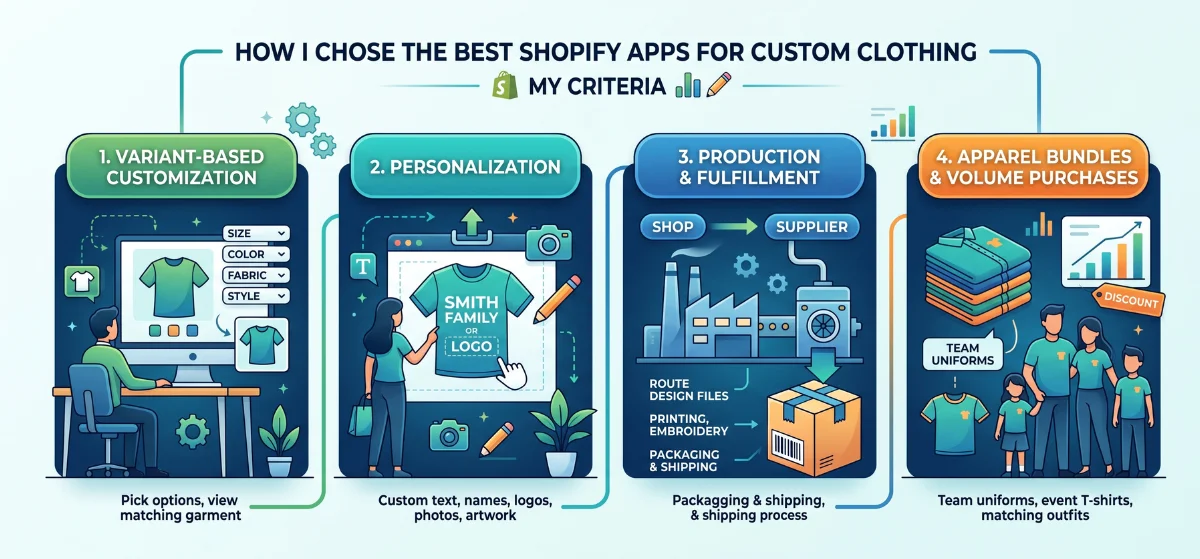
I evaluated these apps based on variant control, live previews, design upload tools, print-on-demand connections, pricing, and total value for apparel sellers seeking top Shopify apps for clothing stores.
Your custom clothing business likely falls into one of four main workflows:
- Variant-Based Customization: Shoppers pick ready-made options like size, color, fabric, or style while viewing matching garment photos.
- Personalization: Buyers place custom text, names, logos, family photos, or original artwork directly onto products.
- Production and Fulfillment: Store owners route design files straight to suppliers for printing, embroidery, packaging, and shipping.
- Apparel Bundles and Volume Purchases: Merchants sell multi-item orders like team uniforms, event T-shirts, or matching family outfits with quantity discounts.
Check These 10 Best Shopify Apps for Custom Clothing
Explore top tools to build, show, and fulfill custom clothing orders.
1. Echo Swatch
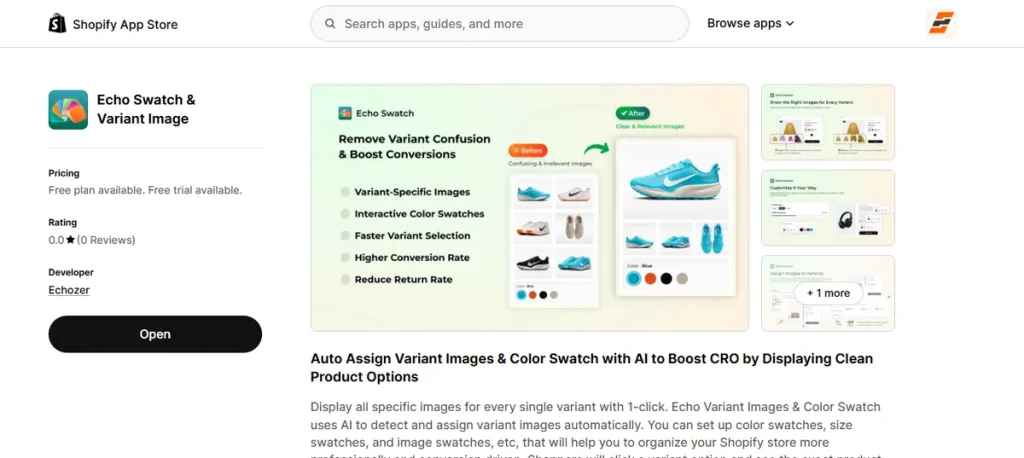
Best for: Showing the correct product images and swatches for clothing variants.
Clothing products usually carry dozens of color and size combinations. Buyers leave when selecting a green shirt displays a red one instead.
Echo Swatch fixes this visual confusion fast. It comes with built-in AI that assigns your variant images automatically.
Shoppers click a color swatch and see only the matching garment photos immediately. Unrelated images stay hidden. The shop gallery stays clean, accurate, and ready for buyers.
Key Features:
- AI auto-assignment of variant images.
- Variant-specific image gallery display.
- Color, image, and size swatches.
- Multi-option variant support.
- Automatic hiding of unrelated photos.
- Compatibility with Shopify 2.0 themes and page builders.
Pros:
- Cuts manual image tagging time.
- Cleans up cluttered product pages.
- Supports flexible option types.
- Builds shopper buying confidence.
- Free plan available.
Cons:
- Focuses on variant display rather than custom canvas design.
Pricing:
- Free Plan: Free for up to 3 products (50 AI images monthly).
- Starter Plan: $7/month (up to 100 products, 7-day trial).
- Growth Plan: $15/month (up to 500 products, 7-day trial).
- Premium Plan: $29/month (unlimited products, 7-day trial).
2. Echo Bundle
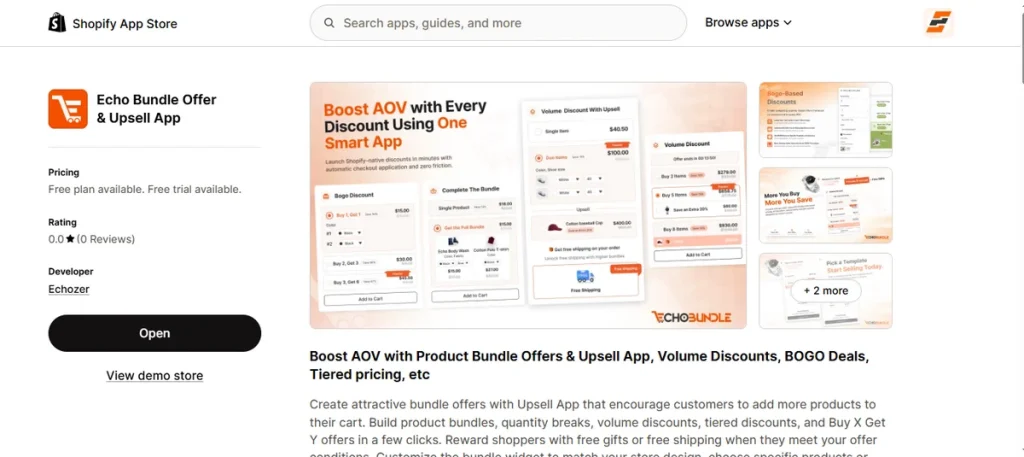
Best for: Selling multiple custom clothing items with bundle and quantity offers.
Custom apparel orders rarely stop at a single shirt. Customers buy matching family outfits, event T-shirts, or bulk team gear.
Echo Bundle turns these multi-item purchases into larger store orders effortlessly. You can set up quantity breaks, volume discounts, and BOGO deals in minutes.
Add free gifts or free shipping triggers directly inside the cart widget. Everything blends with your theme design seamlessly.
Key Features:
- Flexible product bundle creation.
- Tiered volume discounts and quantity breaks.
- BOGO and Buy X Get Y offers.
- Free gift incentives based on spend.
- Free shipping offer triggers.
- Full widget design customization.
Pros:
- Fits multi-item custom garment sales.
- Rewards bulk customer purchases.
- Boosts average order values.
- Offers versatile deal types.
- Includes a free plan.
Cons:
- Handles promotional offers rather than custom canvas rendering.
Pricing:
- Free: Free up to $500 monthly bundle revenue.
- Starter: $9/month (up to $10,000 bundle revenue, 14-day trial).
- Growth: $19/month (up to $25,000 bundle revenue, 14-day trial).
- Premium: $49/month (over $25,000 bundle revenue, 14-day trial).
3. Teeinblue Product Personalizer
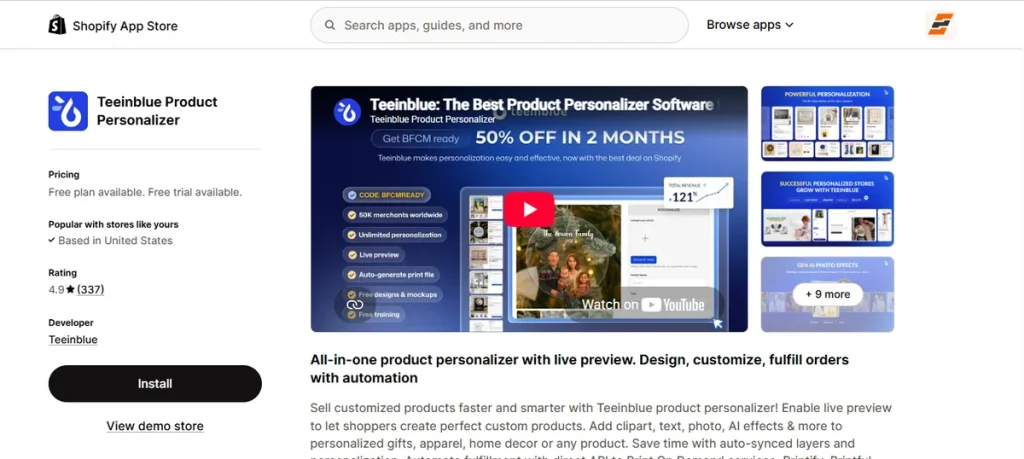
Best for: Personalized apparel with live previews and automated production files.
Shoppers want to create unique shirts before paying. Teeinblue gives customers full creative control over their clothing.
Buyers type custom text, upload family photos, and pick fonts or colors directly on the product page.
A real-time preview displays every visual edit instantly. Once ordered, the app generates high-resolution print files automatically.
It sends production data straight to major print-on-demand networks like Printify, Printful, and Gelato without manual work.
Key Features:
- Text and photo personalization options.
- Live interactive canvas preview.
- Canvas design templates and custom typography.
- Built-in AI background remover and sketch tools.
- Automatic print-ready vector file generation.
- Direct API connections with major POD partners.
Pros:
- Renders real-time visual proofing for shoppers.
- Saves manual work by generating production-ready files.
- Connects seamlessly to leading fulfillment networks.
- Speeds up design creation with AI image editing tools.
- Offers zero-cost access for development stores.
Cons:
- Advanced layer rules create a noticeable learning curve.
Pricing:
- Development Stores: Free for sandbox store testing.
- Blue Plan: $49/month plus a $0.10 to $0.40 per-item transaction fee (14-day trial).
4. Kickflip Product Configurators
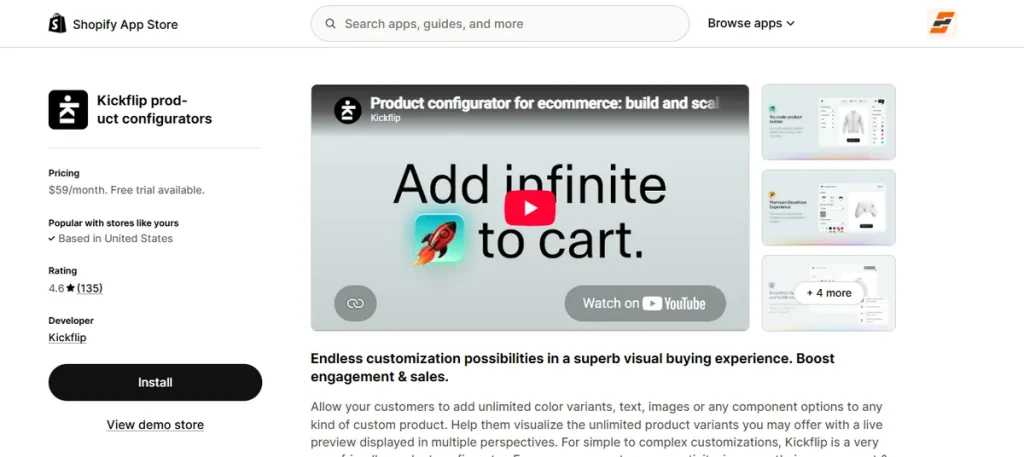
Best for: Complex custom clothing configurations.
Building multi-part garments requires more than simple text placement. Kickflip helps shoppers construct complex apparel piece by piece.
Customers assemble custom jackets or team jerseys by swapping collar styles, sleeve colors, and fabric components.
Every change updates the live preview across multiple visual angles. Option choices adjust total pricing dynamically on screen. Inventory SKUs update alongside custom orders automatically.
Key Features:
- Live multi-perspective product preview.
- Text, font, and logo personalization.
- Multi-component product building.
- Dynamic real-time price updates.
- Advanced conditional logic rules.
- Dynamic color customization on specific areas.
- Shopify inventory and SKU synchronization.
Pros:
- Renders detailed multi-angle previews.
- Handles multi-part garment building seamlessly.
- Updates cart pricing dynamically per option.
- Keeps inventory SKUs aligned.
- Offers a 14-day free trial.
Cons:
- Monthly costs add up faster for early-stage stores.
Pricing:
- Scale Plan: $59/month plus a 1.95% to 0% transaction fee based on custom product sales volume (14-day trial).
5. Customily Product Personalizer
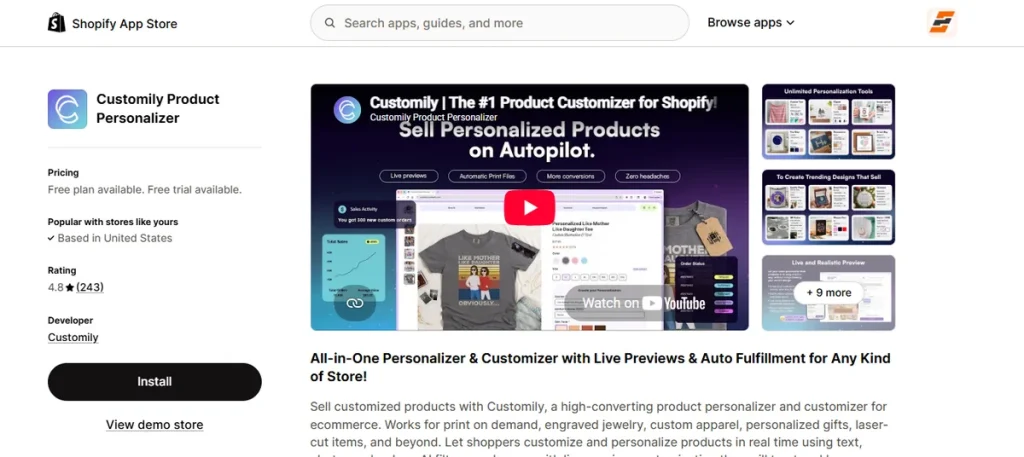
Best for: Personalized apparel with live previews and automated POD workflows.
Customily Product Personalizer converts basic store pages into active design studios.
Shoppers drop text, upload photos, and apply quick AI image effects right on screen. Live previews show every change instantly. Checkout triggers zero extra prep work.
The app changes buyer artwork into clean print files right away. Orders stream straight to print networks like Printify, Printful, and Gelato for fast production.
Key Features:
- Text and photo canvas tools.
- Real-time preview updates.
- Built-in AI image styling.
- Pre-loaded clipart galleries.
- Auto-generated print files.
- Direct POD supplier sync.
Pros:
- Instant visual proofs build buyer confidence.
- File creation runs fully on autopilot.
- Supplier connections save fulfillment hours.
- Pre-made clip art speeds up store design.
- Free plan works for dev stores.
Cons:
- Transaction fees apply on top of monthly costs.
Pricing:
- Development Stores: Free for dev environments.
- Customily Plan: $49/month plus $0.10–$1.00 per item (9-day trial).
6. Printful
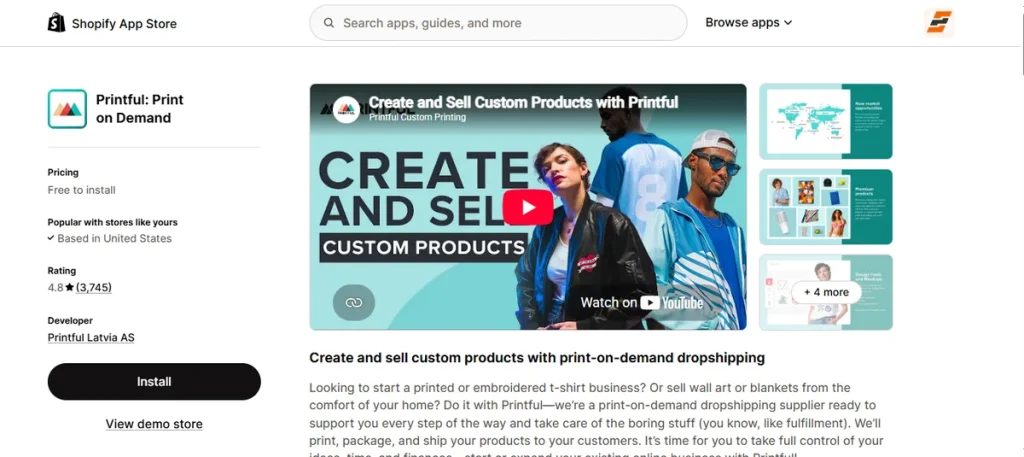
Best for: Print-on-demand clothing production and fulfillment.
Store owners often confuse production tools with canvas design editors. The Printful Shopify app works primarily as a production and fulfillment provider, not a customer-facing product customizer.
You upload artwork, pick blank garments, and generate product mockups in your admin panel. When a customer orders, Printful prints, packages, and ships the item straight to their doorstep.
Its seamless dropshipping workflow makes it one of the best Shopify apps for custom clothing stores using a print-on-demand model.
Key Features:
- Custom apparel printing and embroidery.
- Built-in design tools and mockup generator.
- Custom packaging slips and brand pack-ins.
- Global fulfillment and automated order tracking.
- Direct Shopify store sync.
- Automated dropshipping execution.
Pros:
- Handles printing, packaging, and shipping automatically.
- Charges zero upfront fees for unsold stock.
- Delivers high-quality embroidery and garment prints.
- Offers custom branding inserts for orders.
- Connects instantly to Shopify admin.
Cons:
- Lacks live human customer support for urgent issues.
Pricing:
- Free Plan: Free to install (pay production and shipping costs per order).
- Growth Plan: $24.99/month (up to 33% off products, 90-day trial, free after $12k yearly sales).
7. Printify
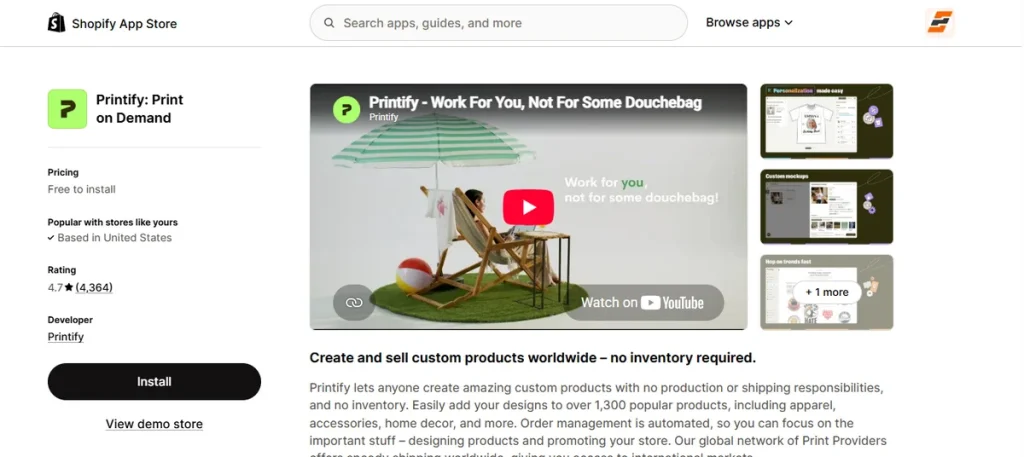
Best for: Print-on-demand clothing with a broad provider network.
Why tie up capital in unsold warehouse inventory?
Printify connects your shop directly to a global network of independent print suppliers. You place original artwork onto blank hoodies, caps, or T-shirts inside their Product Creator tool.
A customer buys an item, and Printify sends that order straight to your chosen print facility. The vendor prints, packages, and ships the product while you focus on driving store traffic.
Key Features:
- Access to 2,000+ customizable blank items.
- Built-in Product Creator and mockup generator.
- Global print provider network options.
- Automated order routing and shipment tracking.
- Flexible profit margin adjustments per item.
- Direct Shopify product catalog sync.
Pros:
- Eliminates upfront inventory investment.
- Offers a massive catalog of apparel options.
- Connects to international print facilities easily.
- Processes orders automatically after checkout.
- Free to install for up to 5 stores.
Cons:
- Print quality and shipping speeds vary across individual vendors.
Pricing:
- Free Plan: Free to install (up to 5 stores, pay fulfillment costs when sales occur).
- Premium Plan: $39/month (up to 10 stores, up to 33% discount on products).
8. Hulk Product Options
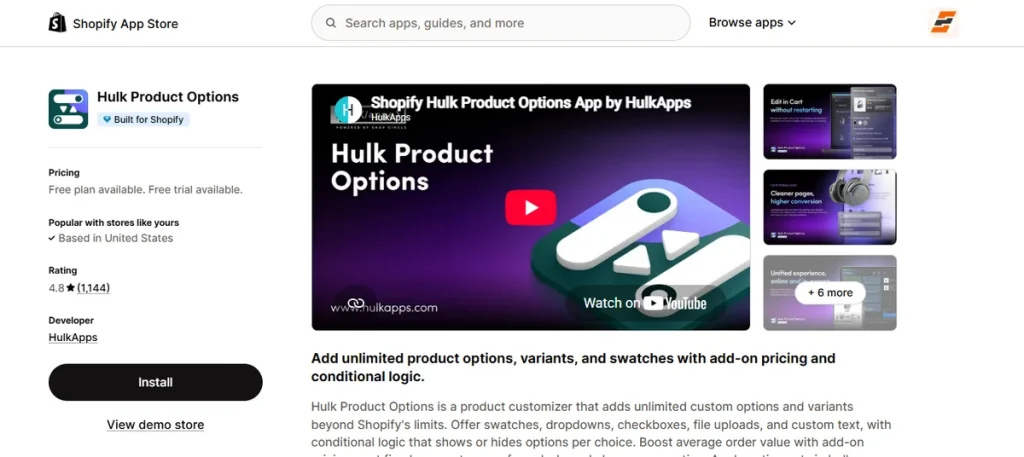
Best for: Adding advanced options beyond standard Shopify variants.
Need more flexibility than standard Shopify variant limits allow?
Hulk Product Options expands your product pages with unlimited custom fields, color swatches, and file uploads.
A customer picks a standard shirt size, attaches an embroidery file, and selects a custom thread color directly on the page.
Built-in conditional logic shows or hides specific fields based on previous selections. You can also assign extra add-on prices to custom requests, turning basic garment listings into lucrative, multi-option products.
Key Features:
- Unlimited custom fields, swatches, and checkboxes.
- Conditional logic rules for dynamic option display.
- Add-on pricing for extra customization choices.
- File and image upload capabilities for customer artwork.
- Bulk option set application across entire collections.
- Inventory SKU tracking and POS compatibility.
Pros:
- Expands garment listings beyond native variant limits.
- Creates extra revenue through add-on price triggers.
- Simplifies complex option forms with conditional rules.
- Speeds up store setup with bulk CSV tools.
- Offers free access for partner development stores.
Cons:
- Advanced pricing formulas take time to configure properly.
Pricing:
- Development Stores: Free for sandbox testing.
- Basic Plan: $10/month (7-day trial).
- Advanced Plan: $20/month (adds conditional logic, 7-day trial).
- Enterprise Plan: $49.90/month (adds SKU tracking, 7-day trial).
9. Kiwi Size Chart & Recommender
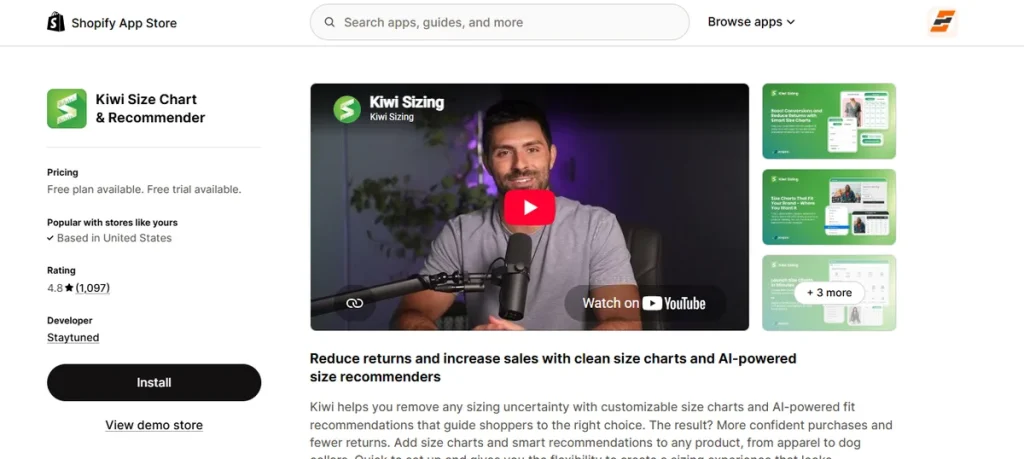
Best for: Helping customers choose the correct clothing size.
Perfect custom artwork means nothing if the shirt arrives two sizes too small. Sizing uncertainty leads straight to expensive product returns and unhappy buyers.
Kiwi Size Chart & Recommender prevents post-purchase regret by putting clean size guides right on your product pages. Its smart algorithms calculate ideal fits using simple body measurements from the shopper.
The system detects buyer locations automatically to display dimensions in either inches or centimeters.
Key Features:
- Dynamic size tables supporting photos and video.
- AI fit engine with custom body inputs.
- Automated product and collection size matching.
- Location-based unit conversion.
- Bulk chart creation via CSV imports.
- Conversion analytics for fit recommendations.
Pros:
- Cuts costly garment returns from bad fits.
- Gives buyers instant sizing confidence.
- Switches measurement units globally on autopilot.
- Imports existing measurement tables fast.
- Includes a free plan for up to three charts.
Cons:
- AI fit recommendations require upgrading to higher-paid tiers.
Pricing:
- Free Plan: Free (up to 3 size charts).
- Premium: $7.99/month (up to 10 charts, 14-day trial).
- Plus: $14.99/month (includes AI recommender, 14-day trial).
- Ultimate: $26.99/month (unlimited charts and recommenders, 14-day trial).
10. Easify Custom Product Options
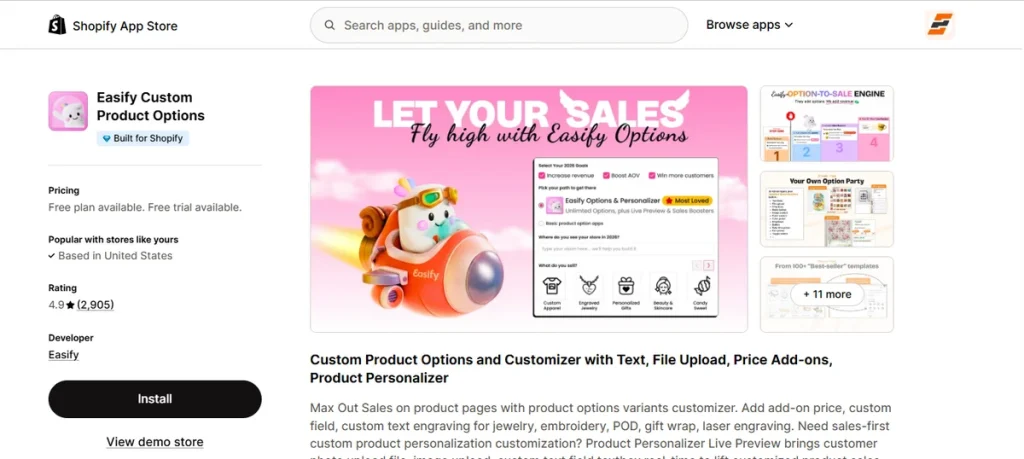
Best for: Flexible custom fields and product-option-based clothing customization.
Some apparel stores need custom text fields alongside live design proofing. Easify Custom Product Options packs custom fields, file uploads, and interactive previews into one lightweight toolkit.
Shoppers pick thread colors, upload high-resolution print files, or type custom embroidery text right on the product page.
Built-in price add-on rules calculate extra charges per character or per file automatically. Last but not least, its premium plan offers full real-time visual previews for your buyers.
Key Features:
- Custom text fields, date pickers, and color swatches.
- Multi-file image uploads for customer designs.
- Conditional logic tied to standard Shopify variants.
- Dynamic add-on pricing calculated per character or option.
- Built-in size tables and dimension calculators.
- Real-time visual product previews on Premium tier.
Pros:
- Combines simple option fields with visual proofing.
- Automates extra price calculations per custom feature.
- Includes 24/7 human live chat support across all plans.
- Supports large multi-file design uploads easily.
- Free plan allows unlimited options and products.
Cons:
- Advanced option rules can feel overwhelming.
Pricing:
- Free Forever Plan: Free for unlimited products, options, and orders (15 option types).
- Pro Plan: $9.99/month (28 option types, price formulas, 14-day trial).
- Premium Plan: $19.99/month (adds live visual previews, 14-day trial).
- Enterprise Plan: $99.99/month (adds phone support and custom tweaks, 14-day trial).
Which Shopify App Do You Need for Custom Clothing?
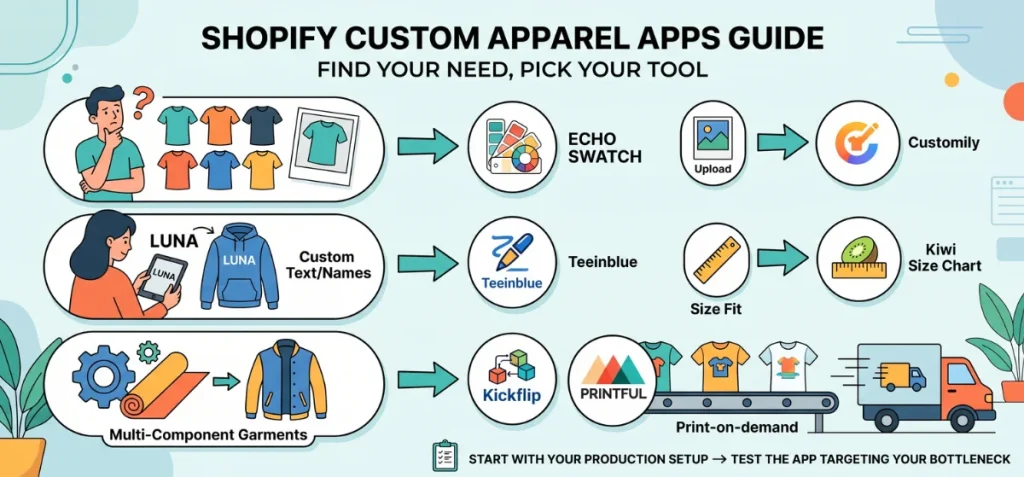
Different apparel businesses face distinct technical challenges. You must match your specific store problem to the correct software solution.
Use this decision guide to pick the exact tool for your workflow:
| What You Need | App Type | Best App Solution |
| Show correct photos for each color variant | Variant image and swatch app | Echo Swatch |
| Let customers add custom text or names | Product personalizer app | Teeinblue Product Personalizer |
| Let customers upload original photos and artwork | Product personalizer app | Customily Product Personalizer |
| Build multi-component garments step-by-step | Product configurator app | Kickflip Product Configurators |
| Print, package, and ship custom orders automatically | Print-on-demand app | Printful or Printify |
| Add extra paid fields and custom options | Product options app | Hulk Product Options or Easify Custom Product Options |
| Stop size returns with fit recommendations | Size recommender app | Kiwi Size Chart & Recommender |
| Sell bulk garments or bundle deals together | Bundle and quantity-break app | Echo Bundle |
First, outline your production setup. Next, test the app that targets your biggest bottleneck. This targeted approach prevents technical conflict on product pages and saves monthly software costs.
Best Shopify Apps for Custom Clothing Free
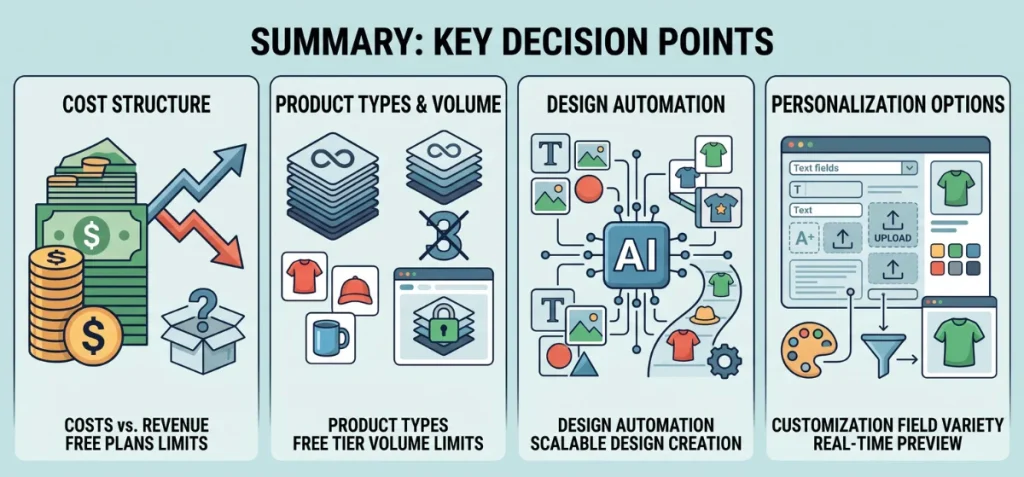
Zero-cost tools often come with hidden limits. You must understand what each free tier actually includes.
Best Free Option for Variant Images
Echo Swatch offers the cleanest no-cost starter tier for variant management. Its free plan lets you test up to 3 products with AI variant image auto-assignment, color swatches, and automatic image gallery filtering.
Best Free Options for POD
Printful and Printify both feature a free-to-install software model. You pay zero recurring app subscription fees to design and publish products.
However, these platforms are not entirely free. You pay base product costs and shipping fees every time a customer places an order.
Free Product Customization Options
Easify Custom Product Options provides a free plan for unlimited products and orders but restricts access to basic option fields.
Free plans for live visual personalizers like Customily Product Personalizer work exclusively on partner development stores.
Live stores must budget for paid tiers as sales volume grows.
Best Print-on-Demand Shopify Workflow for Custom Clothing
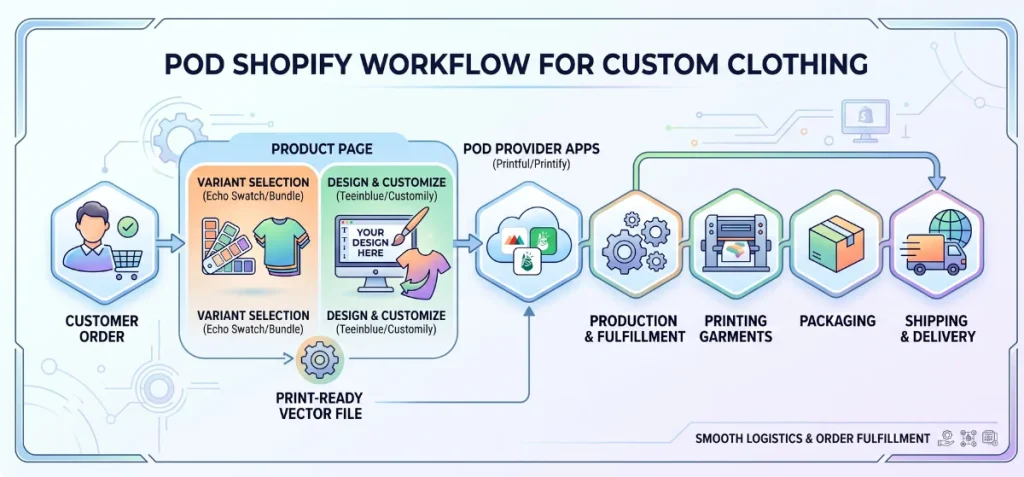
A successful store connects specialized tools across distinct operational steps. The ideal print-on-demand Shopify workflow follows this clear line:
Customer → Variant Selection → Design/Personalization → Production File Export → POD Provider → Printing & Fulfillment → Shipping.
Different software categories handle specific stages:
- Variant Selection: Echo Swatch organizes color choices and aligns variant photos on product pages.
- Volume Incentives: Echo Bundle triggers bulk discounts to drive multi-item cart totals.
- Customization Layer: Front-end design editors like Teeinblue, Customily, or Kickflip let buyers customize products and output print-ready vector files.
- Production & Fulfillment: Back-end suppliers like the Printful Shopify app or Printify take those files to manufacture, package, and ship physical garments.
This clear split between front-end design capture and back-end fulfillment keeps store logistics smooth.
Recommended App Stack for Different Custom Clothing Stores
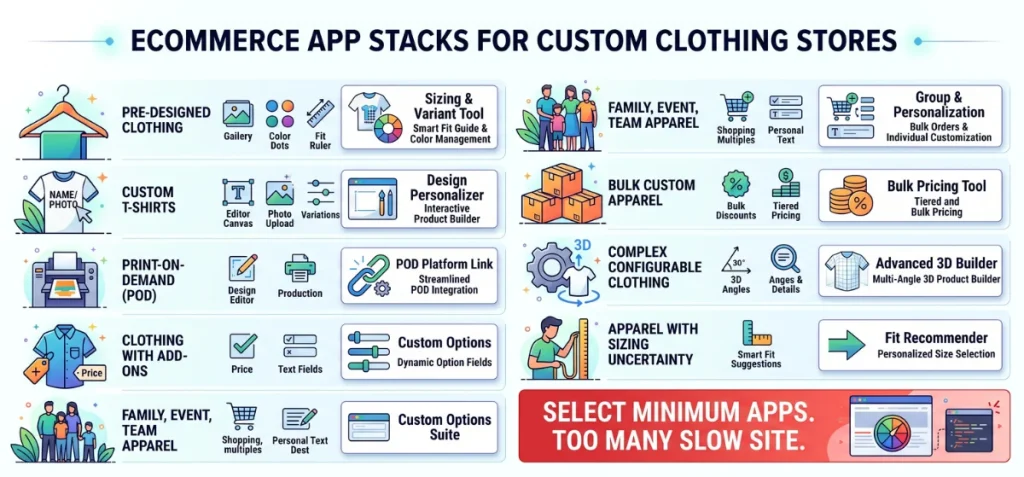
Use this guide to combine the right tools for your specific store setup:
| Store Type | Recommended Functionality | Recommended App Stack |
| Pre-designed clothing with many colors and sizes | Clean image galleries paired with accurate fit guides | Echo Swatch + Kiwi Size Chart & Recommender |
| Custom T-shirts with names or photos | Real-time design canvas with clean variant image display | Teeinblue Product Personalizer (or Customily Product Personalizer) + Echo Swatch |
| Print-on-demand apparel | Front-end design editor linked directly to back-end printing | Customily Product Personalizer + Printful (or Printify) |
| Clothing with paid add-ons | Dynamic option fields combined with organized color swatches | Hulk Product Options (or Easify Custom Product Options) + Echo Swatch |
| Family, event, or team apparel | Bulk volume discounts paired with custom text and photo tools | Echo Bundle + Teeinblue Product Personalizer |
| Bulk custom apparel | Tiered quantity breaks combined with custom option fields | Echo Bundle + Easify Custom Product Options |
| Complex configurable clothing | Multi-angle 3D builder paired with accurate variant photos | Kickflip Product Configurators + Echo Swatch |
| Apparel with sizing uncertainty | Smart body size recommendations paired with color swatches | Kiwi Size Chart & Recommender + Echo Swatch |
Do not install all ten apps on your store. Select only the smallest tool combination that solves the actual customization problem in your workflow.
Stacking too many software tools slows down your site speed and creates technical conflicts on product pages.
Wrapping Up
Your search for the best Shopify apps for custom clothing depends on your exact setup. Focus on tools that remove buyer confusion instead of adding store bloat.
If you need clean variant galleries to create instant buyer trust on product pages, you can use Echo Swatch. It organizes color options and displays the right garment photos automatically.
If you want to boost average order value, try Echo Bundle. Test these simple apps to build a smooth shopping flow.
FAQs
What Are the Best Apps for a Shopify Clothing Store?
Echo Swatch fixes cluttered product galleries with clean variant display rules. Echo Bundle adds volume pricing to boost average cart totals.
What is the Best App to Design Your Own Clothes?
Teeinblue Product Personalizer provides complete design control. Shoppers add custom text, photos, and fonts with live preview rendering.
What Are the Best Shopify Apps for Customizing Products?
Customily Product Personalizer handles front-end artwork uploads with direct print-on-demand connections. Easify Custom Product Options offers dynamic fields, date pickers, and price calculation rules.
What is the Best Print-on-Demand App for Shopify?
Printful and Printify handle physical manufacturing, printing, packaging, and shipping automatically. They solve back-end production logistics rather than customer-facing canvas customization.
What is the Best Free Shopify App for Custom Clothing?
App costs depend on functionality. Echo Swatch includes a free tier for small variant catalogs. Echo Bundle provides a zero-cost plan to build multi-item quantity offers up to initial revenue thresholds.
Can I Sell Custom Clothing From Shopify on iPhone?
Yes. Store owners manage orders through the primary Shopify Mobile Admin iOS app. Suppliers like Printify also offer native iPhone apps to create products and track production on the move.