

Best Quantity Breaks Shopify App in 2026
Quick Answer:
The EZ BOGO Bundle Quantity Breaks is the best quantity breaks Shopify app. It works as a full-featured Shopify extension and boosts average order value. It delivers automated volume pricing tables, BOGO deals, and free gift triggers without lowering page loading speeds.
Many Shopify store owners search for the best quantity breaks Shopify app when single-item orders drain their profit margins. Shipping costs, checkout fees, and ad spend rise every month, but average order values stay flat.
Quantity break apps fix this issue by incentivizing customers to buy in bulk. Tiered discounts, BOGO deals, and volume tables give shoppers a clear financial reason to add more items to their cart before checkout.
This guide reviews ten top quantity break apps for Shopify with a clear breakdown of key features, free plan limits, and monthly costs to help you choose the right fit.
Best Shopify Quantity Breaks Apps at a Glance
Here’s a list of all the apps we’re going to review in this article. Let’s check them out.
| Rank | App Name | Free Plan | Starting Price |
| 1 | EZ BOGO Bundle Quantity Breaks | Up to $500/mo extra sales | $9/mo |
| 2 | P: Quantity Breaks & Discounts | 1 offer (Up to $300/mo extra sales) | $14.99/mo |
| 3 | Wide Bundles – Quantity Breaks | Development stores only | $14.99/mo |
| 4 | Bundler – Product Bundles App | Unlimited revenue & orders | $8.99/mo |
| 5 | Kaching Bundles App & Upsells | Development stores only | $14.99/mo |
| 6 | Oxify Bundles Quantity Breaks | Entry-level free plan available | $9.99/mo |
| 7 | Zoorix: Bundles & Cross Sell | Forever Free (Includes app logo) | $7.99/mo |
| 8 | OC Order Limit Quantity Breaks | Up to 3 products | $18/mo |
| 9 | Fly Bundles & Quantity Breaks | Up to $1,000/mo extra sales | $19/mo |
| 10 | Pumper Bundles Quantity Breaks | Up to $300/mo extra sales | $9.99/mo |
How I Evaluated These Shopify Quantity Break Apps
I evaluated these apps by testing their core features directly on live test stores.
My analysis focused on how well each tool handles quantity breaks, tiered pricing, BOGO deals, and product bundles across specific products, variants options, and collections.
I verified cart upsells, free gifts, free shipping triggers, and overall compatibility with native checkout, cart drawers, and page builders.
For high-volume operations, I tested catalog scalability, widget customization, page-loading speeds, Shopify POS support, and B2B wholesale features.
I also analyzed their reporting dashboards to track real conversion metrics.
Beyond performance, I closely examined free-plan restrictions and revenue-based pricing caps, pinpointing one material disadvantage for every app on the list to ensure full transparency.
Quantity Breaks vs. Volume Discounts, Bundles and Upsells
Store owners often mix up discount terms when setting up offers.
A quantity-break app can also function as an upsell app for Shopify when it encourages customers to add more units, but not every quantity-break app includes cart upsells, cross-sells, or product recommendations.
Here’s a table describing what each term means so that you can confidently set up your offers.
| Term | Meaning |
| Quantity break | A price or discount that changes when a quantity threshold is reached |
| Volume discount | A broad term for discounts based on the amount purchased |
| Tiered pricing | Different prices or discounts at defined quantity levels |
| Product bundle | Two or more products or variants presented as one offer |
| BOGO | A Buy One Get One or Buy X Get Y promotion |
| Product-page upsell | An offer encouraging a larger purchase before add-to-cart |
| Cart upsell | An additional offer displayed after a product enters the cart |
| Order limit | A minimum or maximum purchase condition |
10 Best Quantity Breaks Shopify Apps for Every Store Type
These top software choices will help you find the right tool to grow your orders.
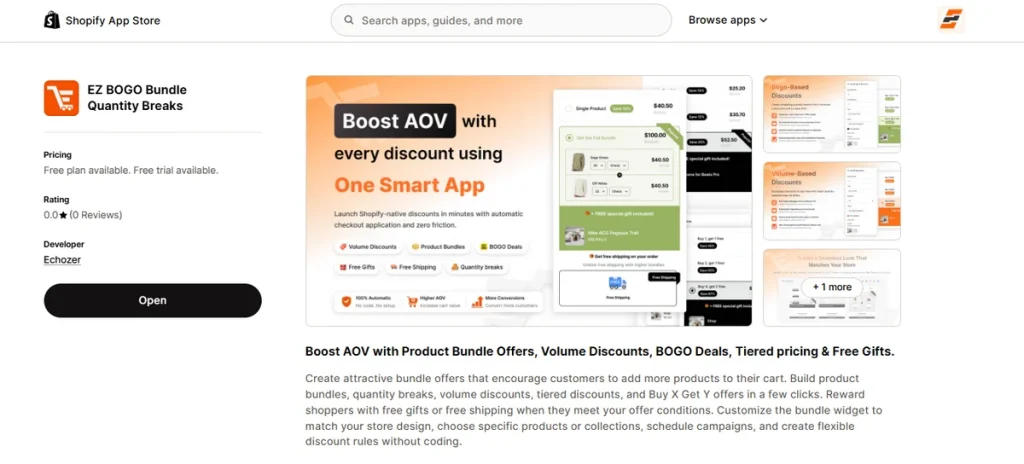
1. EZ BOGO Bundle Quantity Breaks
Best for: Cost-conscious stores that need multiple discount tools in one place.
Most quantity apps force you to pick between a clean store layout or a good discount strategy.
EZ BOGO Bundle Quantity Breaks fixes this issue by giving you every conversion feature in a single dashboard.
You get tiered discounts, classic bundles, and smart BOGO rules without paying for multiple extensions.
The app lets you attach free shipping or mystery gifts to bulk purchases, which actively stops shoppers from leaving your checkout page.
It loads fast, responds well on mobile screens, and works directly with page design builders like PageFly, GemPages, and EComposer.
Key Features
- Dynamic volume discount tables.
- Multi-tiered bulk pricing rules.
- Automated Buy X Get Y deals.
- Fixed and mixed item bundles.
- Spending milestones for gifts and shipping.
- Specific product or collection tagging.
- Automated start and end dates for sales.
- Fully visual design changes for blocks.
- Support for 33 global store languages.
- Fast checkout loading speeds.
Pros
- Zero asset clutter on your theme layout.
- High monthly revenue limit on the free tier.
- Low entry price for scaling brands.
- Long two-week premium testing period.
- Granular targeting controls.
Cons
- The free plan only includes $500 bundle revenue per month.
Pricing
- Free: Covers up to $500 in monthly bundle sales.
- Starter: $9 per month.
- Growth: $19 per month.
- Premium: $49 per month.
- Free trial: 14 days on all paid options.
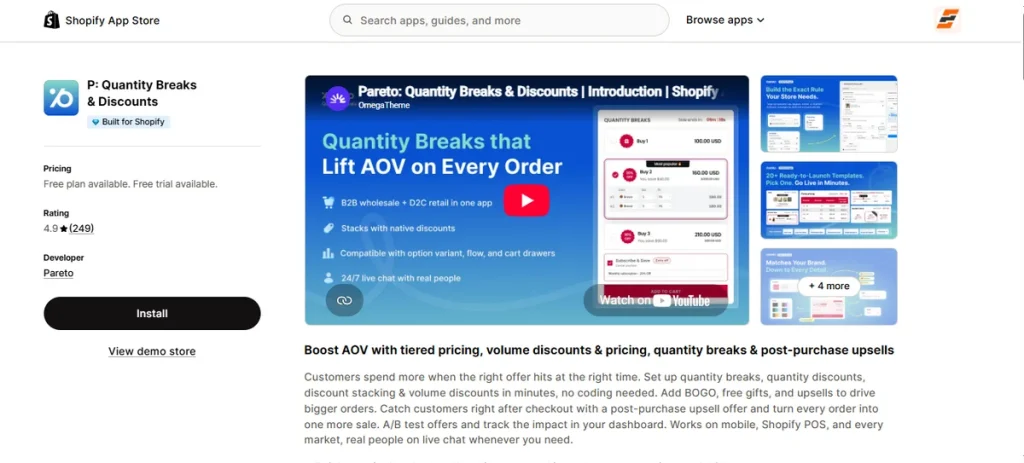
2. P: Quantity Breaks & Discounts
Best for: Stores that sell to businesses and physical retail shops.
Wholesale shops need distinct discount choices that regular retail software cannot give.
P: Quantity Breaks & Discounts fixes that issue by sorting your bulk price tiers by customer tags or location. You can display custom B2B tiers right next to your standard prices.
Its layout scales beautifully on mobile phones and pairs with your real-world shops through Shopify POS. You also get post-purchase upsells to grab extra profit right after a client buys.
Key Features
- Custom bulk tiers for wholesale clients.
- Shopify POS support for retail shops.
- Smart buyer tags and market filters.
- Advanced discount stacking options.
- Post-purchase upsell offers.
- Split-test rules for bundle boxes.
- Direct cart drawer placements.
- Automatic sale dates and timers.
- Fast data transfers between stores.
- Multi-language dashboard options.
Pros
- Ideal option for online and in-person sales.
- Allows deep client group filters.
- Provides live support at any hour.
- Handles complex price rule stacks well.
- Shows clear sales metrics inside the app.
Cons
- Strict revenue limits push you into pricey tiers quickly.
Pricing
- Free: 1 live offer and up to $300 in extra app revenue.
- Basic: $14.99 per month.
- Professional: $29.99 per month.
- Advanced: $59.99 per month.
- Free trial: 3 days on paid tiers.
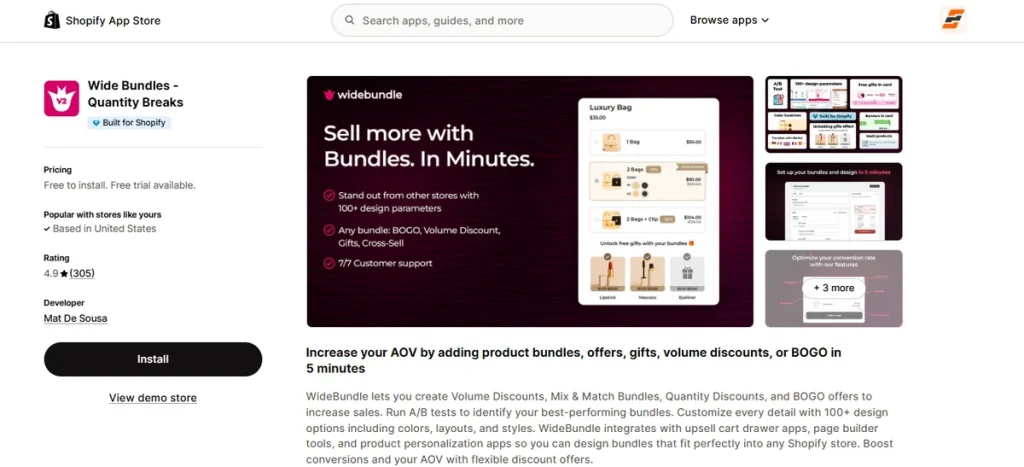
3. Wide Bundles – Quantity Breaks
Best for: Design-heavy brands that want complete control over widget layouts.
Plain discount tables can look ugly on a premium store template. Wide Bundles solves this visual problem with more than 100 deep customization choices.
You get six distinct layout themes to alter colors, text sizes, and border styles without touching code.
The system swaps out standard dropdown lists for interactive size and color pills to encourage quick clicks. Plus, you can run active split tests between different layouts to discover which design brings in the most profit.
Best of all, you pay a flat fee based on your Shopify store type, so you never have to worry about strict app revenue caps forcing you into a higher price tier.
Key Features
- Six distinct widget structure options.
- Interactive color swatches and thumbnail buttons.
- Built-in A/B split testing rules.
- Custom HTML and CSS styling boxes.
- Live savings badges that display buyer discounts.
- Automated price rounding filters.
- Seamless extensions for PageFly and GemPages.
- Multi-language translations via Shopify Markets.
- Detailed revenue metrics dashboard.
- Mix-and-match product packages.
Pros
- Blends into highly customized brand styles.
- Gives you full styling controls and unlimited bundles on every plan.
- Offers live chat support seven days a week.
- Lets you highlight a specific package on page load.
- Flat pricing structure avoids surprise revenue penalties.
Cons
- Free plan is only for development stores.
Pricing
- Development Stores: Free to install with all features.
- Basic Plan: $14.99 per month.
- Standard Plan: $19.99 per month.
- Advanced Plan: $24.99 per month.
- Free trial: 14 days on paid tiers.
4. Bundler – Product Bundles App
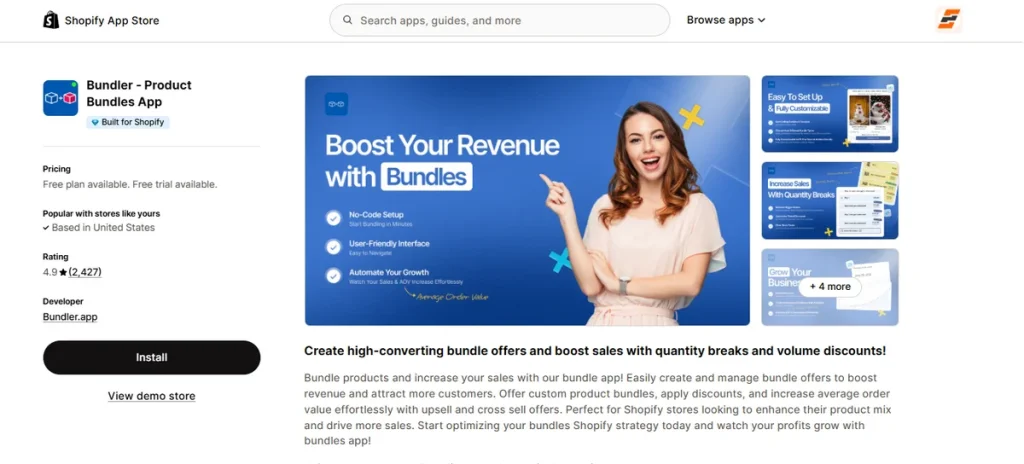
Best for: Stores that want to run bulk discounts without sales caps.
Many discount apps penalize your growth by taking a cut of your wins. Bundler – Product Bundles App takes the opposite path.
The basic version costs nothing and never stops working when your store goes viral. You can launch instant price-drop charts, simple Buy One Get One promotions, and cross-sell blocks right next to your add-to-cart buttons.
It talks perfectly to your retail checkout hardware via Shopify POS and matches up with subscription systems for repeat buyers.
Merchants who want deep math charts and custom funnel pages can step up to the paid tier of this quantity breaks Shopify app.
Key Features
- Infinite order processing with zero cost.
- Custom percentage or fixed-cash price drops.
- Direct cross-sell boxes on the main layout.
- Instant discount code insertion at the final step.
- Total harmony with Shopify POS cash registers.
- Build-your-own package selections.
- Standalone layout pages for specific deals.
- Minimum spend requirements for free deliveries.
- Native sync with Seal Subscriptions setup.
- Performance trend lines and conversion graphics.
Pros
- No surprise bills when your order counts explode.
- Lowest premium pricing on the market.
- Creates unique URLs for specific bundle packages.
- Keeps base volume features entirely free.
- Ideal for hybrid online and retail operations.
Cons
- Advanced package builders and analytics require a paid plan.
Pricing
- Free: Yes.
- Premium: $8.99 per month.
- Executive: $12.99 per month.
- Free trial: 7 days on premium plans.
5. Kaching Bundles App & Upsells
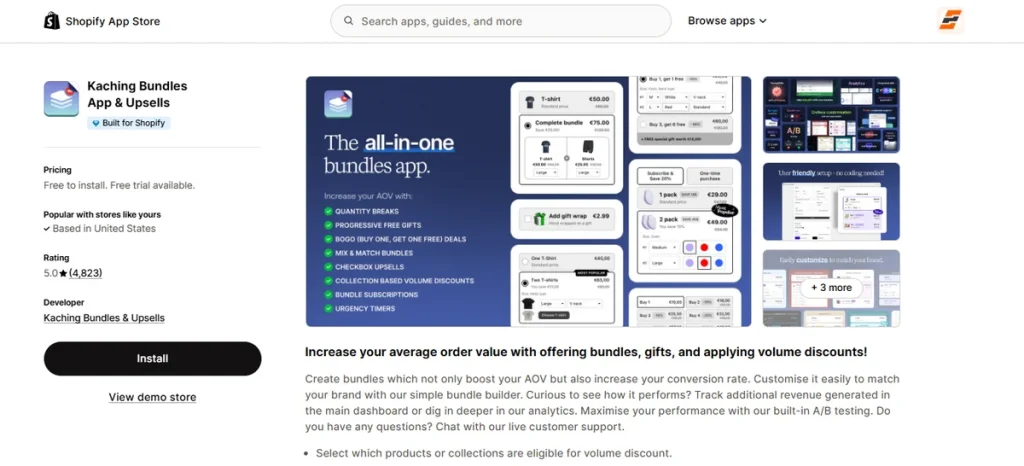
Best for: High-volume stores that want to maximize conversions through quick A/B testing.
Some merchants just guess which discount amount appeals most to their buyers. Kaching Bundles App & Upsells takes away the guesswork by putting active split-test options right inside your dashboard.
This software stands out as the best quantity breaks Shopify app if you want to test multiple bundle styles side-by-side to find the highest converter.
You can choose specific item sets, change background colors to blend with your template, and track your success via live profit graphics.
It matches up smoothly with modern systems like Hydrogen headless setups and specialized drawer extensions.
Key Features
- Visual split testing tools for discount templates.
- Custom color, background, and button controls.
- Fixed cash value or percentage drops.
- Target rules for individual items or full collections.
- Seamless connectivity for Hydrogen and UpCart templates.
- Interactive product recommendation add-ons.
- Clear income dashboards for tracking progress.
- High-volume variant coordination blocks.
- Fully responsive layouts for handheld screens.
- Multi-language translation packs.
Pros
- Lets you run data-backed sales experiments easily.
- Installs cleanly with zero theme template damage.
- Earned a perfect five-star rating from thousands of users.
- Connects seamlessly with custom page layout systems.
- Provides incredibly fast, human chat help.
Cons
- Strict extra-revenue limits push brands into higher pricing plans.
Pricing
- Development Stores: Free to install with unlimited features.
- Starter: $14.99 per month.
- Scale: $29.99 per month.
- Pro: $59.99 per month.
- Free trial: 7 days on paid tiers.
6. Oxify Bundles Quantity Breaks
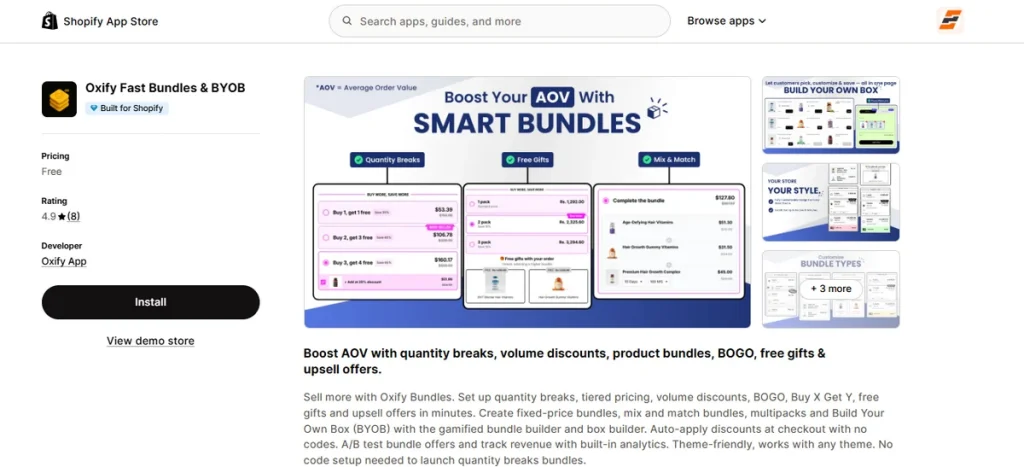
Best for: Stores that want interactive box builders and gamified custom kits.
Building multi-item gift boxes or custom mix-and-match packages usually requires heavy, expensive extensions.
Oxify Bundles Quantity Breaks changes that setup by including a full Build Your Own Box tool in its feature set.
Shoppers can select individual items to fill up custom containers with instant visual feedback.
The layout applies volume discounts automatically at checkout, so buyers never need to copy and paste coupon codes.
It includes built-in split testing to let you try different campaign layouts before committing.
Key Features
- Interactive Build Your Own Box widget.
- Automatic checkout discounts with zero coupon codes.
- Custom mix-and-match bundle configurations.
- Native A/B testing framework for offer designs.
- Tiered pricing tables for high-SKU SKUs.
- Buy X Get Y and instant free gift rules.
- In-app analytics for tracking total campaign profits.
- PageFly, GemPages, and EComposer compatibility.
- Seamless cart drawer upsell placements.
- Multi-language layout choices across 18 languages.
Pros
- Offers complex box-building features in one place.
- Applies discounts at checkout without manual input.
- Built for Shopify standards to keep stores fast.
- Connects smoothly with external slide-out cart drawers.
- Provides responsive chat support for fast setup.
Cons
- Has a smaller public review base than older competitors.
Pricing
- Free Plan: Free entry tier for early-stage stores.
- Starter / Cart Drawer Plan: $9.99 to $149.99 per month with a 14-day free trial based on order volume.
- Enterprise Plan: $299 per month with dedicated support and custom integrations.
7. Zoorix: Bundles & Cross Sell
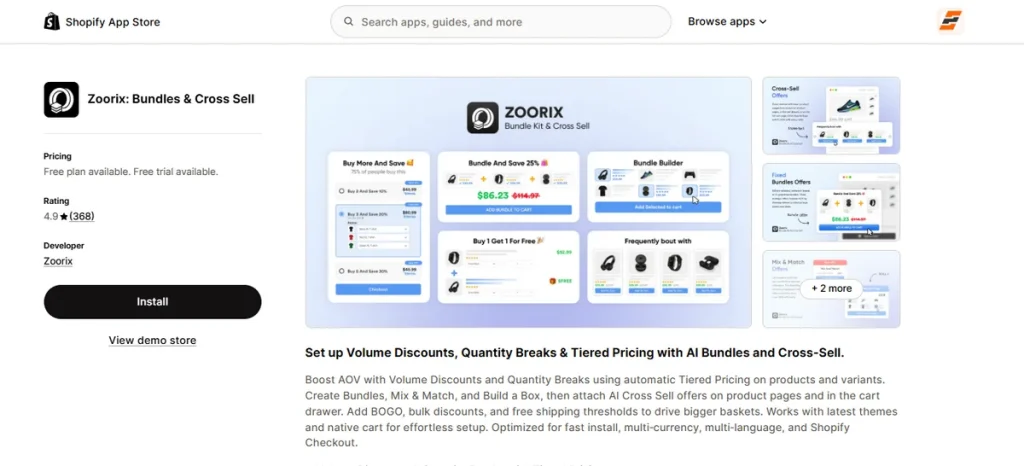
Best for: Native cart drawer upsells and smart AI product recommendations.
Shoppers often leave money on the table when they view their cart. Zoorix: Bundles & Cross Sell stops those lost sales by putting smart AI suggestions directly inside your slide-out cart drawer.
The system studies buyer behavior to recommend the best add-on items at the exact right moment. You can build custom mix-and-match packages, volume discount tables, and free shipping progress bars in minutes.
The entire setup works smoothly across multiple currencies and languages without slowing down your checkout.
Key Features
- Smart AI recommendations inside the cart drawer.
- Custom quantity breaks and tiered price rules.
- Mix-and-match bundle builders.
- Free shipping progress bars to boost order sizes.
- Native Buy X Get Y promotion rules.
- Built-in multi-currency conversion support.
- Standalone build-a-box campaign tools.
- Seamless connection with PageFly and GemPages.
- Instant checkout discount application.
- Custom product page upsell blocks.
Pros
- Unlocks every single feature on the free plan.
- Gives you a generous 30-day testing window on paid tiers.
- Keeps your store fast with lightweight code.
- Fits smoothly inside slide-out cart drawers.
- Helps you show personalized recommendations automatically.
Cons
- Displays a visible Zoorix logo on the free tier.
Pricing
- Forever Free: $0 per month.
- Basic: $7.99 per month.
- Growth: $14.99 per month.
- Premium: $29.99 per month.
- Free trial: 30 days on paid plans.
8. OC Order Limit Quantity Breaks
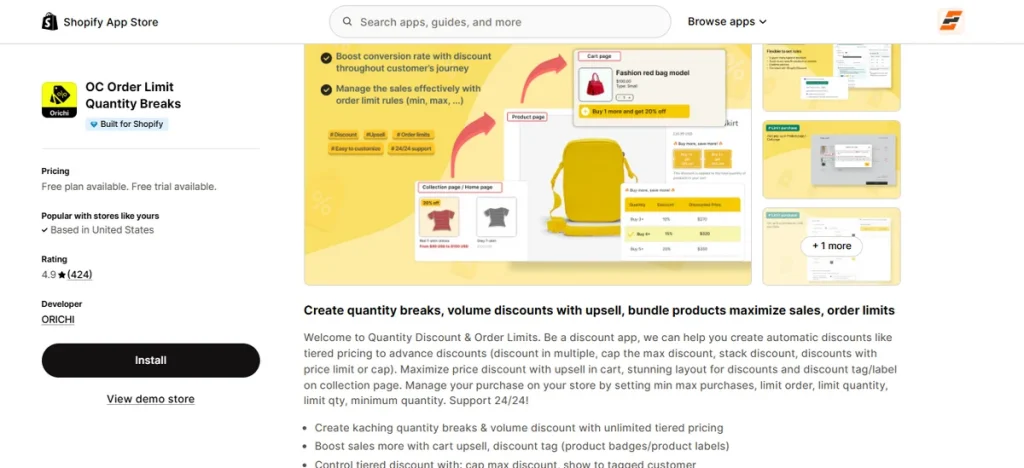
Best for: Stores that need quantity discounts paired with minimum and maximum order rules.
Wholesale buyers and retail shoppers often need completely different purchasing boundaries.
OC Order Limit Quantity Breaks gives you total control over who buys your stock and how much they take home.
It earns its spot as a contender for the best quantity breaks Shopify app by pairing volume price drops with strict cart limits.
You can stop inventory hoarding, set minimum order values for heavy items, and lock specialized discounts behind specific customer tags.
Keep in mind that while the app pairs with Shopify POS, complex cart-blocking rules require configuration in your main web dashboard first.
Key Features
- Unlimited volume discount tables with tier caps.
- Minimum and maximum product purchase boundaries.
- Cart-level weight and order value restrictions.
- Country and location-based purchasing rules.
- Customer tag segmentation for specialized pricing.
- Dynamic discount badges for collection grids.
- Cart-page upsell blocks.
- Direct integration with Shopify POS hardware.
- Support for multiple item purchases.
- Compatibility with instant Buy It Now buttons.
Pros
- Combines order restriction tools with volume pricing in one dashboard.
- Keeps stock levels safe from bulk reselling attempts.
- Works smoothly with physical checkout setups via Shopify POS.
- Offers a functional free tier for basic rules.
- Displays visual price badges across collection pages.
Cons
- Advanced report dashboards require the highest pricing tier.
Pricing
- Free: Yes.
- Basic: $18 per month.
- Advance: $20 per month.
- Free trial: 7 days on paid tiers.
9. Fly Bundles & Quantity Breaks
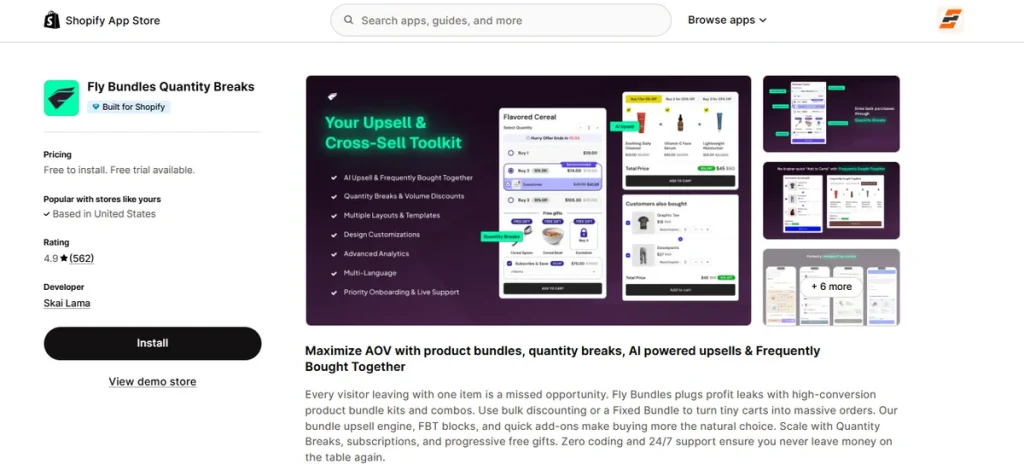
Best for: Stores that want AI-assisted upsells with zero impact on site speed.
Single-item orders leave valuable profit behind on every checkout session. Fly Bundles & Quantity Breaks fixes this issue by blending tiered price drops with AI-powered Frequently Bought Together blocks.
You can set up fixed package deals, progressive free gifts, and automated cross-sell prompts across your catalog.
Its lightweight code loads natively on your product pages, keeping your store fast while driving bigger cart totals.
Key Features
- AI-assisted recommendation blocks.
- Tiered quantity breaks and bulk price drops.
- Progressive free gift milestone triggers.
- Fixed-price package and BOGO offer configurations.
- Automatic inventory sync across bundled variants.
- Full compatibility with 3PL, side cart, and page builder tools.
- Customizable native storefront widgets.
- Detailed performance analytics dashboard.
- Multi-language layout support.
- Direct support for recurring subscription products.
Pros
- Free plan includes up to $1,000 in extra app sales.
- Built with native code to protect page loading speeds.
- Automatically syncs inventory across individual package items.
- Integrates smoothly with third-party logistics apps.
- Provides priority onboarding help and round-the-clock live support.
Cons
- Capped revenue limits on lower plans.
Pricing
- Free: Available.
- Growth: $19 per month.
- Scale: $49 per month.
- Free trial: 10 days on paid tiers
10. Pumper Bundles Quantity Breaks
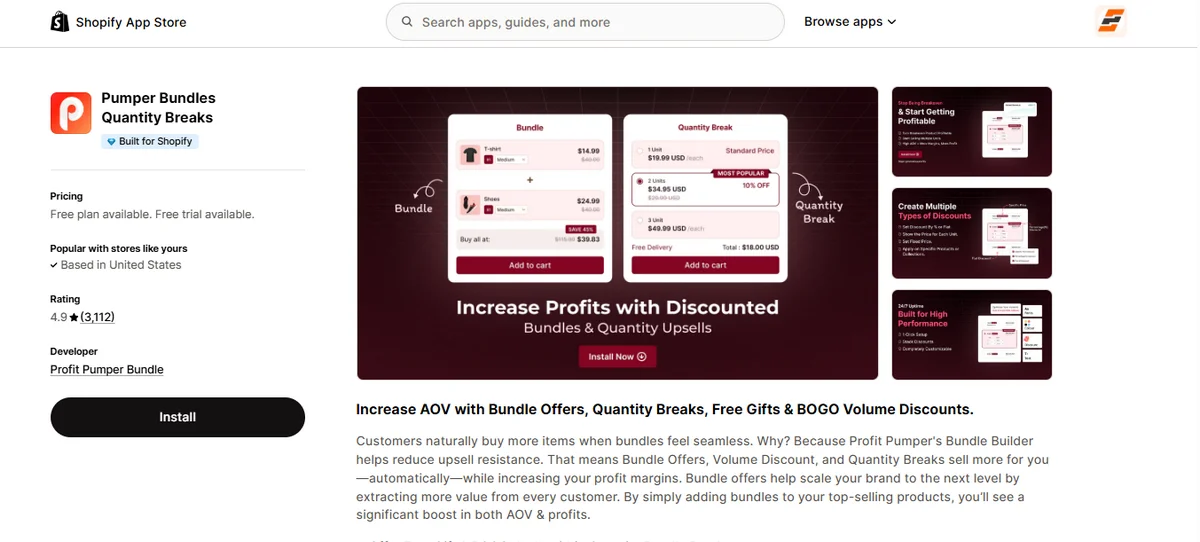
Best for: Growing brands that want unlimited offer creation backed by 24/7 live support.
Scale happens fast when your product pages offer multiple ways to buy. Pumper Bundles Quantity Breaks brings unlimited bundle offers and tiered discounts straight to your store layout.
You can mix percentage price drops, flat-rate savings, or free gift rewards on any item. The app connects smoothly with page builders like PageFly and slide-out cart drawers like Upcart.
Round-the-clock live chat support ensures your setup stays online without interruption.
Key Features
- Unlimited bundle creation and quantity breaks.
- Unit, percentage, or flat discount structures.
- Buy One Get One and free gift incentives.
- Page builder tools for PageFly and GemPages.
- Slide-out cart drawer integrations (Upcart, Monster Cart).
- Post-purchase upsell compatibility.
- Multi-language storefront product options.
- Full theme customization controls.
- Round-the-clock live chat assistance.
- Automated revenue impact tracking.
Pros
- Unlimited bundles on all plans.
- 24/7 live support.
- Connects with popular cart drawers.
- Supports custom landing page builders.
- Free entry tier for initial testing.
Cons
- Revenue caps apply to lower-priced plans.
Pricing
- Free: Yes.
- Starter: $9.99 per month.
- Growth: $29.99 per month.
- Unlimited: $49.99 per month.
- Free trial: 7 days on paid tiers.
What Is the Best Free Quantity Breaks App for Shopify?
The EZ BOGO Bundle Quantity Breaks app by Echozer is the best free choice because it offers up to $500 in monthly app-generated revenue on its free tier alongside full customization options.
You can launch tiered volume discounts, BOGO deals, and free gift triggers without writing a single line of code. Here are a few more free quantity break apps for Shopify.
| App Name | Free Plan Limit | Key Features |
| P: Quantity Breaks & Discounts | 1 live offer, up to $300/mo extra revenue | Wholesale B2B pricing, customer tag filters, and Shopify POS sync |
| Bundler – Product Bundles App | Unlimited revenue and orders | Volume tables, BOGO deals, and recurring subscription compatibility |
| Oxify Bundles Quantity Breaks | Entry-level free plan available | Interactive Build Your Own Box builder and checkout auto-discounts |
| Zoorix: Bundles & Cross Sell | Full features included (displays app logo) | Cart drawer AI suggestions, cross-sells, and free shipping bars |
| OC Order Limit Quantity Breaks | Up to 3 products | Quantity breaks paired with min/max order and weight limits |
| Fly Bundles & Quantity Breaks | Up to $1,000/mo extra revenue | AI-powered Frequently Bought Together blocks and native speed |
| Pumper Bundles Quantity Breaks | Up to $300/mo extra revenue | Unlimited offers, 24/7 live chat support, and cart drawer sync |
Which is the Best Quantity Breaks Shopify App?
The best app depends on your store’s specific budget and sales goals.
For merchants who want maximum value without bloated costs, EZ BOGO Bundle Quantity Breaks takes top honors.
It packs volume discounts, BOGO rules, and custom bundles into one dashboard without slowing down your checkout.
Small stores get up to $500 in monthly sales on the free plan, making it an easy, risk-free choice to boost cart totals.
FAQs
Can Shopify Create Quantity Breaks Without an App?
No, default Shopify plans cannot create quantity break tables or tiered discounts. You can set up manual automatic discounts, but you need a third-party app to show volume pricing tables on product pages.
What is the Best Inventory Management App for Shopify?
Stocky is the best inventory management app for Shopify merchants on POS or Plus plans. It tracks stock levels, creates purchase orders, and manages supplier data seamlessly.
What is the Best Bundle App for Shopify?
EZ BOGO Bundle Quantity Breaks is the best bundle app to increase cart sizes. It offers mix-and-match packages, volume tiers, and automatic BOGO rules from a single dashboard. Stores gain fast page speeds and high revenue limits on the free plan.
Do Quantity Breaks Increase Average Order Value?
Yes, quantity breaks boost average order value by giving customers a clear financial reason to buy more units. Higher volume drops turn single-item carts into multi-item purchases.