
Best Shopify Color Swatch Apps in 2026
The best color swatch for Shopify stores totally depends on your Shopify store and your needs. But we have analyzed 30+ color swatch Shopify apps in depth (including their tech stack) and built the best color swatch app “EZ Color Swatch Variant Image”.
This is best for functionality, ease of uses, AI integrated, affordable pricing, and more. You are highly invited to give it a try.
When you hide product options behind plain menus, shoppers hesitate and leave. However, if you use some of the best Shopify color swatch apps, you can effectively present product options and boost conversions.
With the right app, you display material textures and sync your variant photo galleries perfectly. It keeps your pages clean, builds fast buyer confidence, and stops mobile cart abandonment.
This helpful article covers the top 10 Shopify color swatch apps. We review their key features, detail their true, free live-store plans, and help you choose the best match for your catalog.
Quick Comparison of the Best Color Swatch Apps
Here is a fast breakdown of how each app fits into your store strategy, along with their baseline pricing setups:
| Rank | App | Best For | Free Plan | Starting Paid Price |
| 1 | EZ Color Swatch Variant Image | AI-assisted variant image assignment | Yes (3 products) | $7/month |
| 2 | Color Swatch King | Bulk swatch management at scale | Yes (Basic setups) | $5/month |
| 3 | GLO Color Swatch Variant Image | Free swatches plus bundles | Yes (Unlimited products) | $9.90/month |
| 4 | Variant Image Wizard + Swatch | Multiple images per variant | Yes | $4.99/month |
| 5 | Platmart Color Swatches | Separate products linked as swatches | Dev stores only | $9.99/month |
| 6 | Vario Variation Swatches | Swatch design and hover effects | Yes | $9/month |
| 7 | NS Color Swatch Variant Images | Simple visual selection + AI descriptions | Yes | $7.99/month |
| 8 | Rubik Variant Images & Swatch | Flat-fee, performance-focused stores | Yes (1 product) | $25/month |
| 9 | Hulk Product Options | Advanced custom options beyond swatches | Yes | $10/month |
| 10 | Easify Custom Product Options | Personalization plus live preview | Yes (Unlimited options) | $9.99/month |
How We Chose the Best Shopify Color Swatch Apps
Echozer has a store on Shopify; our team has tested over 20+ apps to finalize this curated color swatch app list. Here’s what we considered the most during evaluation.
Evaluation Criteria
We pulled current ratings, review counts, and pricing straight from each app’s Shopify listing rather than relying on marketing copy. Here’s what we weighed:
- Swatch types supported: color, image, button, size, texture
- Product page vs. collection page vs. search/home page support
- Variant-specific image switching and multiple images per variant
- Bulk upload, automation, and AI-assisted setup
- Out-of-stock handling
- Theme and page builder compatibility
- Pricing and how deep the free plan actually goes
- Review history and app maturity
- Best-fit use case
Best Shopify Color Swatch Apps Reviewed
Now, your journey towards the most anticipated section of this helpful article begins. Enjoy your favorite drink and keep reading!
1. EZ Color Swatch Variant Image
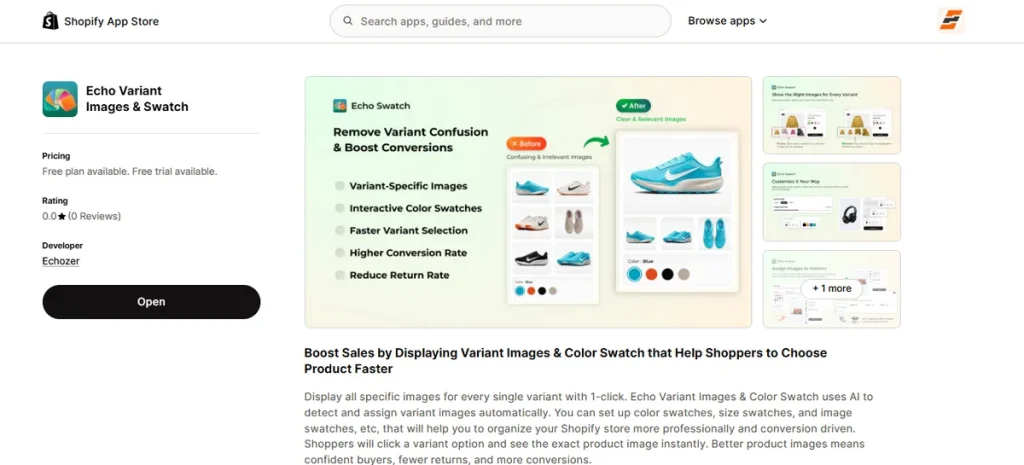
Best for: Stores that want AI to handle variant image assignment instead of doing it manually, product by product.
EZ Color Swatch Variant Image shows the correct image the moment a shopper picks a color or a size on the product page. Therefore, your store ensures enhanced customer experience, motivating shoppers to purchase.
This Shopify app’s best feature is the AI auto-assign, which uses smart technology to automatically detect and pair your product photos with the right colors and sizes.
So, you save hours of manual tagging and skip the headache of setting up hundreds of items by hand.
Showcase color swatches, image swatches, and size swatches in the most optimized way to grab buyers’ attention.
Last but not least, it’s also one of the few apps on this list confirmed compatible with PageFly, GemPages, EComposer, and Online Store 2.0 themes.
All said, EZ Color Swatch Variant Image helps you build buyer confidence, make shopping faster, and cut down on accidental returns from buying the wrong color.
Key Features
- AI Auto-Assign: It automatically assigns variant images and sizes based on your product variations.
- Instant Variant Image Switching: Shoppers instantly see the exact matching image the second they click a specific color choice.
- Multi-Swatch Support: It handles color swatches, size buttons, and image swatches all inside one app.
- Clean Image Hiding: Automatically hides unrelated variant photos, showing only the pictures that match the user’s current selection.
- Theme and Page Builder Compatibility: Built to work right out of the box with Online Store 2.0 themes and major drag-and-drop page builders like PageFly or GemPages.
Pros
- Massive time-saver for large catalogs.
- Handles three swatch types (color, image, size).
- Free plan runs on live stores, not just dev stores.
- Confirmed page builder compatibility.
- Transparent flat pricing with a 14-day trial on every paid tier.
Cons
- New app and has no review history as of July 2026.
Pricing
- Free: (3 products, 50 AI images/month).
- Starter: $7/month (100 products, 300 AI images/month).
- Growth: $15/month (500 products, 2,000 AI images/month).
- Premium: $29/month (unlimited products, 30,000 AI images/month).
All paid plans include a 14-day free trial.
Our Take
Worth testing first if you want a modern and AI-assisted setup.
2. Color Swatch King
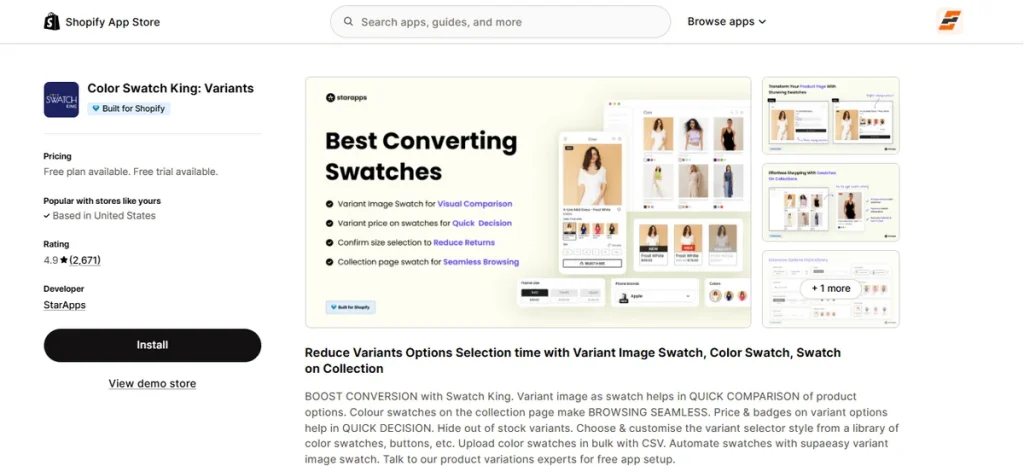
Best for: Large catalogs that need bulk swatch setup and collection page swatches without a learning curve.
Color Swatch King turns plain variant options into beautiful visual swatches on the collection page, homepage, and product page. As a result, your store ensures a seamless browsing experience, motivating shoppers to purchase.
This color swatch app on Shopify comes with the bulk CSV upload, which lets you upload rich color swatches for thousands of products at once!
You save hours of manual setup and skip the tedious job of configuring a large catalog item by item.
It also includes live price badges right on the buttons and automatically hides sold-out options. Plus, it plays perfectly with Shopify Markets, B2B wholesale pricing, and advanced search filters.
Ultimately, Color Swatch King helps stop mobile cart abandonment, keeps your pages organized, and slashes customer support tickets by making product choices obvious.
Key Features
- Bulk CSV Upload: Upload a single spreadsheet to apply visual choices across thousands of items simultaneously.
- Collection Grid Buttons: Displays color and size options directly on catalog browsing pages.
- Dynamic Price Badges: Shows extra costs or specific pricing right on the swatch button itself to help buyers decide faster.
- Smart Stock Control: Automatically hides out-of-stock variations to prevent customers from trying to buy unavailable items.
- Wholesale & Global Ready: Fully compatible with native Shopify B2B tiers and multi-currency Shopify Markets.
Pros
- Massive track record with a 4.9 rating from over 2,600 reviews.
- Speeds up the mobile shopping experience.
- Includes free expert setup assistance.
- Offers flexible styling options.
- Works seamlessly with your existing size charts and filter apps.
Cons
- First-time users may need to undergo a learning curve.
Pricing
- Free Plan Available: Offers basic entry-level access.
Paid packages are based on your Shopify plan.
- Pause & Build: $5/month.
- Shopify Basic: $14.9/month.
- Shopify Grow & Custom: $29.9/month.
- Shopify Advanced: $49.9/month.
- Shopify Plus: $99.9/month.
Our Take
The safest and most reliable choice if you run a large store and need to apply clean, consistent swatches across a massive catalog quickly.
3. GLO Color Swatch Variant Image
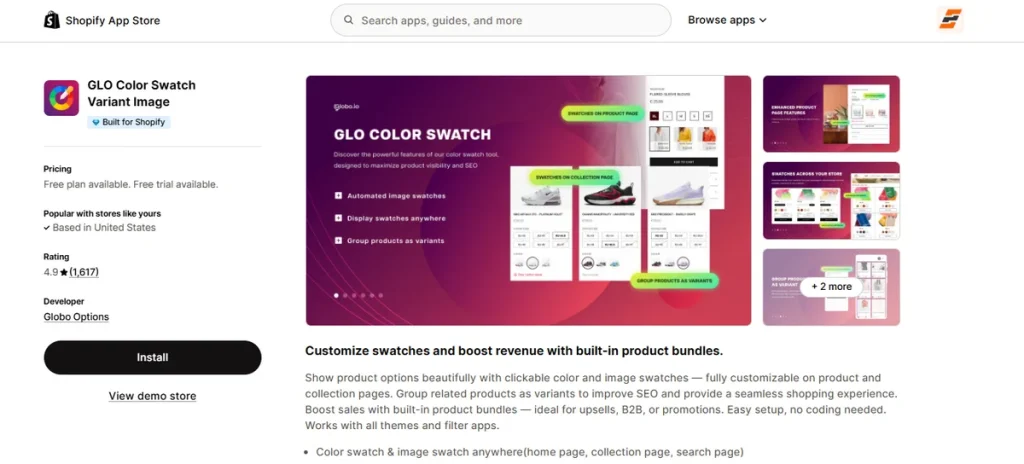
Best for: Shops on a tight budget and want a free option with built-in tools to create product bundles and groupings.
GLO Color Swatch Variant Image is one of the best Shopify color swatch apps. It upgrades your store layouts by showing visual product choices across your homepage, search results, and collection grids.
The app’s amazing feature is its multi-functional design. Aside from basic color circles, it works as an SEO tool that can group completely separate product listings into a single set of swatches.
It also packs a built-in bundle builder, letting you offer percentage discounts when buyers mix and match items.
You can select from unique layouts like pill buttons, borderless chips, or tiny image dropdowns that refresh prices and image galleries on hover.
On top of that, it handles out-of-stock variations by crossing them out or hiding them instantly.
GLO gives budget-conscious stores the features of three separate apps (swatches, product grouping, and bundles) all under one roof.
Key Features
- All-Over Store Display: Shows clickable swatches on your product pages, homepage grids, and search pages.
- SEO Product Grouping: Merges separate product URLs into one cohesive layout to help shoppers discover more items while keeping individual search rankings.
- Built-in Product Combos: Creates custom product bundles with percentage or fixed discounts to drive higher order values.
- Diverse Option Styles: Features over 6 unique display options, including pill swatches, swatch dropdowns, and buttons with live prices.
- Real-Time Hover Previews: Updates the main product title, image, and price instantly the second a buyer hovers over a swatch icon.
Pros
- The free tier supports unlimited products on your live store.
- Combinations swatches, product bundles, and grouping tools in one install.
- Speeds up shopping with live stock count alerts on options.
- Updates images, prices, and titles instantly on hover or click.
- Includes bulk import and export tools.
Cons
- Essential features are locked behind the paid tiers.
Pricing
- Free: Unlimited products, color swatches, collection page display, 1 product group, and 1 bundle combo.
- Silver ($9.90/month): Adds custom image swatches, variant image previews, and 6+ new option display styles. Includes a 7-day free trial.
- Gold ($19.90/month): Unlocks unlimited product grouping and unlimited product bundle combos. Includes a 7-day free trial.
Our Take
An absolute must-try if you want an affordable, all-in-one feature set that tackles variant grouping and bundle discounts.
4. Variant Image Wizard + Swatch
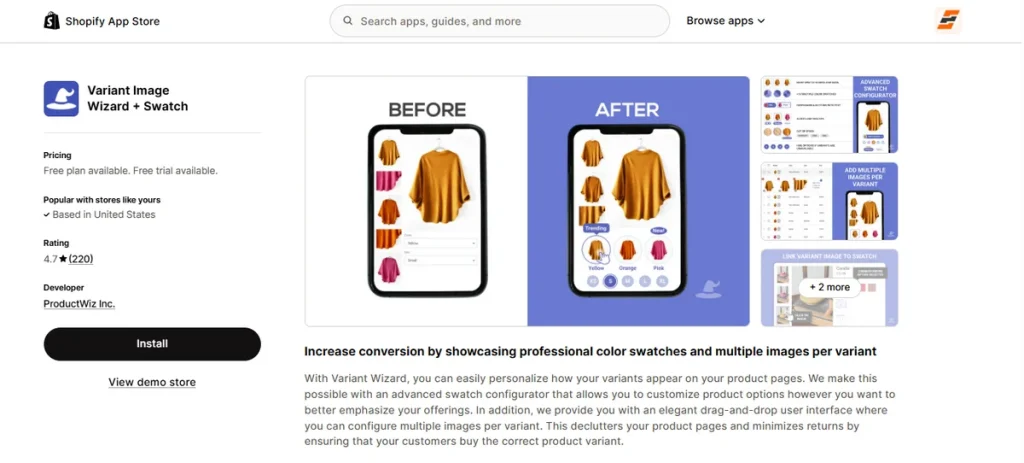
Best for: Visual-heavy brands that need to show 3, 4, or more photos for a single color option instead of just one single picture.
Variant Image Wizard + Swatch clears the clutter from your storefront by hiding unrelated media and leaving only what matters.
When a customer browses your shop, the app ensures they see an organized, clean setup that guides them smoothly toward checkout.
The real magic here is the bi-directional image linking.
When a merchant clicks a swatch color, the main photo gallery immediately updates; likewise, if a buyer clicks a specific thumbnail in your gallery, the app automatically selects the matching variant choice.
This clever link cuts out any guessing games for the shopper.
You can customize your menu layout using circles, squares, or custom pill buttons, and even add helper tools like active discount alerts and hover tooltips.
Variant Image Wizard + Swatch stops shoppers from getting overwhelmed by massive image grids, building the exact buyer confidence needed to lower your return rates.
Key Features
- Variant-Specific Galleries: Groups and displays multiple unique photos, videos, or native 3D models only when that specific option is active.
- Bi-Directional Image Linking: Changes the color choice when a user clicks a gallery picture and updates the gallery when they pick a color chip.
- Group Products as Swatches: Links completely separate product listings together as clickable buttons on a single page to bypass standard Shopify options limits.
- UX Micro-Copy Indicators: Features over 15 helpful display options including hover tooltips, out-of-stock fades, and crossed-out buttons.
- Elegant Drag-and-Drop User Interface: Uses a clear, code-free drag-and-drop dashboard to organize your images visually without editing your theme files.
Pros
- Perfect for apparel or decor stores.
- Integrates smoothly with your site code.
- Fully supports mixed media layouts.
- Excellent and fast support team.
- Provides a clean, code-free setup.
Cons
- Lacks smart AI automation.
Pricing
- Free Plan: Includes standard product options.
- Starter Plan ($4.99 /month): Gives you the full drag-and-drop user interface and unlimited custom product color or image swatches.
- Pro Plan ($7.99/month): Unlocks multi-product grouping features and extends your custom swatches onto collection grids.
Note: All paid tiers include a 14-day free trial.
Our Take
The strongest option when the real problem is “customers need to see multiple angles of each color,” not just a single swap.
5. Platmart Color Swatches
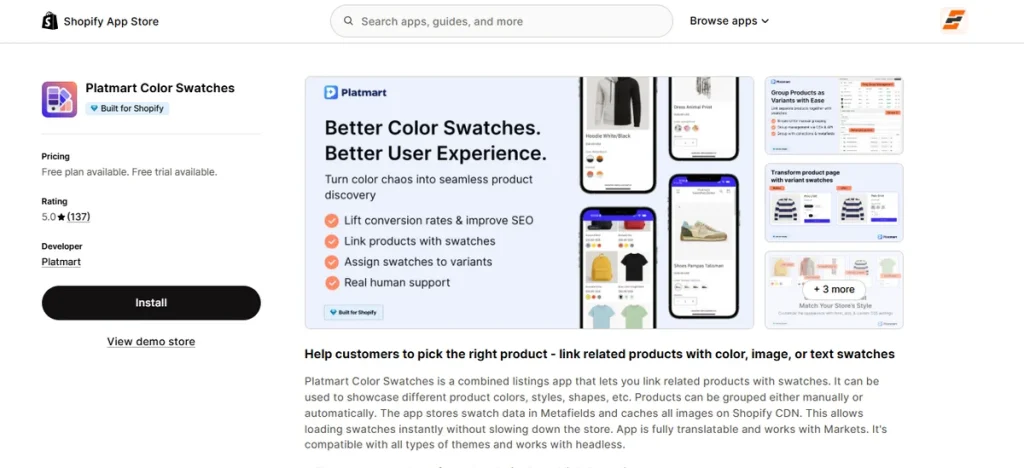
Best for: Stores where each color or style is its own Shopify product, not a variant.
Platmart Color Swatches links separate product pages together visually, making them appear as standard variant choices on your storefront.
When a customer browses your shop, the app ensures they see an organized and clean setup. Also, they get a smooth browsing experience.
The magical feature of this app is its cross-product grouping mechanism. It connects completely separate product URLs into a single, cohesive choice menu while fully supporting your existing Shopify variant options.
You can easily display color circles, image thumbnails, or styled buttons on your collection pages, homepage grids, and search listings.
Plus, it auto-detects your layout for a code-free setup and fully handles bulk management via CSV sheets or automations.
Platmart Color Swatches stops shoppers from getting lost in unorganized listings, building the exact buyer confidence needed to increase your sales.
Key Features
- Cross-Product Grouping: Links completely separate product listings together into visual swatches for smooth browsing across split collections.
- Variant Swatch Replacement: Replaces default theme dropdowns automatically with clean color circles, image thumbnails, or text buttons.
- Collection Grid Support: Displays your available swatches directly on collection and search pages before customers click through.
- Bulk Management Tools: Uses CSV spreadsheet importing, collection-based rules, and metafield mapping to handle setups at scale.
- Global Markets Translation: Localizes your swatch names and option labels to work flawlessly across different languages and Shopify Markets.
Pros
- Perfect for stores that need individual pages per color for search rankings.
- Works out of the box with Online Store 2.0 and vintage themes.
- Speeds up shopping by letting users see product variations straight from the catalog grid.
- Includes built-in inventory rules to handle out-of-stock variations.
- Offers a developer-friendly REST API for custom store configurations.
Cons
- No free plan.
Pricing
- Standard Plan ($9.99/month): Covers up to 100 product groups, unlimited variant swatches, all 6 swatch types, CSV tools, and stock handling.
- Advanced Plan ($19.99/month): Includes up to 500 product groups, collection automations, metafield mapping, and global translation tools.
- Premium Plan ($49.99/month): Unlocks up to 5,000 product groups, direct developer REST API access, and priority support channels.
Note: All paid tiers have a free trial period.
Our Take
The absolute best choice when you want to connect separate product URLs into a single, cohesive swatch menu without breaking your current theme layout.
6. Vario Variation Swatches
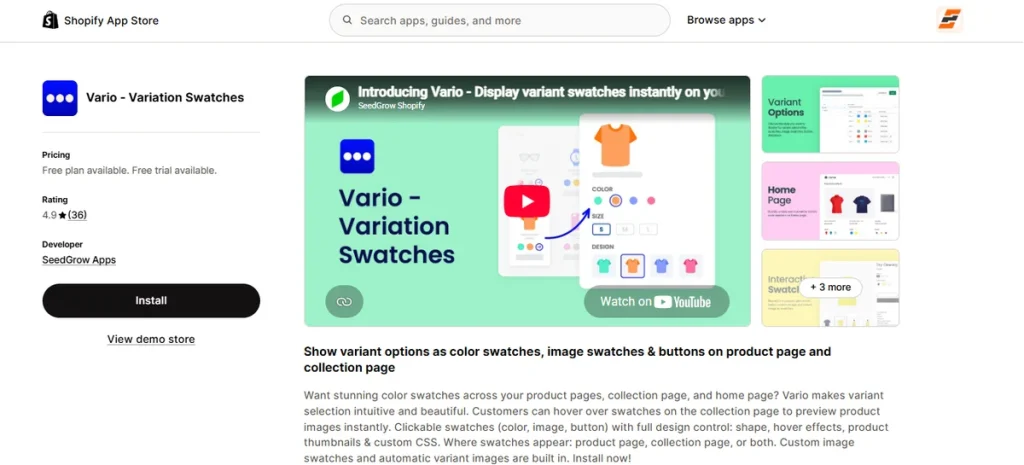
Best for: Stores where the visual polish of the swatch itself is the priority.
Vario Variation Swatches moves away from rigid templates to give you total creative freedom over your display choices.
When a customer lands on your page, it replaces standard text menus with gorgeous circular or rectangular buttons that make window shopping feel incredibly premium.
The standout feature here is its advanced live-preview customizer. A merchant can tweak button sizes, borders, colors, and tooltip positions while seeing the changes happen in real time before publishing.
It comes with automated color detection to map your standard variant titles instantly, plus bulk custom image tools to upload distinct material textures in one go. You can display these custom swatches directly on product pages, collection catalog grids, and featured homepage rows.
It also introduces slick hover animations on your collection catalog grids. The moment a user glides their mouse over a color option, it triggers a quick image swap or zoom effect right on the thumbnail preview.
Plus, it works on modern AJAX loading systems and lets you inject your own custom CSS styling.
Preventing generic and plain-looking listings, Vario Variation Swatches polishes your stores, makes them outstanding, and improves conversion rates.
Key Features
- Live Preview Customizer: Gives you fine-tuned control over button shape, size, color borders, and positioning with an instant editing preview window.
- Color & Image Automation: Automatically detects standard color names and supports fast bulk custom image uploading to save administrative time.
- Flexible Storefront Placement: Displays visual buttons directly on product pages, collection catalog grids, and featured homepage sections.
- Interactive Hover Effects: Triggers automatic variant image swaps, title popups, and smart zoom actions when a shopper hovers over a button.
- Grid Column Controls: Limits and shapes the number of active buttons shown in your featured homepage columns to keep your grid tidy.
- Massive Theme Coverage: Supports over 80 official and custom Shopify themes.
Pros
- Perfect for stores that want exact control over button shapes.
- Allows custom CSS coding.
- Includes automated color detection.
- Highly responsive support team.
- Works seamlessly with foreign translation tools.
Cons
- Features a much smaller user review base.
Pricing
- Development Plan (Free): Free ongoing access for development stores.
- Universe Plan ($9/month): Includes color and custom image swatches, full product and collection page options, a sold-out designer tool, and support for all themes.
- Metaverse Plan ($19/month): Provides all core design and page features optimized specifically for high-volume Shopify Plus stores.
Note: Both paid plans include a 14-day free trial.
Our Take
A fantastic choice if you want your buttons and text chips to look uniquely styled and love fine-tuning small design details.
7. NS Color Swatch Variant Images
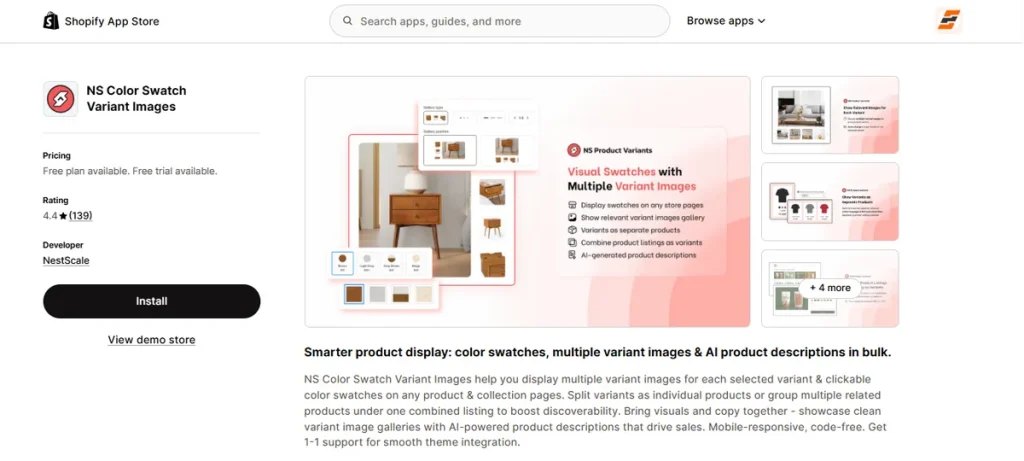
Best for: Budget-conscious merchants looking for a multi-tool that combines color swatches, multi-image galleries, combined listings, and AI copywriting in one place.
NS Color Swatch Variant Images brings a massive toolkit to your store design by updating your homepage grids, collection listings, and product pages simultaneously.
The app provides a highly engaging interface to make variant browsing completely friction-free to prompt rapid purchases.
It has become one of the best Shopify color swatch apps for its unmatched multi-tool approach.
For which a merchant can design custom text, image, or color buttons with personalized shadows and borders while simultaneously using a built-in bulk AI text generator to write SEO-optimized product descriptions in their brand voice.
It also packs robust inventory grouping tricks, allowing you to display variants as separate products on catalog screens or merge completely different listings into one unified menu with unique URLs to boost Google discovery.
NS Color Swatch Variant Images avoids the layout limitations of standard templates, ensuring mobile-responsive navigation that actively lifts conversion rates.
Key Features
- Combined Listing Grouping: Merges distinct standalone product pages into a single layout with unique URLs.
- Multi-Image Gallery Sliders: Assigns multiple specific photos to a single color option and sets up interactive sliders with hover-to-zoom controls.
- Bulk AI Copywriting Generator: Writes SEO-friendly product descriptions in bulk using your specific brand voice directly inside the app settings.
- Grid Splitting Tools: Showcases individual variant colors as separate items on collection pages and featured rows without duplicating actual inventory listings.
- Dynamic Visual Customization: Auto-generates swatch icons using real variant images and allows manual adjustments for borders, shadows, and shapes.
Pros
- Combines swatches, galleries, grouping, and text copy.
- Uses flat feature fees.
- Speeds up buying decisions.
- Provides mobile-responsive buttons.
- Offers 1-on-1 support.
Cons
- Lacks smart AI automation.
Pricing
- Free Plan: Includes unlimited product variants, standard color and text buttons, custom image uploads, and product page display.
- Growth Plan ($7.99/month): Adds collection page buttons, automatic variant image mapping, bulk AI text tools, quick views, and 1-on-1 support.
- Professional Plan ($14.99/month): Unlocks unlimited combined listing groups, multi-image galleries, grid variation splitting, and priority theme conflict resolution.
Note: Paid plans have a 7-day free trial.
Our Take
An incredibly cost-effective option if you want to dodge paying for four different apps.
8. Rubik Variant Images & Swatch
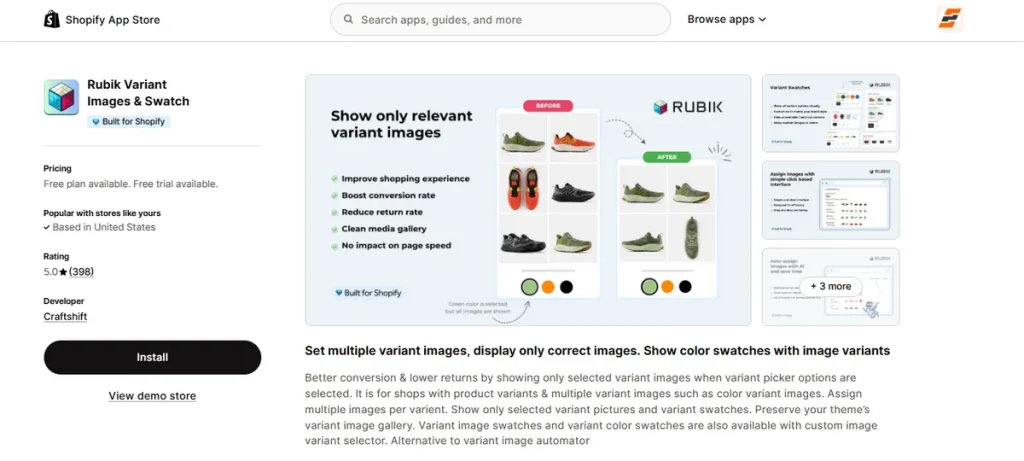
Best for: Performance-conscious stores that want predictable monthly bills, fast load times, and smart tech to map variant images automatically.
Rubik Variant Images & Swatch cuts layout confusion by keeping your image galleries organized and completely clean. It ensures shoppers only see pictures matching their specific color or style selection when they browse your stores.
The app’s biggest tech advantage is its performance-first design. It saves all your data inside native Shopify metafields and renders buttons inside an isolated shadow DOM structure.
This setup ensures your custom color swatches load instantly without affecting your web page speed or breaking your theme layouts.
A merchant can let the smart background tool automatically pair photos based on visual styling or group common images like size charts without creating double entries.
It also supports complex media files and locks down your buy buttons until a selection is made.
Rubik Variant Images & Swatch avoids heavy background script lag, building the exact buyer confidence needed to increase mobile sales and reduce support tickets.
Key Features
- AI Background Auto-Assign: Matches your catalog photos to the right variants automatically based on visual recognition to save manual time.
- Performance-First Engineering: Stores all variation data inside native Shopify metafields to ensure lightning-fast page loading speeds.
- Shadow DOM Isolation: Renders your visual buttons inside an isolated code layer so your theme CSS never breaks the layout.
- Common Gallery Sharing: Links shared files like size guides across multiple choices easily without duplicating actual image assets.
- Advanced Media Support: Integrates cleanly with mixed storefront layouts, including native Shopify video files and interactive 3D models.
Pros
- Perfect 5.0-star rating based on excellent user track records.
- Flat pricing tiers.
- Makes mobile shopping smooth and fun.
- Includes completely free expert layout integration assistance.
- Offers an ongoing free tier to run fully on a live store.
Cons
- The free plan restricts your setup to 1 single product entry.
Pricing
- Free Plan: Includes 1 product setup, 50 AI-assigned images monthly, variant picker swatches, video/3D support, and live chat help.
- Starter Plan ($25/month): Covers up to 100 products and scales your background automated matching up to 500 images monthly.
- Advanced Plan ($50/month): Includes up to 1,000 products and increases automated image mapping up to 5,000 graphics monthly.
- Premium Plan ($75/month): Unlocks unlimited product setups and up to 50,000 automated background image assignments monthly.
Note: All paid tiers include a 7-day free trial period.
Our Take
An elite choice if your main priority is keeping your online storefront lightning-fast and you want a flat fee.
9. Hulk Product Options
Best for: Custom-built stores or large businesses that need advanced math pricing, file uploads, and retail cash register sync.
Hulk Product Options, built by HulkApps, isn’t a pure color swatch app on Shopify. It’s a broader product customizer that happens to support swatches alongside conditional logic, file uploads, and formula-based pricing.
This app shifts your catalog past standard shop limitations. It replaces simple color circles with a massive product creation deck. Buyers can upload files, type text with specific font pickers, or pick delivery dates directly on the main page.
A remarkable tech feature of this app is the multi-tier logic system. It hides complex fields completely until a shopper triggers them. This keeps your page clean and fast.
It also uses advanced math formulas. You can calculate custom costs instantly for wood cuts, heavy fabrics, or wholesale tiers. It even links directly to Shopify POS for in-person retail sales.
Hulk Product Options stops customers from making manual order mistakes, lifting your average order size while cutting customer support emails.
Key Features
- Dynamic Custom Pricing: Applies fixed, percentage, or mathematical formula fees to options instantly.
- Multi-Tier Field Logic: Shows or hides advanced choices based on previous customer clicks to clear page clutter.
- Media & Font Pickers: Collects high-res file uploads and text personalization using live Google Font menus.
- Shopify POS Integration: Syncs your custom option data and pricing tiers with physical retail storefront registers.
- Bulk CSV Editing: Uploads spreadsheet data to apply deep custom options across whole product collections at once.
Pros
- Handles complex uploads and pricing formulas easily.
- Allows direct option editing inside the cart drawer.
- Works smoothly with global Shopify Markets and B2B setups.
- Simplifies setups by applying option sets in bulk via CSV files.
- Synchronizes seamlessly with physical Shopify POS retail registers.
Cons
- Free access applies only to partner testing/development stores.
Pricing
- Development Plan (Free): Free access for partner testing accounts and developer stores.
- Basic Plan ($10/month): Includes unlimited options, 10 input styles, custom swatches, file uploads, and bulk collection assignments.
- Advanced Plan ($20/month): Adds conditional logic filters, cart option adjustments, and percentage pricing upsells.
- Enterprise Plan ($49.90/month): Provides full inventory tracking, formula calculations, font pickers, and POS register sync.
Note: All paid tiers come with a 7-day free trial.
Our Take
The most powerful choice if you sell complicated, made-to-order goods and need pricing calculators alongside file uploads.
10. Easify Custom Product Options
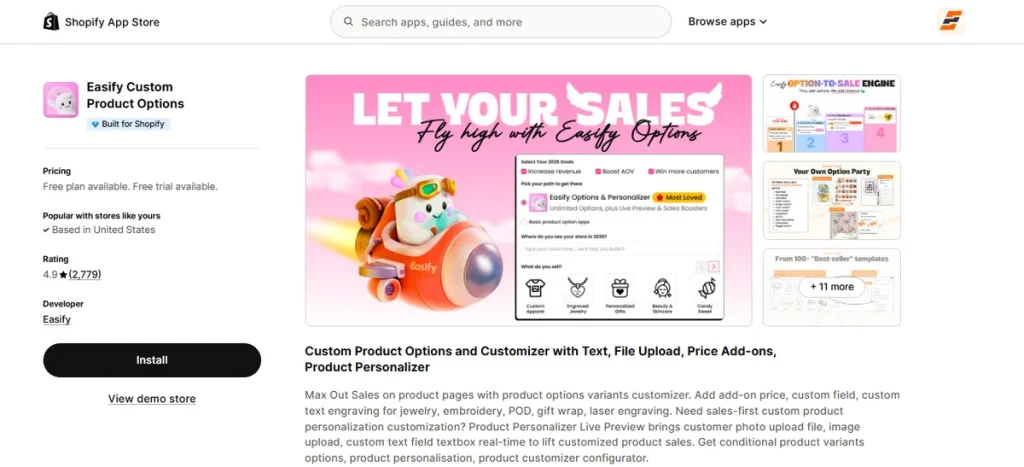
Best for: Active brands that want ready-made layout templates to set up advanced product upcharges, file uploads, and live image personalization instantly.
The last contender on this list of the best Shopify color swatch apps is Easify Custom Product Options. It skips standard setup hassles by offering over 70 pre-made industry templates.
This app lets a merchant quickly launch custom text inputs, wholesale volume tier discounts, or multi-file image uploads to personalize their items on the fly.
Besides, its option performance tracking system records exactly how individual product upgrades perform over time to optimize your upcharges.
Not only this, but shoppers can also update their custom inputs straight from the shopping cart layout without resetting their selections.
Lower tiers let you collect custom file attachments easily, while upgrading to the Premium tier unlocks interactive, real-time mockup photo previews for the customer.
All said, Easify Custom Product Options removes the friction from custom ordering, helping you drive up average order values while keeping your page loading speeds high.
Key Features
- Live Preview Customizer: Displays real-time text engravings, image uploads, and font filters directly on the product mockup photo.
- Preset Option Templates: Provides over 70 pre-made industry configuration setups to skip manual design work entirely.
- Tiered Volume Discounts: Connects automatic quantity break incentives directly into your personalized product listings.
- Advanced Date Tooling: Implements direct cutoff time rules, delivery lead timelines, and custom date exclusion blockouts.
- In-Cart Modification Setup: Allows shoppers to change their personalized text or variant options straight from the cart drawer.
Pros
- Includes 24/7 human live chat support on all plan tiers.
- Flat tier rates stay fixed regardless of your Shopify plan level.
- Tracks option performance inside the app metrics deck.
- Leaves no watermarks or labels on your front-end store.
- Allows custom date picker blockouts for delivery management.
Cons
- Interactive text and graphic mockups require the Premium tier.
Pricing
- Free Forever Plan: Includes 15 option types, 100+ templates, unlimited sets, basic conditional logic, performance tracking, and 24/7 live chat support.
- Pro Plan ($9.99/month): Adds 28 option types, custom pricing formulas, 10-file uploads (10MB each), advanced conditional rules, quantity selectors, and in-cart editing.
- Premium Plan ($19.99/month): Adds product personalizer live previews, text effects, background removal, up to 20-file uploads (100MB each), custom swatch sliders, and data exporting.
- Enterprise Plan ($99.99/month): Offers dedicated onboarding support, custom app configurations, custom integration syncs, and priority phone support lines.
Note: All paid plans include a 14-day free trial.
Our Take
A top-tier value choice if you want to skip manual field setups using pre-made templates and need reliable 24/7 live human assistance.
Best Free Shopify Color Swatch Apps
Take a look at the table below. It features free apps that can scale with your business:
| App | Free Plan on Live Stores? | What’s Included Free | Main Limitation |
| EZ Color Swatch Variant Image | Yes | 3 products, 50 AI-mapped images monthly. | Best suited for smaller core catalogs to start testing the AI features. |
| GLO Color Swatch Variant Image | Yes | Unlimited products, color circles, collection grid displays. | Custom image swatches require the $9.90/mo plan. |
| Easify Custom Product Options | Yes | Unlimited products, orders, sets, and 15 option types. | Advanced swatch sliders require the $19.99/mo plan. |
| Rubik Variant Images & Swatch | Yes | 1 product, 50 AI-assigned images monthly. | Locked to a single product before needing the $25/mo tier. |
| Color Swatch King | Yes | Basic entry-level access for visual configurations. | Bulk CSV spreadsheet uploads require a paid plan. |
| Variant Image Wizard + Swatch | Yes | Standard product configuration choices. | Video and 3D model support requires a paid plan. |
| Vario Variation Swatches | Yes | Basic ongoing setup tools for testing. | Real layout customization depth requires a paid tier. |
| NS Color Swatch Variant Images | Yes | Unlimited variants, text chips, basic color options. | Bulk AI copy generation requires a paid tier. |
| Platmart Color Swatches | Dev/Staff only | Full feature testing inside developer accounts. | Live public stores start at $9.99/mo. |
| Hulk Product Options | Dev/Staff only | Full option testing inside developer accounts. | Live public stores begin at $10/mo. |
Our Recommendation
For stores looking to utilize modern automation, Echo Variant Images & Swatch is a great option.
Its free tier gives you a clean, hands-free way to test its smart AI auto-assignment engine on your top-performing products without a manual configuration headache.
If you need standard visual swatches across a massive layout immediately, GLO and Easify also offer highly beneficial features for free.
Shopify Native Swatches vs. Swatch Apps vs. Custom Code
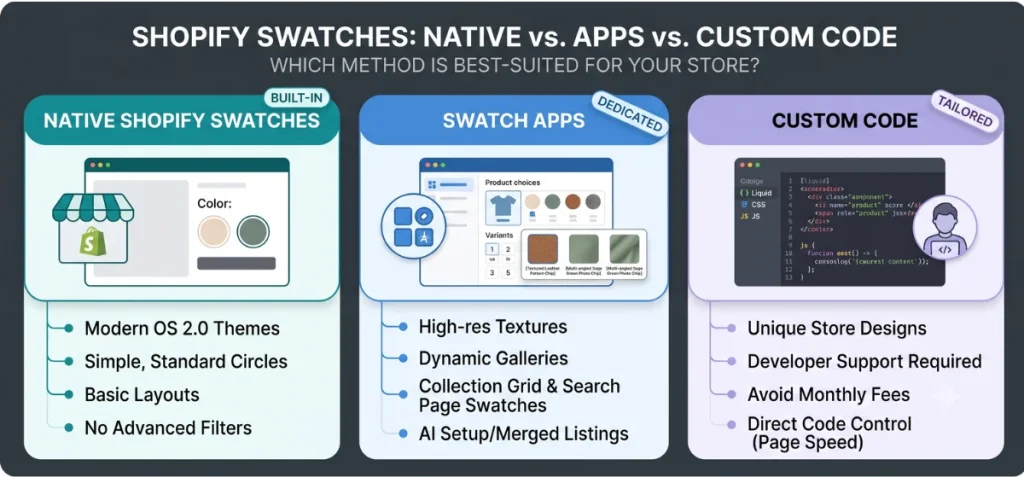
Which app and method is best-suited?
The answer to this question depends on your catalog complexity, design goals, and development budget.
Below are some criteria that can help you choose an app and a method depending on your current situation.
When Native Shopify Swatches Are Enough
Modern Online Store 2.0 themes handle simple variations natively using standard category metafields. Use this built-in option if:
- You use a modern default theme.
- You only need standard, single-color visual circles.
- You do not require text personalizations, image swatches, or dynamic galleries.
- You are fine with basic product-page layouts and no advanced collection-grid filters.
When a Swatch App Is Better
Third-party apps become necessary when your design demands exceed core template boundaries. Switch to a dedicated app if:
- You want high-res graphic textures, image chips, or multi-tiered conditional logic rules.
- You need to sync multiple unique camera angles or video files to one specific color option.
- You want to expose clickable variation choices directly on collection grids and search pages.
- You want to merge independent product URLs into a single choice menu or automate setups via AI.
When Custom Code Makes Sense
Custom code (Liquid, CSS, JavaScript, and metafields) makes sense if you have a developer, your requirements are simple, and you want to avoid monthly app fees. Choose this option if:
- Your store layout has unique designs that normal templates cannot match.
- You want to get rid of monthly app fees completely.
- You want direct control over site code to keep page speeds fast.
Which Shopify Color Swatch App Should You Choose?
Stick with Native Shopify swatches if you only need basic color dots.
For full layout control without app fees, use custom Shopify swatch code.
For specific app features, EZ Color Swatch Variant Image is ideal for AI-assisted variant photo mapping, while Color Swatch King offers the most established bulk setup tools.
Features to Look for in a Shopify Color Swatch App
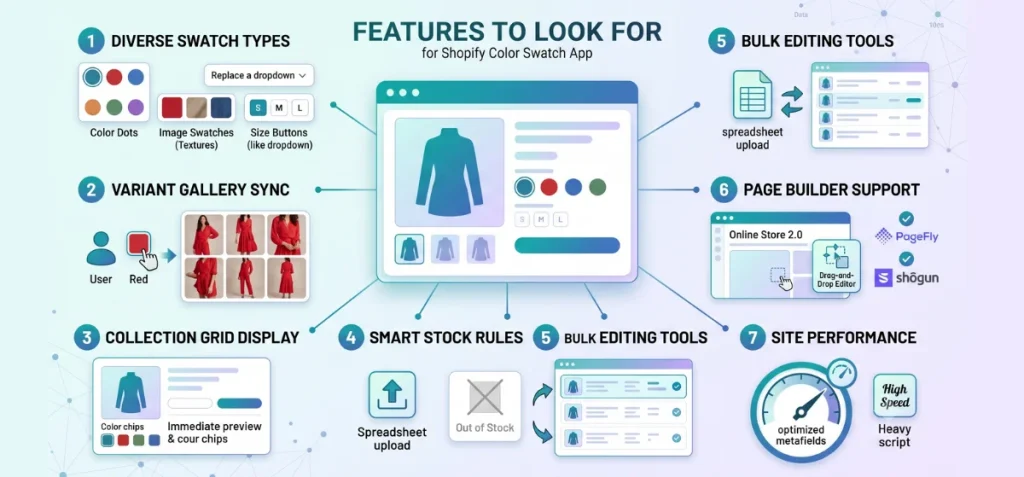
Below are the features to consider while picking the best Shopify color swatch app.
Diverse Swatch Types: Look for an app that handles color dots, image swatches for textures, and size buttons to replace clunky dropdowns.
Variant Gallery Sync: The main photos must change instantly when a buyer clicks a color. Make sure the app can show multiple pictures for a single choice.
Collection Grid Display: Show your color dots directly on catalog and search pages. This lets customers preview options faster without clicking every product.
Smart Stock Rules: Pick an app that can automatically hide, cross out, or fade out sold-out options to prevent broken orders.
Bulk Editing Tools: Large stores need easy spreadsheet uploads or automated rules. This saves you from setting up thousands of items by hand.
Page Builder Support: Check for native compatibility with Online Store 2.0 themes and your landing page builder apps.
Site Performance: Choose apps that store data in native Shopify metafields. They load much faster than apps using heavy background scripts.
Our Concluding Thoughts
Many people struggle at getting the best Shopify color swatch apps. However, it’s not that difficult; it’s simple.
If you want fast AI matching, try EZ Color Swatch Variant Image first.
It eliminates the headache of manual tagging by using smart tech to auto-assign your variant photos instantly. It fits small shops and massive catalogs perfectly while keeping your loading speeds lightning-fast.
Hence, choose this app to convert boring text menus into conversion-friendly swatches, boost revenue, and achieve your business goal.
FAQs
What is the Best Shopify Color Swatch App?
EZ Color Swatch Variant Image stands out as the top overall choice. It replaces traditional, manual variant mapping with advanced AI auto-assignment.
The app instantly pairs your product photos with the right color and size options, ensuring an exceptional user experience that cuts down accidental returns.
What is the Best Free Shopify Color Swatch App?
EZ Color Swatch Variant Image offers a highly functional free tier that runs right on your live public store. The free plan gives you access to core multi-swatch styles and automated image mapping features. This allows you to scale your visual options without any initial overhead.
Can Shopify Show Color Swatches Without an App?
Yes. Native Online Store 2.0 themes can display basic color dots through native category metafields. However, you still need an app or custom code for advanced options.
How Do I Add Color Swatches in Shopify?
You can choose between three methods. First, you can use native category metafields if your theme supports them.
Second, you can install a Shopify app like EZ Color Swatch Variant Image from the Shopify App Store. Third, you can write custom Liquid and JavaScript code if you have a developer.
Do Color Swatch Apps Slow Down My Store?
Some apps can cause layout lag, but it depends on their code design. Apps that save data inside native Shopify metafields usually load very fast. They use the Shopify CDN to protect your speed. Look for performance-optimized apps that focus on fast loading speeds.