

Best Variant Size Shopify Apps for Every Store Need
EZ Color Swatch Variant Image is one of the best variant size Shopify apps. This application uses AI automation to map specific images to sizes and colors instantly. It eliminates product page clutter, which increases conversion rates and reduces customer cart abandonment across your store.
Messy dropdown lists and confusing choices drive shoppers away from your store. You can fix this problem and boost your sales by installing the best variant size Shopify apps. This guide gives you the exact tools to organize your product variations clearly.
Most reviews put random apps into one confusing list. This article does things differently. It separates the top choices into specific use cases so you can find what you need quickly.
You will find the right fit whether you want to group visual items or build custom charts. We analyze the finest Shopify apps on the market to help you pick the right match.
Quick Comparison of the Best Variant Size Shopify Apps
This table lets you compare every app instantly so you can find the right match for your specific catalog needs.
| App | Best for | Free plan | Free trial | Primary function |
| EZ Color Swatch Variant Image | Variant images and visual swatches. | Yes. | Yes. | Variant galleries and swatches. |
| OPTIS Product Options, Variant | Complex custom options. | Yes. | Yes. | Additional product fields. |
| Globo Product Options, Variant | Custom fields with a free starting option. | Yes. | Yes. | Product-option customization. |
| BF Size Chart & Size Guide | Simple size charts. | Yes. | Yes. | Size tables and guides. |
| MP Size Chart & Size Guide | AI size recommendations. | Yes. | Yes. | Fit recommendations. |
| Kiwi Size Chart & Recommender | Advanced size-guide management. | Yes. | Yes. | Size charts and fit tools. |
| Color Swatch King: Variants | Visual option presentation. | Yes. | Yes. | Color and image swatches. |
| Variantify | Separate variant listings. | No. | Yes. | Collection-page variant cards. |
| MultiVariants – Bulk Order | Wholesale size-and-color ordering. | Yes. | Yes. | Bulk variant quantities. |
| Zepto Product Personalizer | Live product personalization. | Yes. | Yes. | Custom-product previews. |
Shopify Variants vs Options: What Is the Difference?
Many store owners confuse variants and options. Let’s use a simple T-shirt to see how they work. The T-shirt is your main product.
You want to sell this shirt in different sizes. ‘Size’ is the product option. The actual sizes you offer, like small, medium, or large, are the option values.
Now, add a second option called ‘Color.’ The values for this option are black and white. When a shopper picks a specific size and color together, they create a variant.
For example, a Medium Black T-shirt is one specific variant. You give this exact combination its own SKU to track inventory.
Product: T-Shirt
- Option 1: Size ──► (Small, Medium, Large)
- Option 2: Color ──► (Black, White)
- Variant: Medium / Black ──► Tracks SKU
Here is helpful information worth knowing.
Some Shopify variant apps promise “unlimited options” for your store. However, a variant option product options Shopify app does not always create new inventory variants in your database.
Instead, these apps collect extra choices through custom fields or text forms. This process keeps your store running fast without cluttering your data.
What Is the Current Shopify Variant Limit?
Shopify lets you create up to 2,048 variants for a single product. However, the platform still limits you to only three option types. This means you can choose Size, Color, and Material, but you cannot add a fourth option like Style.
Many store owners still need a specialized app because of these boundaries. You might need to show four or more option types for custom products.
Your store may also need extra tools like measurement forms, size tables, or bulk order grids. Furthermore, Shopify limits your product page to 250 total media items.
This makes it very hard to display a high-quality picture for every single variant combination you create.
The EZ Color Swatch Variant Image app does not change Shopify’s official database limits. Instead, the tool changes how your existing options look to your shoppers. The app cleans up your product pages by hiding unrelated pictures and turning plain text into beautiful swatches.
How I Selected the Apps
I organized these applications based on the specific design or catalog problems they solve. I did not rank them only by review counts.
Here are the evaluation criteria I chose to list these apps on this content.
Evaluation Criteria
- Primary use case
- Size option choices
- Product image setups
- Swatch layout formats
- Custom input fields and conditional logic rules
- Free plan options
- Free trial options
- Catalog volume limits
- Theme layout compatibility
- Page builder extensions
- Mobile screen usability
- Pricing clarity
- Main functional limits
10 Best Variant Size Shopify Apps in 2026
The section below profiles each top software choice to help you find the correct one based on your needs.
Best Overall for Variant Images and Visual Swatches
Here you’ll see the best overall Shopify app for variant images and visual swatches.
1. EZ Color Swatch Variant Image
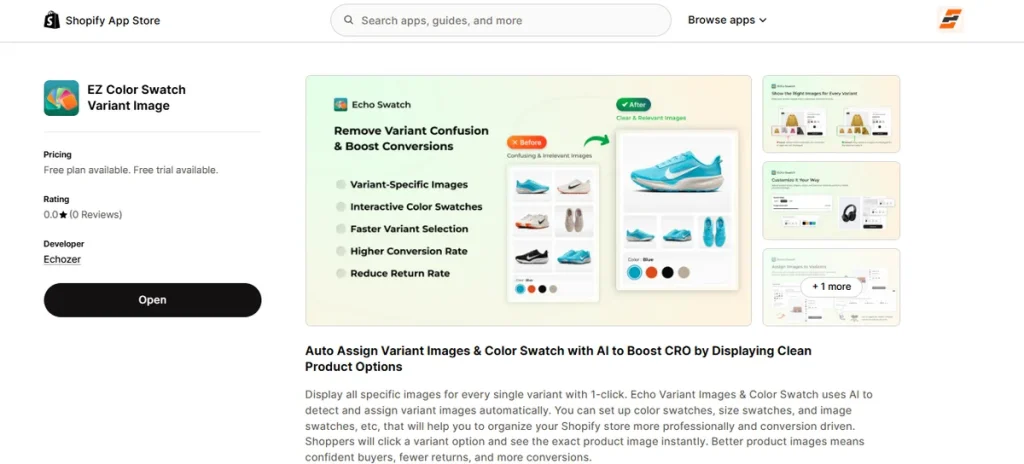
Best for: AI-assisted variant-image assignment, cleaner product galleries, and color, image, or size swatches.
EZ Color Swatch Variant Image helps stores show the right item pictures when a customer selects a size, color, or material.
This application automatically pairs media files to choices with built-in AI.
It displays relevant pictures for the selected choice and hides the rest.
This app works smoothly with your current themes and layout builders like PageFly, GemPages, and EComposer.
Key Features
- AI-assisted variant-image assignment.
- Variant-specific product galleries.
- Color swatches.
- Image swatches.
- Size swatches.
- Multiple variant-option support.
- Irrelevant image filtering.
- Shopify 2.0 theme compatibility.
- PageFly, GemPages, and EComposer support.
Pros
- Quick setup with AI help.
- Clean layout galleries with no clutter.
- Three simple swatch styles.
- Wide design setup compatibility.
- Free version available.
Cons
- The free plan supports only three products.
Pricing
- Free: three products.
- Starter: $7 per month.
- Growth: $15 per month.
- Premium: $29 per month.
Seven-day free trial on paid plans.
Best for Infinite Options and Complex Product Configuration
These apps help you add text fields, custom dropdown menus, file attachments, and conditional rules for your item pages.
2. OPTIS Product Options, Variant
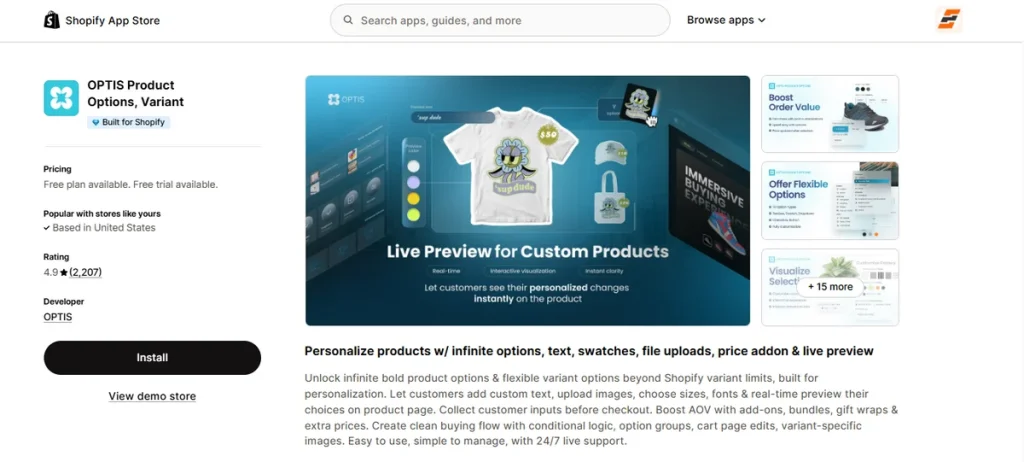
Best for: Complex custom fields, conditional logic, and products requiring more option types.
OPTIS operates as a custom choices helper for stores that sell personalized, made-to-order, or measurement-based items.
The official software listing provides over 18 option styles, which includes text inputs, swatches, and dropdown boxes.
Key Features
- Custom text input fields.
- Dropdown selection choices.
- Color or image swatch options.
- Conditional logic dependency paths.
- Add-on flexible price fields.
- Custom measurement inputs.
- File-upload attachment windows.
Pros
- Multiple input style choices handle diverse catalogs.
- Conditional logic rules hide unnecessary elements.
- Ideal setup style for bespoke or custom items.
- Upcharges for add-ons adjust your cart total easily.
- Complex forms remain clean on your screen.
Cons
- Limited variant options in the free plan.
Pricing
- Free: Up to 10 variant option sets.
- Advanced: $9.99 per month.
- Platinum: $19.99 per month.
- Unlimited: $49.99 per month.
14-day free trial on paid plans.
3. Globo Product Options, Variant
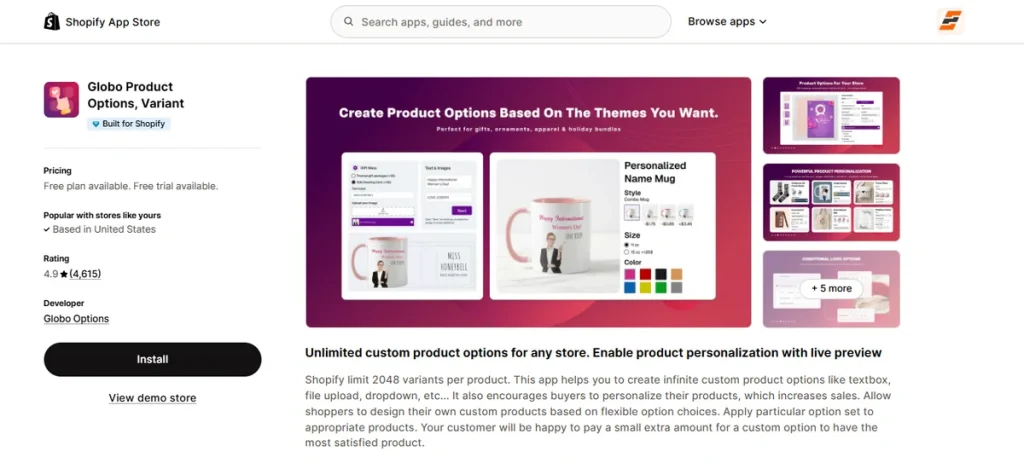
Best for: Stores needing flexible product-option fields with a lower-cost starting point.
Globo handles custom options, text inputs, and dynamic selections to remove default catalog boundaries.
The software enables complete item personalization through custom input choices and templates that apply across your entire catalog.
Key Features
- Custom option groupings.
- Conditional layout display paths.
- Text and measurement fields.
- File attachment uploads from buyers.
- Price upcharges for specific selections.
- Reusable layout templates.
Pros
- Broad option setups work across massive catalogs.
- Reusable option templates save management time.
- Suitable for custom print-on-demand items.
- Smart rules hide clutter fields automatically.
- Fits well with multiple product styles.
Cons
- Heavy layouts take more setup time.
Pricing
- Free: Unlimited option sets and basic input fields
- Premium: $9.90 per month
- Advanced: $19.90 per month
14-day free trial on paid plans.
Best for Size Charts and Fit Recommendations
This section covers applications that display measurement tables and fit finders to help apparel, footwear, and jewelry brands reduce return rates.
4. BF Size Chart & Size Guide
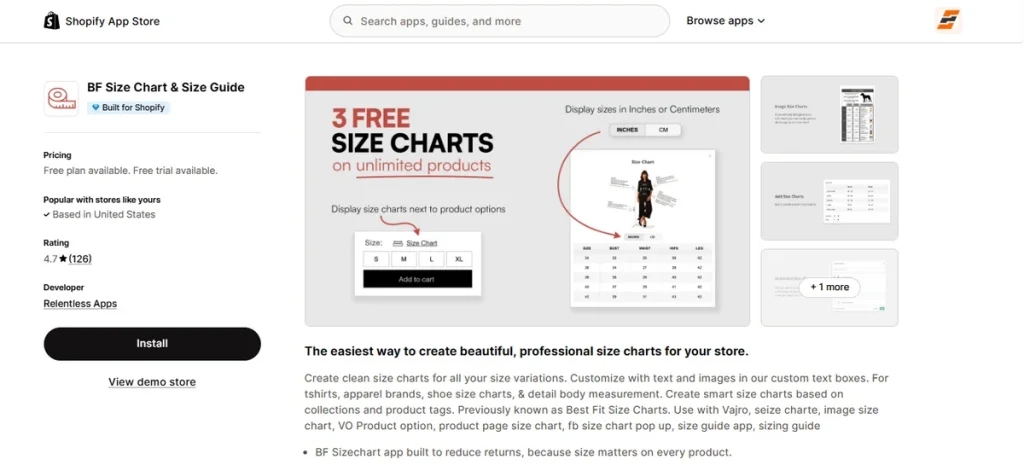
Best for: Simple, customizable size charts with a useful free plan.
It helps fashion brands build clean measurement tables to reduce returns and boost customer confidence.
This application allows you to add custom text boxes, images, and specific sizing guides to your items.
It operates as one of the best variant size Shopify apps to handle regional unit conversions cleanly.
Key Features
- Custom size chart tables.
- Detailed image and measurement guide uploads.
- Smart tag and collection rules.
- Mobile-friendly responsive design.
- Custom link placement options.
- Flexible centimeter or inch unit conversion.
- Zero watermark presentation.
Pros
- Setup process requires no coding skills.
- Clean tables load fast on any screen layout.
- Single charts can attach to infinite items.
- Tidy interface lacks branded logos.
- Free version handles base store configurations.
Cons
- Limited chart organization features in the backend panel.
Pricing
- Free: Three size charts.
- Premium: $5.99 per month.
- Unlimited: $11.99 per month.
14-day free trial on paid plans.
5. MP Size Chart & Size Guide
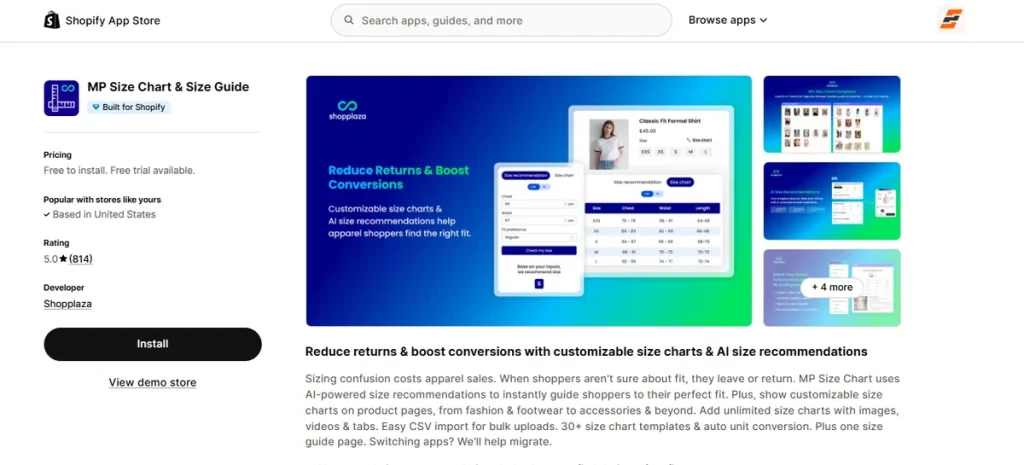
Best for: AI-assisted size recommendations and multilingual sizing experiences.
MP Size Chart utilizes machine learning to suggest the right fit for your shoppers automatically.
It includes dynamic measurement tables, multi-tab displays, and video support to remove buying friction.
It works alongside your primary Shopify variant app by offering a dedicated global sizing index page that auto-syncs with your item details.
Key Features
- AI-powered fit recommendations.
- Over 30 industry-specific chart templates.
- Bulk chart data import via CSV.
- Automatic unit conversion by visitor location.
- Support for more than 20 languages.
- Standalone dedicated size guide page.
- Multimedia asset support with text and video.
Pros
- Fast data setup using ready-made templates.
- AI recommendation engine lowers exchange rates.
- Global language options translate grids instantly.
- Dashboard analytics track view performance.
- Clean layouts adapt well to mobile screens.
Cons
- Free version offers low monthly AI request limits.
Pricing
- Starter: Free to install with three charts.
- Growth: $6.95 per month.
- Pro: $12.95 per month.
- Advanced: $24.95 per month.
Paid plans have a 14-day free trial.
6. Kiwi Size Chart & Recommender
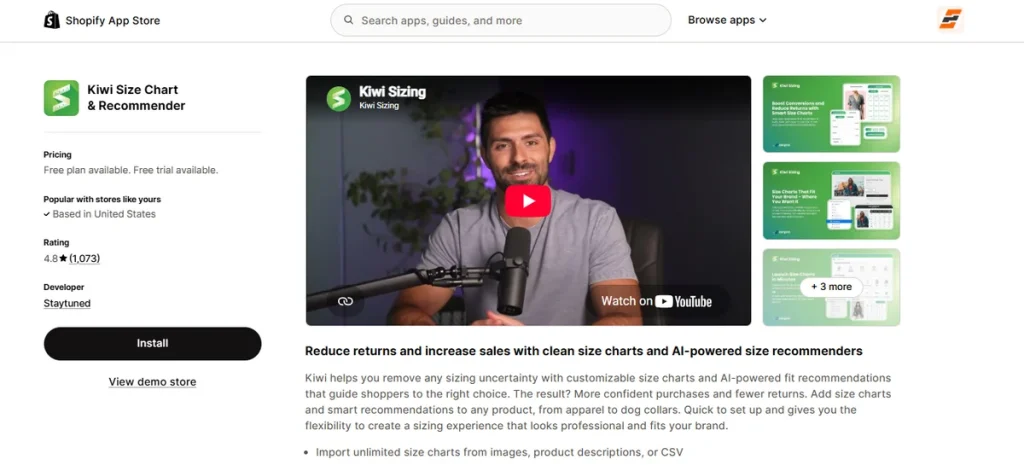
Best for: Stores managing numerous size guides, fit recommenders, and location-based units.
Kiwi clears up buyer doubts by matching shoppers with their ideal measurements through smart fit algorithms.
This app lets you build multiple tables, inject video clips, and group data into clean tabs.
It works as an excellent Shopify size chart app because it reads a visitor’s location to switch between inches and centimeters instantly.
Key Features
- Smart AI-driven fit recommendation logic.
- Auto-matching data rules for specific collections.
- Flexible CSV, image, and text description imports.
- Localized unit detection using visitor IP data.
- Advanced analytics dashboard for tracking sizing returns.
- Global translation support across 22 languages.
- Multi-tab layout configuration blocks.
Pros
- Smooth data migration using flexible import tools.
- Localized sizing removes confusion for global buyers.
- Multi-tab view profiles keep long tables organized.
- Analytics reports reveal which items get sized most.
- Eleven pre-built templates speed up initial setup.
Cons
- Free version leaves a branded logo on your page.
Pricing
- Free: Two published charts with branding.
- Premium: $6.99 per month.
- Plus: $12.49 per month.
- Ultimate: $24.49 per month.
Offers a 14-day free trial.
Best for Advanced Visual Swatches and Product Grouping
This section highlights apps that change plain text words into color circles and image buttons, which helps stores with massive catalogs.
7. Color Swatch King: Variants
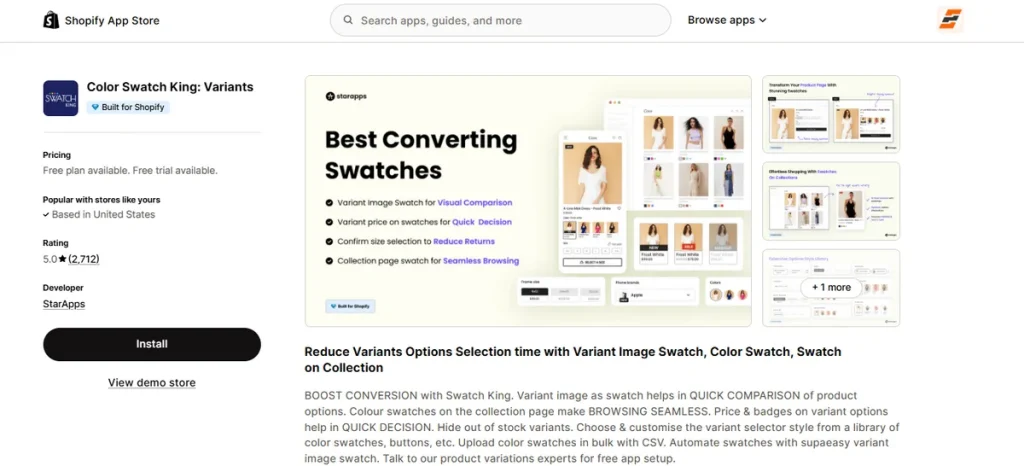
Best for: Stores needing advanced color or image swatches and product grouping.
Color Swatch King updates traditional choice inputs into dynamic asset pills to accelerate buyer checkout decisions.
The software displays pricing details directly on individual option tabs and handles complex cross-product swatches.
It functions as an effective Shopify size swatch app by allowing you to display option tiles right on your main collection catalog pages.
Key Features
- Dynamic product and collection page swatches.
- Real variant image thumbnails.
- Price adjustments and badge text displayed on options.
- Out-of-stock variations hidden automatically.
- Bulk swatch asset upload via CSV.
- Multi-market currency support.
- Independent product splitting for collection grids.
Pros
- Swatches on collection views speed up store browsing.
- Text price labels on tiles aid fast decisions.
- Bulk uploads save hours of manual design adjustments.
- Clean filters remove unavailable sizes from view.
- Flexible layout settings match custom site builds.
Cons
- Configuration panel feels heavy for tiny item lists.
Pricing
- Free: Partner, staff, and merchant trial stores.
- Pay As You Grow: Scales from $14.90 per month on Shopify Basic to $99.90 per month on Shopify Plus.
30-day free trial on paid plans.
Best for Showing Variants as Separate Products
This section includes apps that turn individual sizes and colors into separate item listings on your collection grids.
8. Variantify
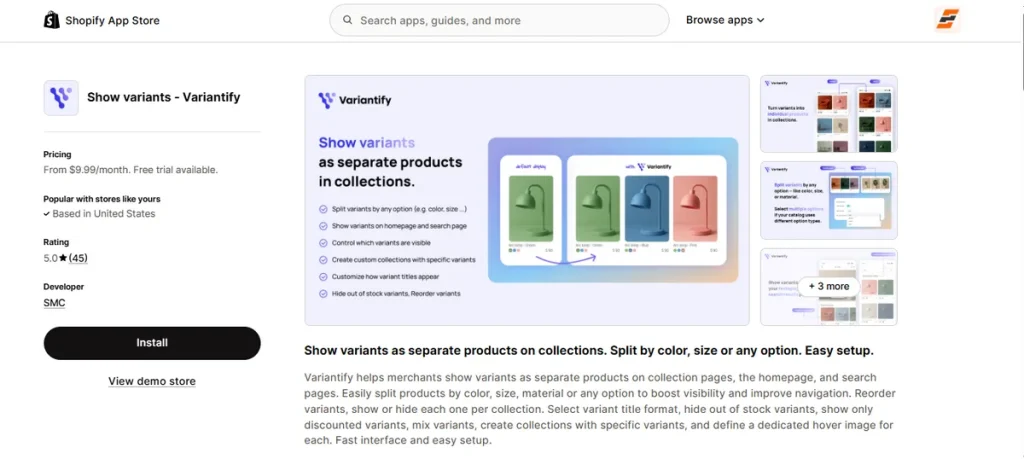
Best for: Stores that prefer displaying sizes, colors, or styles as separate product cards on collection and search pages.
Variantify takes your hidden choices and pulls them out onto your catalog grids so buyers can spot them right away.
The application divides options like clothing colors or shoe sizes into standalone cards without cluttering your core inventory dashboard.
It makes a great choice if you want to show Shopify variants as separate products across your homepage, search queries, and custom collections.
Key Features
- Separate item listing cards for individual choices.
- Dynamic variant sorting controls on catalog grids.
- Custom independent title format settings.
- Automated hiding rules for out-of-stock sizes.
- Dedicated hover thumbnail image configurations.
- Targeted collection filters for specific variants.
- Live item mixing options on front-end displays.
Pros
- Makes your inventory catalog look much bigger instantly.
- Drag-and-drop tool makes reordering options quick.
- Custom hover pictures display extra angles to shoppers.
- Prevents dead space by filtering out unavailable options.
- Setup is easy and requires no theme template code edits.
Cons
- Free version is missing for live selling stores.
Pricing
- Pro Plan: $9.99 per month.
- Advanced Plan: $19.99 per month.
Has a 7-day free trial.
Best for Bulk Size and Color Ordering
This section covers applications that add a wholesale order grid to your product page to let commercial buyers purchase multiple sizes and colors simultaneously.
9. MultiVariants – Bulk Order
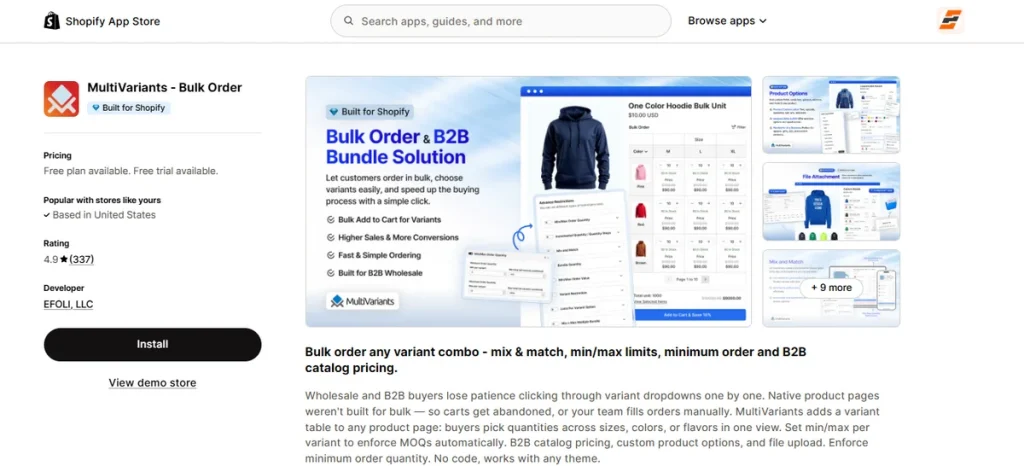
Best for: Stores that get wholesale and B2B customers’ orders with several sizes, colors, or styles simultaneously.
MultiVariants replaces standard dropdown menus with a clean order matrix so buyers can type in quantities for many options at once.
This application allows business customers to choose all their sizes and colors on a single page, which saves them from clicking back and forth.
It is one of the best variant size Shopify apps if you want to set strict minimum purchase quantities on specific size combinations.
Key Features
- Multi-variant order tables, grids, and lists.
- Minimum and maximum quantity limits per individual choice.
- Mix and match bundle grouping rules.
- Integrated wholesale catalog pricing layouts.
- Real-time inventory tracking bars inside the order table.
- Customer tag and login eligibility restrictions.
- One-click bulk add to cart button actions.
Pros
- Speeds up the buying path for large B2B orders.
- Enforces case pack order rules automatically.
- Out-of-stock badges keep quantity counts accurate.
- Integrates cleanly with popular custom landing page builders.
- Setup requires zero theme liquid code modifications.
Cons
- Grid interface looks too industrial.
Pricing
- Starter: Free forever.
- Standard: $12.99 per month.
- Professional: $29.99 per month.
Comes with a 7-day free trial.
Best for Live Product Personalization
This section focuses on an app that lets customers design custom items with real-time visual previews.
10. Zepto Product Personalizer
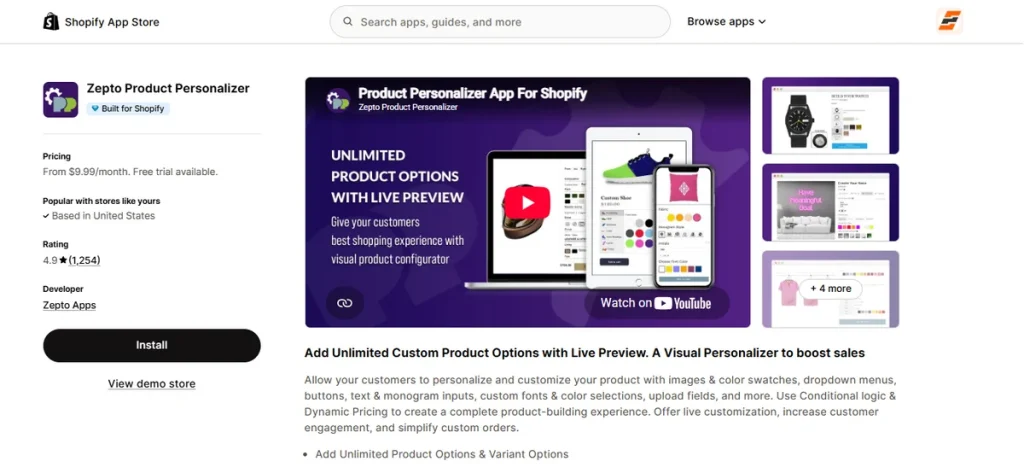
Best for: Personalized gifts, print-on-demand products, and products requiring a live customization preview.
Zepto displays a real-time visual image of custom design changes directly on your product pages.
Customers can enter custom text, select unique fonts, pick custom colors, or upload files to design their own items.
It works as a helpful Shopify variant app if your brand needs to add dynamic upcharges whenever a buyer picks a premium personalization option.
Key Features
- Real-time product customization preview canvas.
- Custom font pickers and text input boxes.
- Direct media file upload fields.
- Smart conditional logic to hide unnecessary choices.
- Dynamic price increases based on selected options.
- Multi-component configuration.
- High-resolution design saves sent straight to your Shopify order backend.
Pros
- Live image updates give buyers confidence before buying.
- Price add-on settings make upselling extra items simple.
- Customer support uses real humans around the clock instead of bots.
- Connects seamlessly with landing page builders.
- Form layouts adapt cleanly to mobile phone displays.
Cons
- Configuration panel takes hours to learn.
Pricing
- Starter: $9.99 per month.
- Basic: $19.99 per month.
- Pro: $29.99 per month.
- Unlimited: $49.99 per month.
15-day free trial on paid plans.
Best Variant Size Shopify Apps Free
Here are the top apps that offer entirely free plans to help you set up clean size choices and color buttons without spending any money.
| App | Free Tier Conditions | Core Free Attribute |
| EZ Color Swatch Variant Image | Limited to 3 active products. | Full AI visual mapping and variant image tabs. |
| BF Size Chart & Size Guide | Maximum of 3 published sheets. | Responsive measurement tables with image support. |
| Globo Product Options, Variant | Unlimited options for simple sets. | Text input blocks and custom dropdown grids. |
| MP Size Chart & Size Guide | Maximum of 3 live charts. | Pre-built templates with automatic unit switches. |
| Kiwi Size Chart & Recommender | Limited to 2 visible listings. | Automated location-based unit conversions. |
Which Shopify Variant App Should I Choose?
Your choice among the best variant size Shopify apps depends on your store goals. Pick an app that solves your main store problem.
EZ Color Swatch Variant Image works great if you need a clean, visual layout. The app uses AI to sort your product pictures automatically. Test EZ on up to three products with the free plan to see it in action.
FAQs
What is the Best Variant Size Shopify App?
EZ Color Swatch Variant Image is the best choice. Why? Well, it’s because it uses built-in AI to map your product pictures to specific sizes and colors instantly. It keeps your store grids looking professional and completely removes visual layout clutter.
Can Shopify Show Multiple Images for One Variant?
Natively, Shopify only lets you attach a single featured photo to each choice. You can easily break past this default display bottleneck by installing EZ Color Swatch Variant Image to bundle and filter multiple angles together seamlessly.
Can I Add Size Swatches to Shopify?
Yes. You can swap out plain text dropdown boxes for interactive size pills. EZ Color Swatch Variant Image provides beautiful, ready-made size and color tiles that work smoothly across your default store layouts and advanced custom landing page builders.
Can I Use More Than One Shopify Variant App?
You can combine different tools if they handle separate tasks, like pairing a swatch utility with a bulk preorder tool. However, installing multiple identical visual tools creates layout conflicts.
Do Variant Apps Affect Shopify SEO?
Heavy application scripts can drag down your page load speed and hurt your search engine rankings. EZ Color Swatch Variant Image uses lightweight code that loads your visual choices quickly, keeping your website fast and optimized for search engine bots.