
Best Shopify Variant Image Gallery Apps in 2026

Reduce mobile cart abandonment and boost customer confidence by hiding unrelated product options.
This article reviews the ten best Shopify variant image gallery apps, comparing free features, pricing, and AI automation tools to help you find the perfect match to clean up your messy storefront grids.
Customers leave your store when they can’t see variable product images if you display them in a text dropdown menu. They need to see the exact item instantly to buy with confidence. The best Shopify variant image gallery apps solve this visual problem by organizing your messy product grids.
These applications hide unrelated colors and styles the split second a shopper clicks a choice button. They cut down on customer confusion and help lower your mobile cart abandonment rates.
This article reviews the top 10 Shopify variant image gallery apps, compares their monthly subscription fees, and breaks down the best free features to help you pick the right match for your store.
Best Shopify Variant Image Gallery Apps at a Glance
Here’s a sneak peek at the quick-glance comparison table. Go through it to understand how the top Shopify variant image gallery apps stack up against each other.
| App Name | Free Plan Allowance | Variant Image Support on Free Tier? | Swatches on Free Tier? | Main Limitation |
| EZ Color Swatch Variant Image | 3 products (50 AI-mapped images/month) | Yes | Yes | Strict 3-product cap on the free tier. |
| SA Variant Image Automator | Development stores, partners, and trial accounts only | Yes (For trial accounts) | No (Requires external integration) | Free plan is completely locked for live, active storefronts. |
| Variant Image Wizard + Swatch | 5 products | Yes | Yes | Premium themes and video asset uploads require paid tiers. |
| Rubik Variant Images & Swatch | 1 product (50 AI assignments/month) | Yes | Yes | Layout filtering features do not work on collection listing pages. |
| Easy Variant Images | N/A (No free plan available) | No | No | Entry costs start immediately at $7.50/month after the trial window. |
| Nova Multiple Variant Images | 1 product | Yes | No | Lacks built-in visual color dots or interactive button styles. |
| VIM: Variant Image Module | 5 products | Yes | Yes | Custom visual widgets replace your default template code entirely. |
| NS Color Swatch Variant Images | Unlimited variants (Main product pages only) | No (Text and color buttons only) | Yes (Color and text swatches) | Dynamic gallery image sorting requires the highest monthly package. |
| GLO Color Swatch Variant Image | Unlimited products (1 product group / 1 bundle kit) | No (Previews only) | Yes (Color circles) | True product photo thumbnail swatches are restricted to paid tiers. |
| VSlide: Variant Images Gallery | 20 AI graphic generations (First 30 days) | Yes | Yes | Impose strict monthly generation limits on your creative background assets. |
How I Evaluated the Apps
I did not just read marketing claims to pick these tools. I tested each app on live stores. I focused on eight specific areas to find out which software actually helps your store grow.
Variant-Image Assignment Accuracy
A good gallery app must connect the right images to the right variant every single time. I tested how each app handles deep option combinations.
For example, if a shirt comes in both red and size large, the app must show only red, large shirts.
Setup Time and Automation
Manual data entry wastes hours of your time if you have a big catalog. I tracked how fast you can set up a whole collection from scratch.
I looked for smart features like automatic image mapping, background indexing, and bulk uploads.
Color, Image, and Size Swatches
Customers need clear visual menus to navigate your products. I analyzed how well each app builds custom option menus on your public pages.
Our tests focused on how clean the buttons look on live stores. I checked standard color circles, custom texture chips, and text-based size blocks.
Multiple Variant-Option Support
Large inventories have complex option structures. A single item might come in ten colors, five sizes, and three fabrics.
Our team at Echozer tested each app to see if it can isolate specific photo groups across these deep lists.
Shopify Theme and Page-Builder Compatibility
Your gallery app needs to work perfectly with your layout code. I tested these apps against native Shopify Online Store 2.0 themes, ensuring they are compatible with the top page builders like PageFly, GemPages, and EComposer.
Mobile Usability and Page Performance
I checked how each app scales on mobile devices to ensure touch gestures and image swipes remain fast and smooth. I also looked for lightweight app code that uses native Shopify fields. This keeps your site fast and prevents slow page loads.
Free-Plan Limits and Long-Term Pricing
A software tool must fit your monthly budget. I looked deep into the free plans to find hidden traps and checked for product caps, image limits, and theme exclusions.
Customer Support and Documentation
I tested support teams by sending technical help tickets during busy hours. The top developers respond fast with real human agents, clear guide articles, and free custom setup help for unique storefront designs.
Best Shopify Variant Image Gallery Apps to Consider
Let’s dig deeper into all these top-notch variant image gallery apps and pick your preferred one.
1. EZ Color Swatch Variant Image
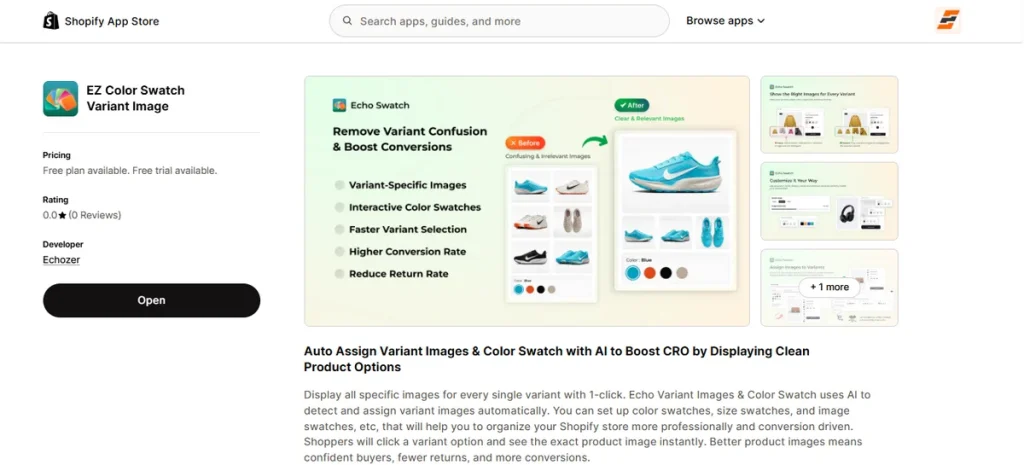
Best for: Ideal for fashion, beauty, furniture, accessories, and print-on-demand stores that want to migrate from manual image tagging to an automated system.
EZ Color Swatch Variant Image connects your product photos to the correct variant choices instantly. It updates the main product gallery to match that exact choice of a shopper when they click a specific color chip or size button.
As a result, buyers don’t see irrelevant images, helping you reduce cart abandonment on mobile screens.
Another remarkable feature of this app is its built-in AI auto-assignment engine.
While most traditional apps force you to click and match every single image to a color by hand, this free Shopify image gallery app scans your image files and variant text in the background.
It then pairs your media with the correct colors and sizes automatically. This automated feature saves hours of administrative labor if you manage a large inventory or plan to scale your product lines quickly.
Beyond standard gallery filters, the software includes a built-in option customizer. You can replace default text dropdown menus with visual color circles, high-resolution texture chips, and text blocks for sizes.
EZ Color Swatch Variant Image saves all configuration data into native Shopify fields to keep your store code light and protect your page loading speeds.
Key Features
- AI Auto-Assignment: It scans and pairs your photos with variant text automatically to save manual setup time.
- Exact Variant-Image Switching: Your product gallery updates the split second a user picks a different product style.
- Hiding Unrelated Images: It removes incorrect variant photos from the view grid so shoppers only see what they select.
- Color Swatches: It replaces old text dropdowns with clean, visual color swatches.
- Image Swatches: You can upload custom graphic textures to show complex product fabrics or patterns.
- Size Swatches: It turns text options into clickable buttons.
- Multiple Option Support: The software accurately filters images even if a product relies on deep, multi-tier variant trees.
- Page-Builder Compatibility: The app code runs smoothly inside Online Store 2.0 themes and top builders like PageFly or GemPages.
- Multilingual Support: Swatch labels and option titles translate across different languages automatically for international buyers.
- Live Chat and Email Support: Real human agents provide immediate code support and custom theme adjustments.
Pros
- Saves hours of manual work on large catalogs.
- Handles color, image, and size options.
- Stores data in native fields to protect site performance.
- Works with popular page builders.
- Offers free tier.
Cons
- The free plan has limits.
Pricing
- Free Plan: Supports 3 products and includes 50 AI-mapped images per month.
- Starter Plan ($7/month): Covers up to 100 products and scales up to 300 AI image assignments per month.
- Growth Plan ($15/month): Includes up to 500 products and provides 2,000 AI image assignments per month.
- Premium Plan ($29/month): Offers unlimited product support and up to 30,000 AI image assignments per month.
Note: All paid tiers include a 14-day free trial window to test the code on your live store.
Ready to test automation?
You can install the EZ Color Swatch Variant Image App on the Shopify App Store today to test the AI auto-assignment engine on your top products for free!
2. SA Variant Image Automator
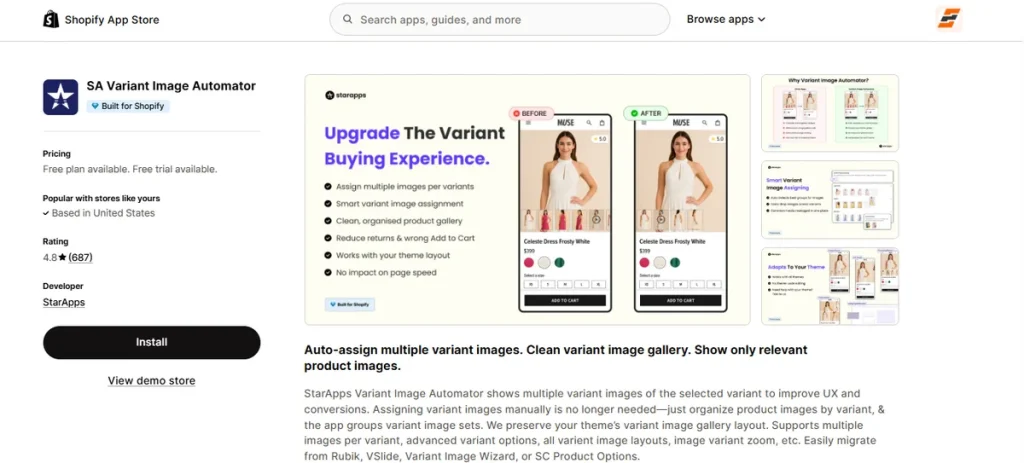
Best for: It suits stores that organize product media grids chronologically and want to preserve their theme’s native layout architecture without manual tagging.
SA Variant Image Automator uses a distinct strategy to sort your product listings. Instead of using artificial intelligence to guess photo groupings, this software reads the specific chronological order of your uploaded media pool.
You arrange your product images in consecutive sets inside your Shopify backend, and the script groups them into active variant collections automatically.
The application integrates directly with your existing store design rather than forcing you to use a custom replacement gallery widget.
This means your theme’s native zoom rules, image sliders, and thumbnail designs remain completely active.
It also handles advanced multi-tier options alongside rich media formats like video clips and interactive 3D files.
Key Features
- Image-Order Assignment: The software uses the chronological order of your backend media uploads to form cohesive variant collections automatically.
- Native Theme Integration: The script matches your active store layout, preserving native image zoom systems and slider behaviors perfectly.
- Rich Media Support: You can display variant-specific video clips, flat graphics, and interactive 3D media files side by side.
- Clean Gallery Filtering: Unrelated variant photos disappear instantly when a buyer selects a specific color or style option.
- Advanced Option Mapping: The system accurately processes multi-tier combinations like color, size, and material adjustments simultaneously.
Pros
- It protects your native theme.
- Requires zero manual image tagging.
- Offers no visual lag.
- Ensures rich media support.
- Guarantees easy migration.
Cons
- Fragile backend ordering.
Pricing
- Free Plan: Available exclusively for Shopify Partner, Staff, and new merchant trial accounts.
- Pause & Build Plan: $5/month
- Basic Shopify Plan: $14.90/month
- Grow & Custom Plan: $29.90/month
- Advanced Plan: $49.90/month
- Plus Plan: $99.90/month
3. Variant Image Wizard + Swatch
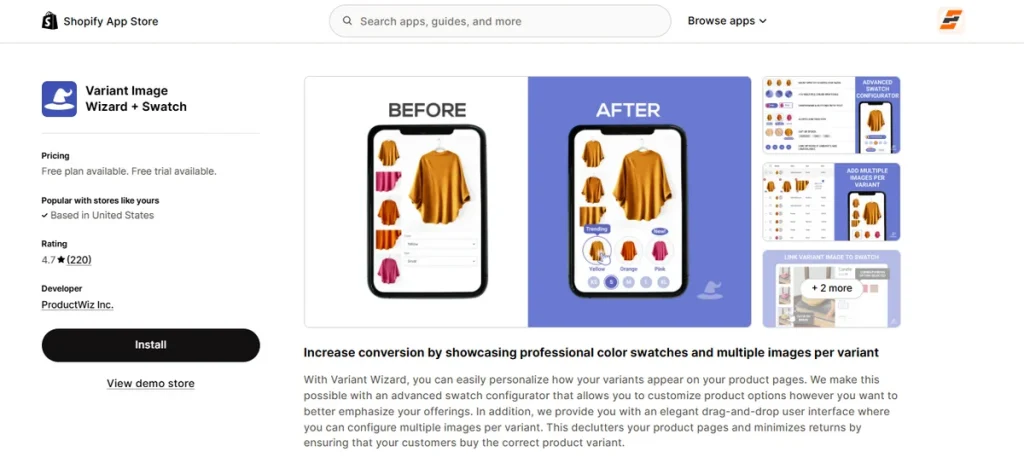
Best for: stores selling visually rich items like apparel or home decor that want to clean up large product galleries on free themes.
Variant Image Wizard + Swatch addresses the messy look that happens when you upload tons of product photos.
This image gallery app builds a clear connection between your product media and your option menus.
When a buyer clicks a specific thumbnail graphic in the image reel, the app switches the active menu choice automatically.
You also get a visual drag-and-drop UI to organize your files without touching your template files.
It includes extra tools like text popups and active stock alerts to help customers choose correctly.
However, the free and starter plans only support standard free Shopify themes. If you use a premium theme or want to show video clips, you must pick the highest pricing tier.
Key Features
- Variant Image Filtering: It groups separate lifestyle shots and angle photos under one specific variation button.
- Automatic Swatch Switching: Clicking a gallery thumbnail toggles the corresponding choice button instantly.
- Visual Setup Dashboard: You can organize image groups inside a simple drag-and-drop backend area.
- Cross-Product Swatches: It lets you link separate product URLs into a single menu grid to bypass native option limits.
- Multilingual Support: It translates option labels across eleven different languages automatically for international buyers.
Pros
- Cleans up massive photo grids.
- Simplifies mobile checkout steps.
- Includes a code-free layout manager.
- Supports multiple languages out of the box.
- Offers low entry-level pricing.
Cons
- Gates premium themes to the top tier.
Pricing
- Free Plan: Yes
- Starter Plan: $4.99/month
- Pro Plan: $7.99/month
4. Rubik Variant Images & Swatch
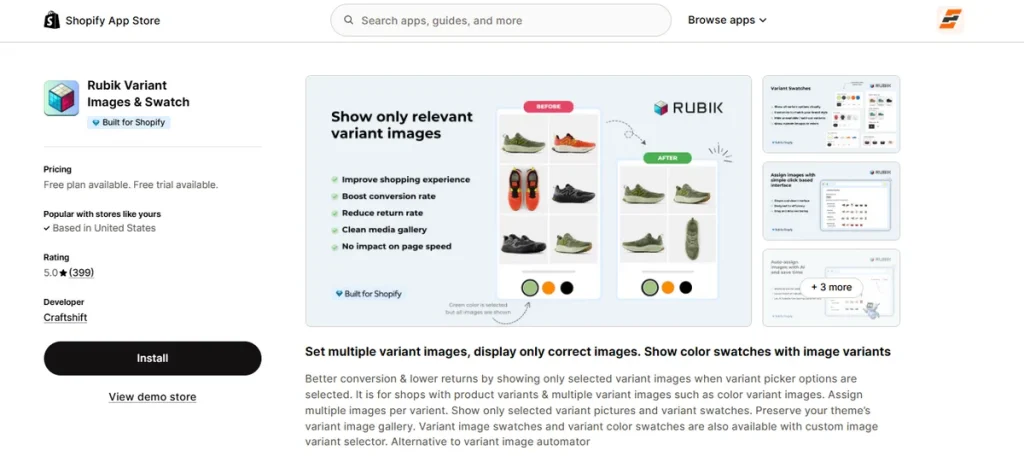
Best for: Growing stores that want an artificial intelligence engine to match deep product photo collections directly within native platform metadata.
Meet the fourth contender on this list of the best Shopify variant image gallery apps—Rubik Variant Images & Swatch. It keeps your product data clean and loading speeds fast.
It saves your display rules inside native Shopify metafields. This means your options and visual layouts load instantly next to core page text. Pages load quickly because the app skips heavy external server calls.
The app also features a shared file system. You can connect a single asset like a universal size chart to multiple options without uploading duplicate files.
A background assistant reads your media files to group variant pictures by visual similarity automatically. This automation saves time on large catalogs.
However, you should still check and adjust rules manually for highly ambiguous product visuals to ensure perfect display accuracy.
Key Features
- AI Asset Association: Its AI groups product photos automatically.
- Native Metafield Storage: It saves all variant gallery visibility structures within native Shopify frameworks to protect mobile loading speed.
- Shared Asset Architecture: You can apply single files like sizing guides across various product options without creating duplicate media listings.
- Deep Multi-Tier Filtering: It isolates your media grids accurately when an item uses multiple options like color and sleeve length together.
- Shadow DOM Rendering: It loads visual menus within an isolated code layer to keep theme style changes from breaking your button layouts.
Pros
- Saves data in native fields.
- Eliminates duplicate asset uploads.
- Prevents theme styling conflicts.
- Supports video and 3D media.
- Offers predictable flat billing models.
Cons
- Doesn’t work on the collection page.
Pricing
- Free Plan: Available
- Starter Plan: $25/month
- Advanced Plan: $50/month
- Premium Plan: $75/month
5. Easy Variant Images
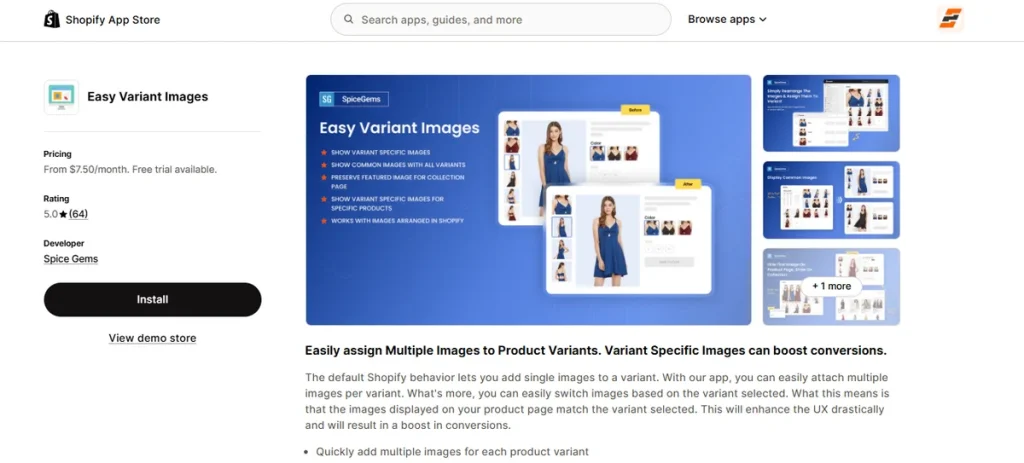
Best for: Merchants who want a simple way to tie multiple images to specific product variations without configuring a complex layout dashboard.
Easy Variant Images focuses purely on expanding Shopify’s basic visual limits. The default Shopify setup only lets you attach a single photo to a variant choice.
This software overrides that restriction so you can group several images under a single option selector instead.
It uses a simple file-matching system to organize your media files. When a customer switches their style choice on the product page, the main image reel drops irrelevant photos to match their selection.
This direct approach makes the browsing experience clear and fast.
The application fully supports advanced media assets like video files and interactive 3D files next to your standard product photos.
The setup process is quick because the software integrates cleanly with your existing theme structure. However, it lacks deep visual customization choices if you want to build advanced color swatches from scratch.
Key Features
- Multiple Asset Assignment: You can quickly attach a complete group of photos to an individual variation choice.
- Variant-Specific Media Swaps: The active photo gallery changes instantly when a buyer selects a different product option.
- Rich Media Support: It accommodates native video files and interactive 3D digital layouts side by side.
- Theme Integration Setup: Its code connects directly to your current theme architecture with free installation help from the developers.
- Global Language Options: It translates your configuration settings across eight different languages automatically.
Pros
- Expands native platform image caps.
- Keeps page code very light.
- Includes long trial periods.
- Supports video asset files.
- Offers very low pricing tiers.
Cons
- Lacks native swatch styling tools.
Pricing
- Basic Plan: $7.50/month
- Advanced Plan: $14.50/month
- Plus Plan: $19.50/month
6. Nova Multiple Variant Images
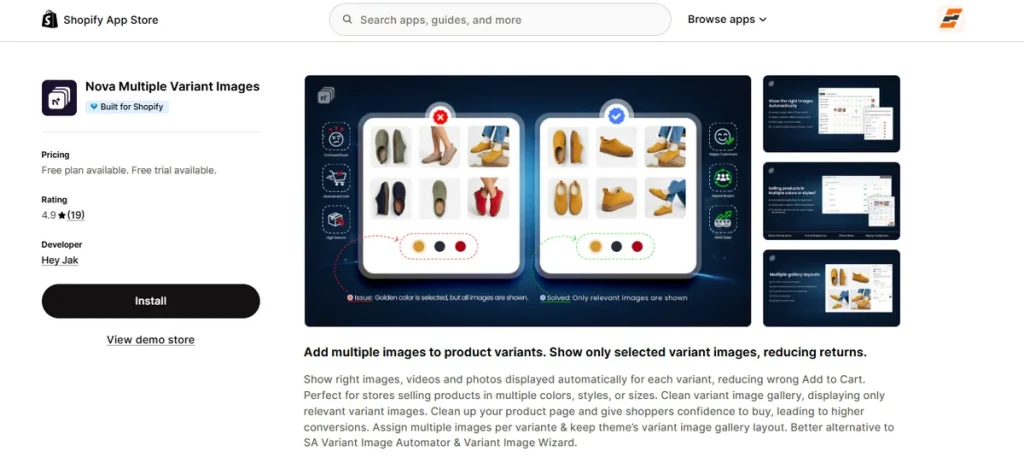
Best for: Stores that sell products with highly descriptive visual assets across multiple color and size options but do not need built-in swatch-style tools.
Nova Multiple Variant Images targets the visual layout of your main product pages, collection listings, and quick-buy popups. I noticed that standard store installations push every color and angle onto a single scrollable wall.
This multiple variant image Shopify app changes that experience by introducing an independent, built-in gallery module that isolates your media files completely.
The setup relies entirely on manual image assignment inside a dedicated configuration screen. You click your specific variant rules and pick exactly which photos, video clips, or 3D models belong to that selection.
It also includes a bulk asset tool, which allows you to attach shared visuals like generic packaging graphics to all variation groups with a single click.
The application runs directly on Shopify’s native metafield infrastructure to prevent third-party code bloat. This backend integration protects your mobile loading metrics and keeps your pages fast.
Key Features
- Built-in Gallery System: The software loads an independent media viewer that adapts to stacked, column, or slider layouts.
- Multi-Option Asset Pairing: You can assign media groups to deep variant combinations like specific color and size sets simultaneously.
- Bulk Media Mapping: The dashboard lets you push shared graphics like sizing charts to all variant folders at once.
- Multi-Location Filtering: The gallery filtering works across standard product pages, collection catalog cards, and home rows.
- Native Infrastructure Build: It saves your visibility data inside Shopify’s own metafield fields to minimize script delays.
Pros
- Speeds up loading times.
- Eliminates visual gallery clutter.
- Supports video and 3D files.
- Offers bulk asset mapping.
- Includes fast live chat support.
Cons
- Lacks native swatch options.
Pricing
- Free Plan: Yes
- Standard Plan: $9.99/month
- Pro Plan: $19.99/month
- Premium Plan: $49.99/month
7. VIM: Variant Image Module
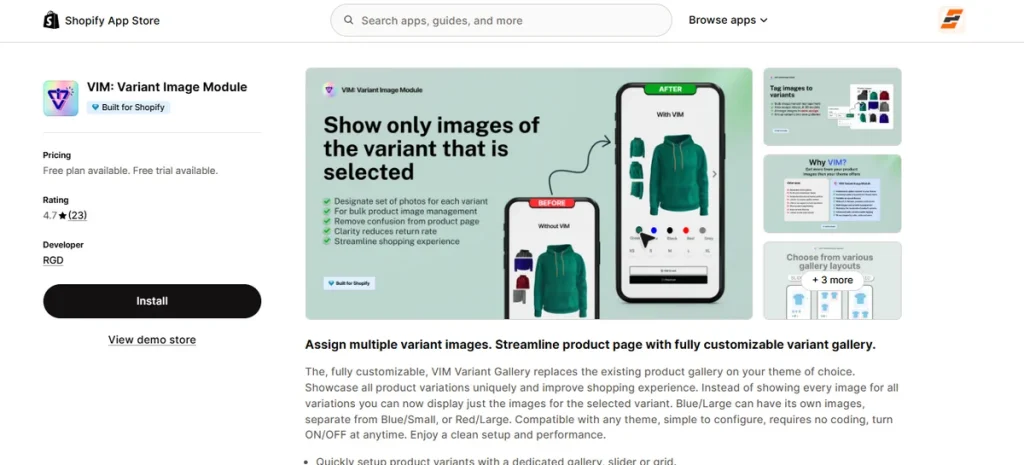
Best for: Stores that want to replace their theme’s default visual layout with a custom carousel, collage, or grid media player.
VIM: Variant Image Module completely removes your theme’s native product media block to display its own standalone gallery widget.
This software gives you separate custom presentation choices like mobile-responsive carousels, clean collages, lightboxes, and stacked grids.
It uses an independent media-mapping matrix to clear up messy product listings. When a customer picks a specific variation like a blue shirt, the app isolates those images instantly and hides the alternative colors.
You can also assign a single photo asset to several different variation combinations simultaneously to manage overlapping size and color inventory setups cleanly.
The software includes fields to add unique product descriptions, tooltips, and helper text for individual variations.
It runs as a native app block inside the theme editor, allowing you to turn the custom layouts on or off without editing code. Because it replaces your theme gallery entirely, you can customize the styling, borders, and image zoom settings directly through the app control panel.
Key Features
- Gallery Replacement Module: The software replaces default theme media blocks with alternative carousel, grid, collage, or lightbox layouts.
- Multi-Option Image Pairing: You can attach a single graphic to different combination choices like blue-large and blue-small at the same time.
- Variant Custom Text: It lets you display unique descriptions, text popups, and helper alerts for each individual product option.
- Dynamic Asset Filtration: Alternative variant graphics vanish from the custom display area the second a shopper clicks a new option choice.
- No-Code Theme Insertion: The script injects directly into Online Store 2.0 architectures as a simple, draggable layout block.
Pros
- Replaces generic theme sliders.
- Offers diverse layout styles.
- Supports individual variation text.
- Eliminates visual gallery clutter.
- Requires zero template code changes.
Cons
- Requires careful setup testing.
Pricing
- Starter Plan: Free
- Basic Plan: $10/month
- Enterprise Plan: $30/month
8. NS Color Swatch Variant Images
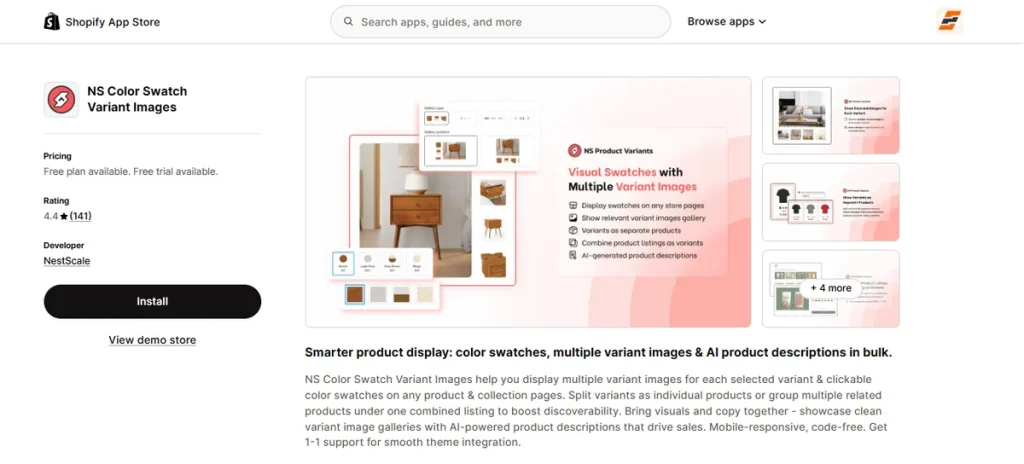
Best for: Brands that want to display product choices on collection grids and link separate product listings under one combined options menu.
NS Color Swatch Variant Images mixes visual navigation adjustments with text marketing automation. I noticed that standard media tools require you to manually drop separate color choices onto collection card grids.
This software simplifies that layout step by automatically turning your existing variation photos into clickable choice circles directly inside your collection catalog.
The backend layout focuses heavily on visual item grouping. You can bundle distinct product listings together into a single master menu with individual URLs, helping you bypass default platform configuration limits.
It also features a built-in text generator that creates search-optimized product copy in bulk to help populate your catalog fields quickly.
The entry-level pricing gives you unlimited options and custom choice buttons on standard product pages.
However, the operational structure is highly tiered. You must upgrade to the highest monthly package to use multiple image files per variation.
Key Features
- Collection Card Swatches: This app automatically maps clickable option buttons directly onto collection pages and featured home rows.
- Combined Product Grouping: You can link separate, standalone items together under a single product picker grid with unique variant links.
- Bulk Text Engine: The dashboard includes an automated generator to write search-friendly product descriptions using your brand voice data.
- Auto Swatch Generation: It reads your active product library to turn option photos into visual display buttons instantly.
- Diverse Option Displays: You can format selection grids using custom uploaded graphics, flat color buttons, text capsules, or traditional dropdown menus.
Pros
- Groups separate product listings.
- Automates backend text generation.
- Simplifies collection page swiping.
- Includes unlimited product options.
- Offers low entry-level costs.
Cons
- Locks gallery filtering behind the highest plan tier.
Pricing
- Free Plan: Available
- Growth Plan: $7.99/month
- Professional Plan: $14.99/month
9. GLO Color Swatch Variant Image
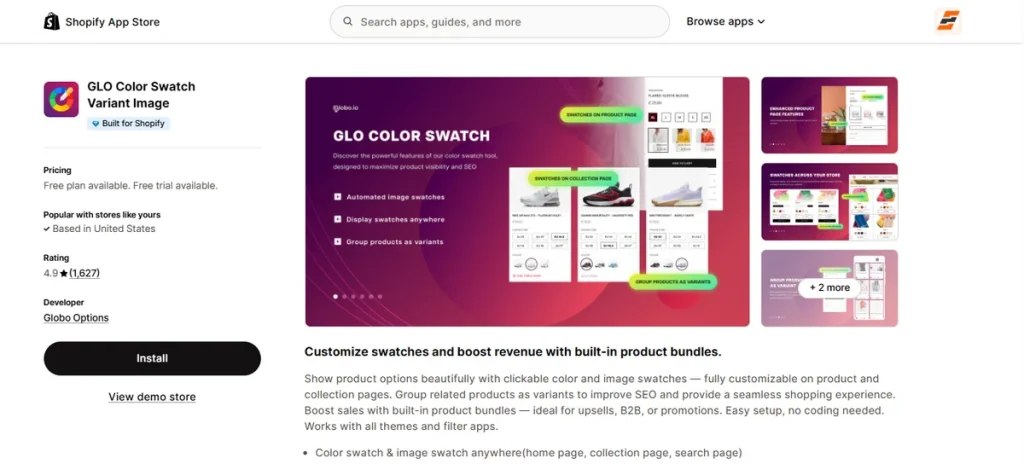
Best for: Stores running high-volume product options that want to merge visual color swatches with built-in product combos under a single subscription.
Globo Options designed this toolkit to tackle two sales bottlenecks simultaneously: bad product presentation and low order values.
The script handles the visual side by putting option dots on search lists, collection grids, and home pages. At the same time, it drops promotional multi-item kits right on the product page.
Its background code links separate item listings together under a single master menu structure. This unified layout path improves search engine ranking profiles and keeps visitors from getting lost in massive catalogs.
It also watches your live warehouse stock levels, hiding sold-out choices automatically or firing off low-stock text alerts to push buyers to checkout.
The integration requires zero developer assistance because the logic attaches directly to any current store design layout. All these make it one of the best Shopify variant image gallery apps to date.
Key Features
- Omnipresent Option Layouts: The app places active display swatches across collection matrices, search outputs, and home pages.
- Integrated Combo Engine: You can build and display multi-item promotional packages right below your core selection buttons.
- Unified URL Linking: It groups separate items into a single parent listing grid to optimize search crawls.
- Automated Stock Monitoring: It reads live inventory to mask unavailable combinations and present remaining quantity alerts.
- Diverse Option Adjustments: This app provides six alternative button designs to change how your visual variant selections look.
Pros
- Combines swatches with kits.
- Simplifies multi-page display mapping.
- Protects organic search discoverability.
- Translates text into eleven languages.
- Provides unrestricted product tracking.
Cons
- Restricts photo thumbnails to paid plans.
Pricing
- Free Plan: Yes
- Silver Plan: $9.90/month
- Gold Plan: $19.90/month
10. VSlide: Variant Images Gallery
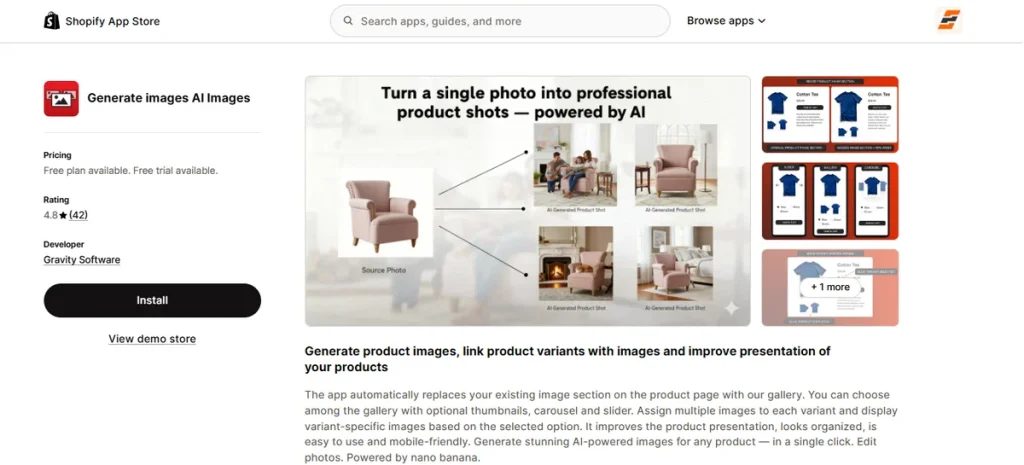
Best for: Stores looking to replace their default media layout with a responsive, full-width carousel or slider that includes built-in generative AI background tools.
Developed by Gravity Software, VSlide: Variant Images Gallery (listed as Generate images AI Images on the Shopify App Store) replaces your default image section entirely.
I found that standard theme layouts restrict your product photo sizing. This application changes that by giving you flexible grid, carousel, or slider presentations that you can expand to the full width of your store.
It uses a direct option-mapping interface to sort through messy galleries. When a shopper selects a specific option combo, like a unique color and size, the layout filters the viewer instantly to show only relevant media.
Beyond layout adjustments, you get an automated backdrop tool that creates alternative marketing photos or generative adjustments from your source images in one click.
It includes smooth mouse-hover magnification, standalone popup lightboxes, and inline video support. All these make it a worthy contender on this list.
Key Features
- Media Gallery Overhaul: It swaps standard theme code for responsive sliders, custom carousels, or multi-thumbnail layout grids.
- Generative Backdrop Tools: The built-in AI assistant creates fresh marketing backgrounds and image variations using your original files as a base.
- Full-Width Customization: You can manually resize the active display section from narrow page columns to the global width of your theme layout.
- Multi-Tier Zoom Mechanics: The script runs deep desktop hover magnification settings alongside standalone mobile-friendly lightbox windows.
- Clean Variant Isolation: Alternative product angles and colors vanish from the active gallery the moment a buyer updates their choice.
Pros
- Builds automated generative visuals.
- Provides full-width design control.
- Includes smooth lightbox popups.
- Simplifies layout style swapping.
- Unlocks all features on the free tier.
Cons
- Imposes strict monthly graphic generation caps.
Pricing
- Free Plan: Available
- Full Access +20: $9.99/month
- Full Access +100: $19.99/month
- Full Access +300: $49.99/month
Best Free Shopify Variant Image Gallery App
The table below lists every application from the provided text that features a live, zero-cost plan tier.
| App Name | Free Plan Allowance | Variant Image Support on Free Tier | Swatches on Free Tier | Main Limitation |
| EZ Color Swatch Variant Image | 3 products (50 AI-mapped images/month) | Yes | Yes | Strict 3-product cap on the free tier. |
| Variant Image Wizard + Swatch | 5 products | Yes | Yes | Paid templates and video assets require premium tiers. |
| Rubik Variant Images & Swatch | 1 product (50 AI assignments/month) | Yes | Yes | Restrict you to one active product. |
| Nova Multiple Variant Images | 1 product | Yes | No | Free tier completely excludes visual button styles. |
| VIM: Variant Image Module | 5 products | Yes | Yes | Standalone custom widgets alter native theme code. |
| NS Color Swatch Variant Images | Unlimited variants (Main product pages only) | No (Text and color buttons only) | Yes (Color and text options) | Dynamic media gallery filtering requires the top package. |
| GLO Color Swatch Variant Image | Unlimited products (1 product group / 1 bundle kit) | No (Previews only) | Yes (Color circles) | Photo thumbnail options remain locked behind subscriptions. |
| VSlide: Variant Images Gallery | 20 AI graphic generations (First 30 days) | Yes | Yes | Background asset creation has rigid monthly caps. |
Variant Image Gallery App vs Shopify Photo Gallery App
Merchants often mix up a Shopify photo gallery app with a dedicated Shopify variant app. A standard Shopify gallery app free plan usually creates grids, lookbooks, or lifestyle grids to show off your brand. These tools do not connect directly to your individual inventory option structures.
A variant image gallery attaches your media files directly to specific inventory choices like color, size, or material. The images on the page swap instantly when a customer clicks a different button.
How to Choose the Right Shopify Variant App
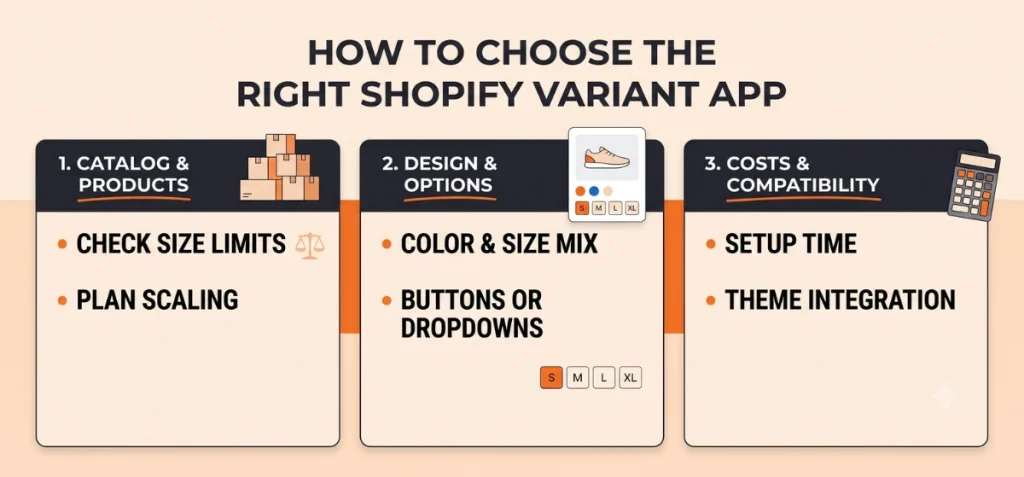
Select the right Shopify variant app based on your current operational limits, design needs, and budget.
Catalog Size Considerations
Small stores with tight product lines can use free tiers with strict product limits. If your business scales across large inventories with deep category trees, pick apps with flat-fee billing models to avoid high software bills.
Count Your Total Products
Small stores with just a few items can use free plans easily. If your business sells hundreds of items with large catalogs, pick apps with flat monthly fees to avoid high software bills.
Look at Your Options
If you only have simple color choices, a basic app works perfectly. But if you mix options like color, size, and material all on one page, you need a smart app. Without good filtering, mobile shoppers will see the wrong product images when they start clicking around.
Decide on Buttons vs. Text Dropdowns
Check if you want visual choice buttons on your pages. Basic Shopify variant image gallery apps only hide or show photos. Advanced ones provide more merchant-friendly features to help you professionally display your products.
Consider the Manual Setup Labor
Think about how much time you want to spend on the dashboard. Some apps use background AI or image upload orders to match photos instantly. So, look for an app that offers AI capabilities to help you launch your variable products blazing fast.
Check Theme and Page Builder Compatibility
Make sure the app script fits your current store layout. Apps that use native Shopify blocks allow quick adjustments without code. If you use PageFly or GemPages, confirm that the tool works with these external page builders.
Consider Product Videos and 3D Models
Standard photos are the bare minimum. If you use product video clips, sizing charts, or interactive 3D layouts, ensure the app you select runs these files smoothly on all mobile devices.
Review Free Plan Limits Carefully
Review plan limits before you install any software. Free plans range from tracking just a few products to caps on automated image matching. Niche shops can stay on free tiers forever, but large catalogs need clear upgrade options.
Calculate Long-Term Software Fees
Avoid trial traps by checking long-term costs. Some applications change their pricing based on your Shopify plan level. This structure triggers automatic price increases when your business grows. Flat-rate choices keep your monthly software bills stable.
Summing Up
Your search for the best Shopify variant image gallery apps hinges on two goals. You need to save time, and you want to clean up your product pages. Manual image matching takes hours of tedious admin work.
EZ Color Swatch Variant Image offers a simple way out. This app uses a built-in AI assistant to pair your pictures with the right options automatically.
It keeps your pages fast and removes catalog clutter instantly. Head over to the EZ Shopify App Store to test this automation engine on your top products for free.
FAQs
What is the Best Shopify Variant Image Gallery App?
EZ Color Swatch Variant Image stands out as the top choice for merchants who want to save time. This app uses an AI to scan your files and link your images to the right variants automatically.
Is There a Free Shopify App for Multiple Variant Images?
Yes. EZ Color Swatch Variant Image offers a live, zero-cost plan that lets you assign multiple images to individual options. The free tier gives you full access to the gallery filtering system and the AI auto-mapping tool for up to three active products.
Can Shopify Assign Multiple Images to One Variant Without an App?
No. The default Shopify backend only allows you to link a single featured photo to a specific variation choice. If you sell a shirt in different colors, you can only pick one main image for the red shirt dropdown item.
Some custom premium themes use specific file-naming rules to group images, but these setups require strict organization and constant manual work.