
Best Custom Product Options Shopify App: Free & Paid Options
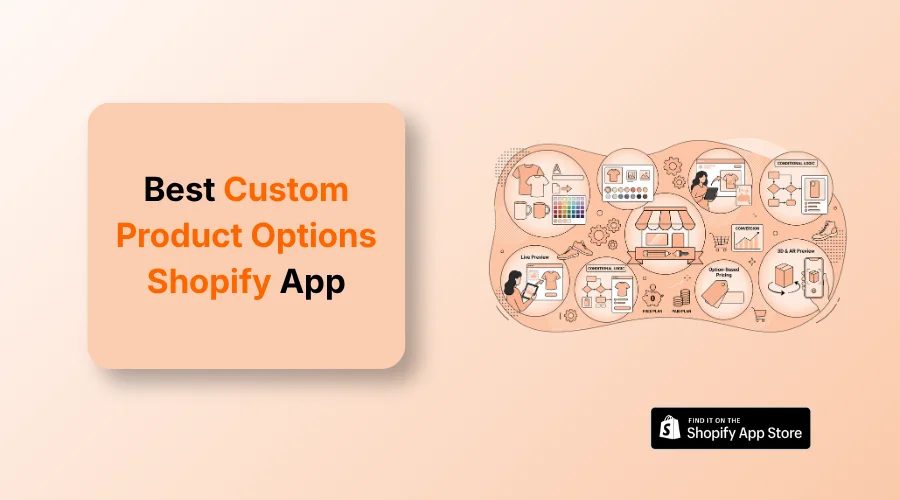
The best custom product options Shopify app depends on what you want customers to customize. For visual variant selection, color/image swatches, and variant image management, Echo Swatch is a strong choice.
Single-item product pages often fail to convert when shoppers lack clear choices. To provide more choices, you need the best custom product options Shopify app to show custom text fields, file uploads, and color swatches.
But where to find these kinds of apps? If you search for the best custom product option app on the Shopify app store, you’ll be baffled to see a lot of options.
And can’t pick the right one until you read this guide. It reveals the top-rated software for simple option fields, visual swatches, and advanced 3D product customization. You will learn how to pick the right tool for your budget and store goals.
Best Custom Product Options Shopify Apps
You’ll now read details about all the best apps. Before you do so, glance at the table below.
| App Name | Best Suited To | Main Personalization Capability | Free Plan / Trial |
| Echo Swatch | Visual variant selection | AI image-to-swatch matching & gallery filtering | Free plan available |
| Easify Custom Product Options | Custom input fields & logic | 28+ field types, conditional logic, add-on pricing | Free plan available |
| Kickflip product configurators | Multi-component products | Live 2D visual customization & dynamic pricing | 14-day trial |
| Inkybay | Web-to-print & apparel | Visual design studio & print-ready file generation | 21-day trial |
| Zakeke | 3D & Augmented Reality | 3D product configuration, AR preview, auto-print files | Free for dev stores |
| Customily Product Personalizer | Print-on-demand fulfillment | Live design previews, POD API sync, vector exports | Free for dev stores |
| Customify | Drag-and-drop customization | Responsive canvas, photo uploads, basic templates | Free plan available |
| Hulk Product Options | Unlimited custom fields | Conditional logic forms & wholesale price add-ons | Free for dev stores |
| Qstomizer | Photo gifts & apparel | 200+ templates, AI image generation, zero tech fees | 15-day trial |
| Teeinblue Product Personalizer | Multi-store POD brands | Dynamic artwork layers & automated POD fulfillment sync | Free for dev stores |
1. Echo Swatch
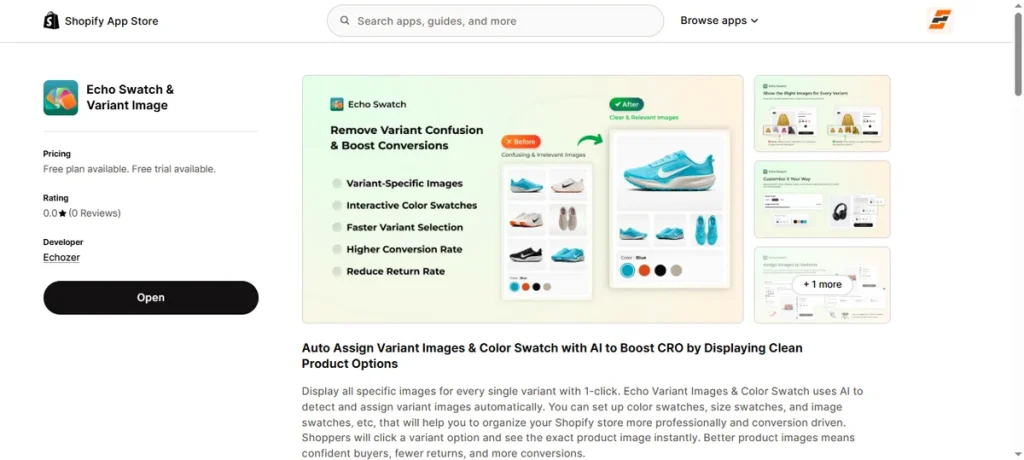
Best for: Visual variant options, color/image swatches, and variant image selection.
Echo Swatch helps store owners organize messy product galleries and present clean visual choices to shoppers. The app uses AI automation to link product images to specific sizes, styles, or color swatches instantly.
It hides unrelated variant pictures when a buyer clicks a specific option, eliminating catalog clutter.
This app keeps product pages looking sharp, builds buyer confidence, and helps increase overall conversion rates.
Key Features
- AI-assisted variant image assignment.
- Color swatches.
- Image swatches.
- Multiple variant options.
- Variant image management.
- Theme compatibility.
- Page-builder compatibility.
- Mobile-friendly variant selection.
Pros
- Visual variant selection.
- AI-assisted image assignment.
- Supports multiple variant options.
- Works with Shopify themes and page builders.
- Free plan available.
Cons
- Not intended for advanced 3D product configuration.
Pricing
- Free Plan: Free ($0/month, 3 products, 50 AI image matches).
- Starter Plan: $7/month (7-day free trial).
- Growth Plan: $15/month (7-day free trial).
- Premium Plan: $29/month (7-day free trial).
Also Read – Best Shopify Variant Image Gallery Apps in 2026
2. Easify Custom Product Options
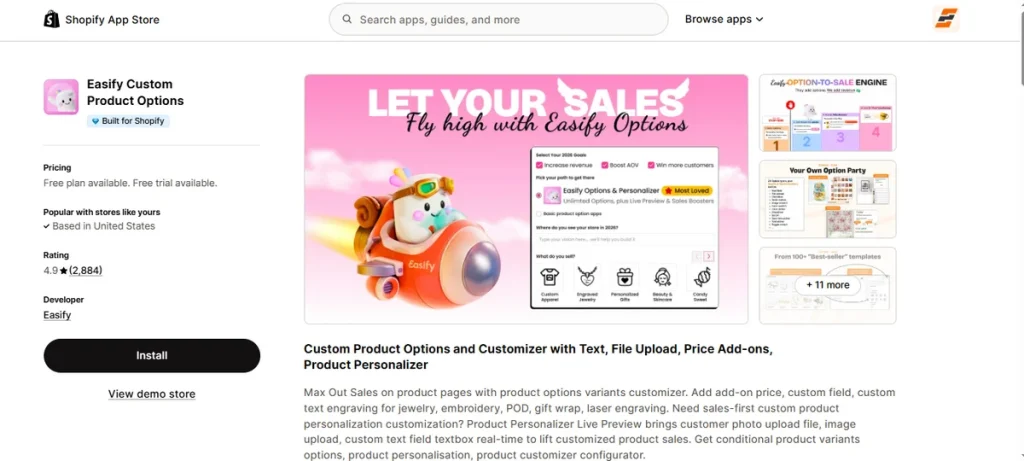
Best for: Flexible input fields, conditional logic, and live option previews.
Easify Custom Product Options assists merchants in designing custom forms and managing complex item selections without touching code.
If you need the best custom product options Shopify app to collect custom engraving text, file uploads, or gift wrap requests, this tool gets the job done.
You can set up conditional display rules that show or hide options based on previous buyer selections.
The software also lets you attach custom prices add-ons for premium materials or extra services directly on your product pages.
Key Features
- 28+ basic and advanced option field types.
- Real-time product personalizer live preview.
- Conditional logic rules for custom variants.
- Option-based pricing (formulas, per-character, or flat fees).
- Multi-file photo upload inputs (up to 100MB).
- Date picker with blocked dates and cutoff times.
- In-cart option editing for customers.
Pros
- Generous free plan with no watermark.
- 24/7 human live chat customer support.
- Flexible option-based pricing add-on tools.
- Over 100 pre-made option templates.
- Smooth theme and checkout integration.
Cons
- Live preview graphics require the Premium plan.
Pricing
- Free Plan: Free ($0/month, unlimited products and orders, 15 option types).
- Pro Plan: $9.99/month (14-day free trial).
- Premium Plan: $19.99/month (14-day free trial).
- Enterprise Plan: $99.99/month (14-day free trial).
3. Kickflip product configurators
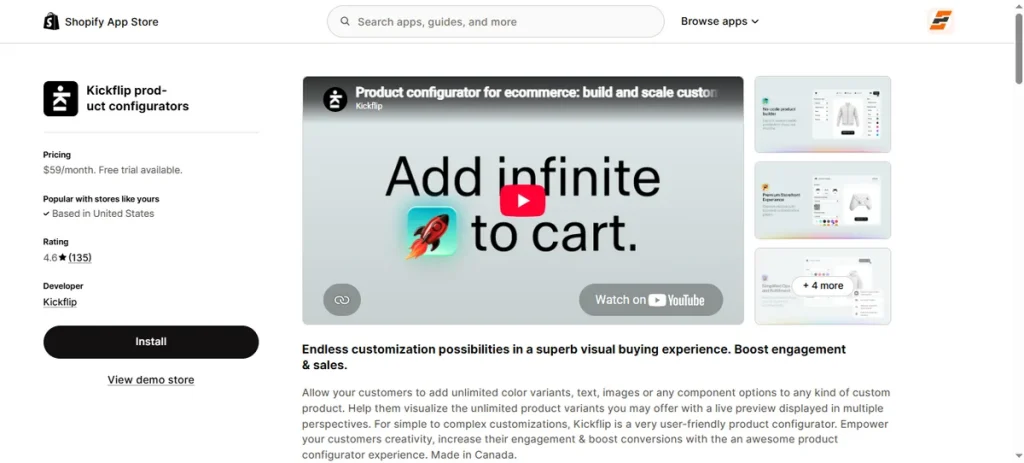
Best for: Multi-component products, live 2D visual customization, and custom apparel design.
Kickflip converts complex items into highly engaging visual buying experiences right on your product pages.
If you want a top-rated product customizer Shopify app to let shoppers build multi-part gear, change colors dynamically, and add custom artwork from multiple camera angles, this product configurator handles it seamlessly.
The software updates prices on the fly whenever customers add components or custom text. Real-time visual feedback builds buyer trust and lowers return rates on personalized items.
Key Features
- Multi-component product builder with live visual preview.
- Multi-perspective product views (front, back, and side angles).
- Real-time dynamic pricing per component selection.
- Custom text, font, and high-resolution image upload tools.
- Dynamic live coloring across customizable product areas.
Pros
- Modern multi-angle visual preview engine.
- Smooth mobile interface across all device screens.
- Real-time price calculation updates instantly.
- Flexible multi-component product structure.
- 14-day free trial with no upfront setup cost.
Cons
- Per-transaction fees apply on top of the monthly base plan.
Pricing
- Free Plan: No.
- Scale Plan: $59/month + 1.95% per custom product sale (14-day free trial).
4. Inkybay
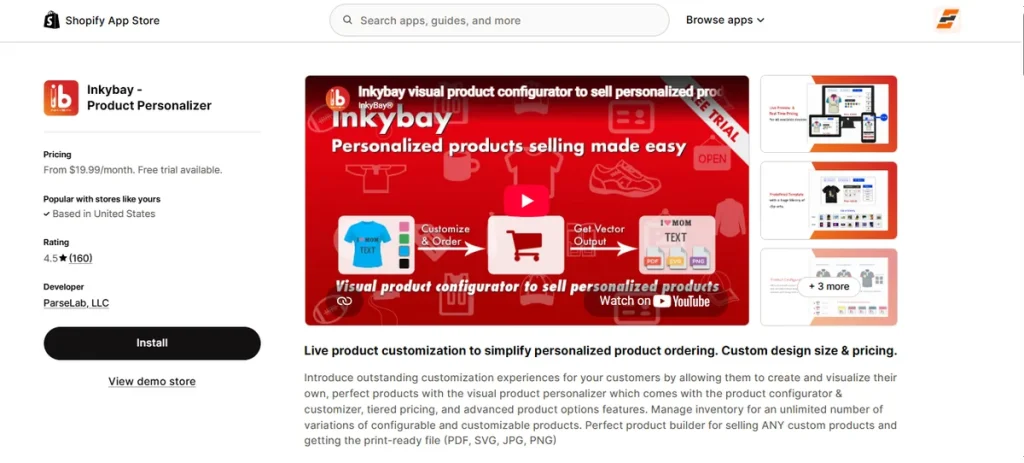
Best for: Print-on-demand products, custom apparel, and generating print-ready files.
Inkybay simplifies personalized order processing by providing a full visual design studio directly on product pages.
If you run a web-to-print store or sell customized goods, this tool works as a versatile product customizer Shopify app. It lets shoppers personalize text, pick custom colors, and upload graphics in real time.
This software calculates total prices dynamically based on print locations, design dimensions, and selected options. It supports all major printing methods, including DTF, screen printing, and embroidery.
Key Features
- Interactive visual product configurator with live design preview.
- Automated vector print-ready file creation (PDF, SVG, PNG, JPG).
- Dynamic price calculation based on custom size, color, and design area.
- Quantity discount tables and tier pricing for bulk custom orders.
- Inventory management across unlimited configurable product variants.
Pros
- Generates vector-quality files ready for direct printing.
- Supports multiple print methods like DTF and embroidery.
- Calculates custom pricing dynamically based on design dimensions.
- Multi-language support covering seven global languages.
- 21-day extended free trial on all plans.
Cons
- Entry plan limits custom products to 10 items per month.
Pricing
- Free Plan: No.
- Starter Plan: $19.99/month (21-day free trial).
- Advance Plan: $49.99/month (21-day free trial).
- Professional Plan: $99.99/month (21-day free trial).
- Unlimited Plan: $249.99/month (21-day free trial).
5. Zakeke
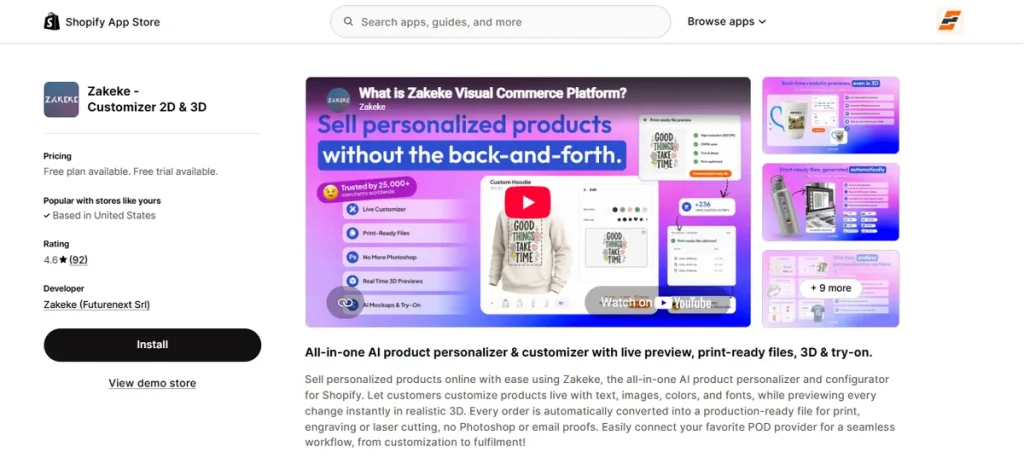
Best for: 3D product configuration, AR visualizer, and automated print file generation.
Zakeke allows shoppers to personalize items using an interactive 2D and 3D design canvas directly on your store pages.
Customers can add custom text, change materials, test colors, and upload images with real-time visual feedback.
The software includes Augmented Reality (AR) tools that let buyers preview custom products in their physical environment before checkout.
Once an order is placed, Zakeke automatically creates print-ready files for laser cutting, engraving, or printing.
Key Features
- Interactive 2D, 3D, and AR live product customization.
- Automatic print-ready file generation (PDF, SVG, PNG).
- Realistic AI previews for embroidery and print effects.
- Direct integration with Print-on-Demand (POD) suppliers.
- Dynamic price updates based on selected options.
Pros
- Offers real-time 3D and AR product visualization.
- Generates automated production files for every order.
- Integrates directly with top POD fulfillment services.
- Supports over 20 global store languages.
- Free access plan for development stores.
Cons
- Paid plans incur per-transaction fees on custom sales.
Pricing
- Free Plan: Free (development stores only).
- Starter Plan: $69.90/month (14-day free trial).
- Grow Plan: $129.90/month (14-day free trial).
- Scale Plan: $299.90/month (14-day free trial).
6. Customily Product Personalizer
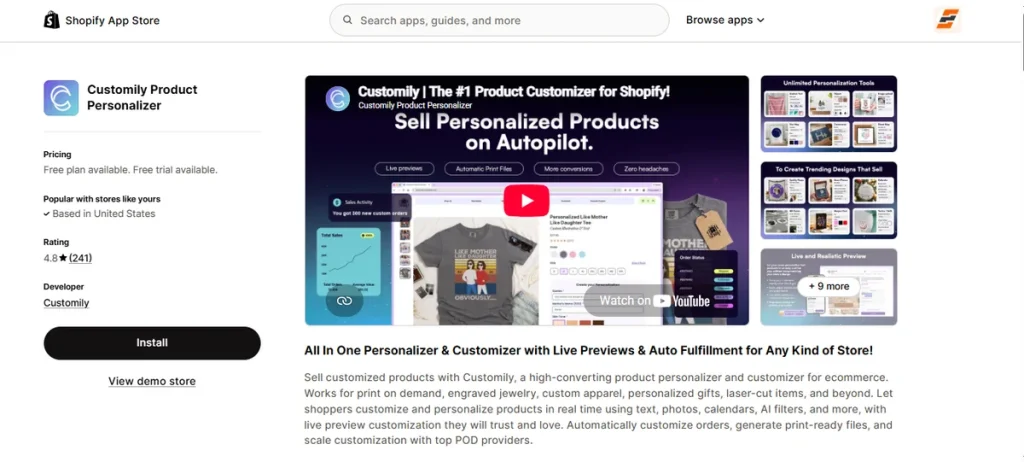
Best for: Print-on-demand fulfillment, web-to-print tools, and automated artwork exports.
Customily enables store owners to sell personalized merchandise with real-time design previews. Shoppers can add custom text, upload photos, apply AI filters, and pick clipart directly on product pages.
The software generates print-ready vector files automatically upon checkout. It connects directly with top print-on-demand providers to facilitate order fulfillment.
Key Features
- Live visual preview for text, photos, maps, and calendars.
- Automated print-file generation (vector and multi-format exports).
- Integrated Canva import, clipart, and AI background removal tools.
- Direct API integrations with top Print-on-Demand (POD) suppliers.
- Live chat support with onboarding training calls included.
Pros
- Eliminates manual graphic work with automatic file exports.
- Connects directly to major print-on-demand fulfillment partners.
- Includes clipart libraries, face cutouts, and AI filter effects.
- Supports unlimited products, options, and ready-to-print exports.
- Free plan access available for development stores.
Cons
- Monthly plan charges additional per-item transaction fees on custom sales.
Pricing
- Development Stores: Free ($0/month).
- Customily Plan: $49/month + $0.10–$1.00 per item (9-day free trial).
7. Customify
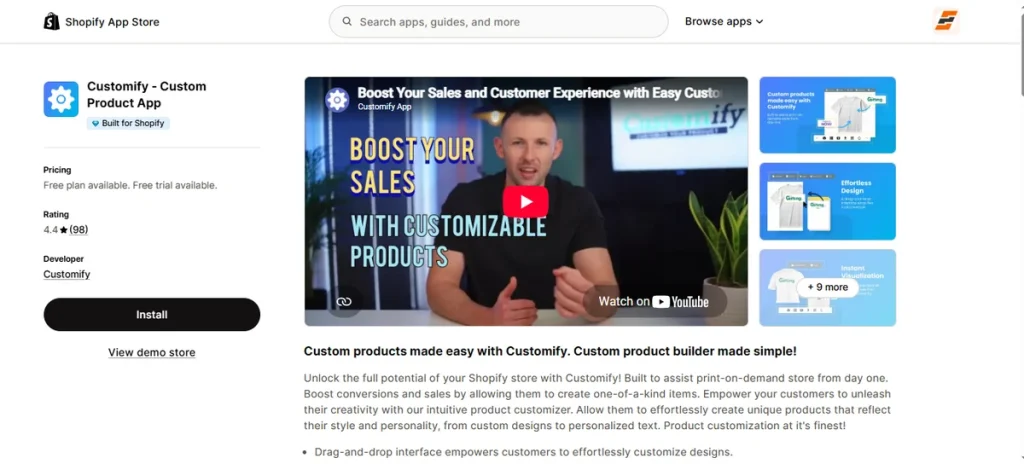
Best for: Simple drag-and-drop customization, basic photo uploads, and responsive previews.
Customify offers an accessible visual canvas that lets shoppers personalize products directly on your store pages.
Customers can upload images, add custom text layers, and adjust design elements across any device screen.
The software includes pre-designed templates to help buyers kickstart their designs quickly.
Key Features
- Drag-and-drop visual customization interface.
- Real-time design preview for customer edits.
- Customer image upload tools for personal photos.
- Responsive design setup optimized for mobile devices.
- Pre-designed templates for popular catalog items.
Pros
- Simple drag-and-drop builder for fast design edits.
- Instant visual previews build customer buyer confidence.
- Mobile-responsive layout works across all phone screens.
- Pre-built templates jumpstart creativity for shoppers.
- Free forever plan option available for small stores.
Cons
- File storage on free and lite plans is capped at 256 MB.
Pricing
- Free Plan: Free ($0/month, 3 custom products, 256 MB storage).
- Lite Plan: $10/month (14-day free trial).
- Basic Plan: $15/month (14-day free trial).
- Professional Plan: $30/month (14-day free trial).
8. Hulk Product Options
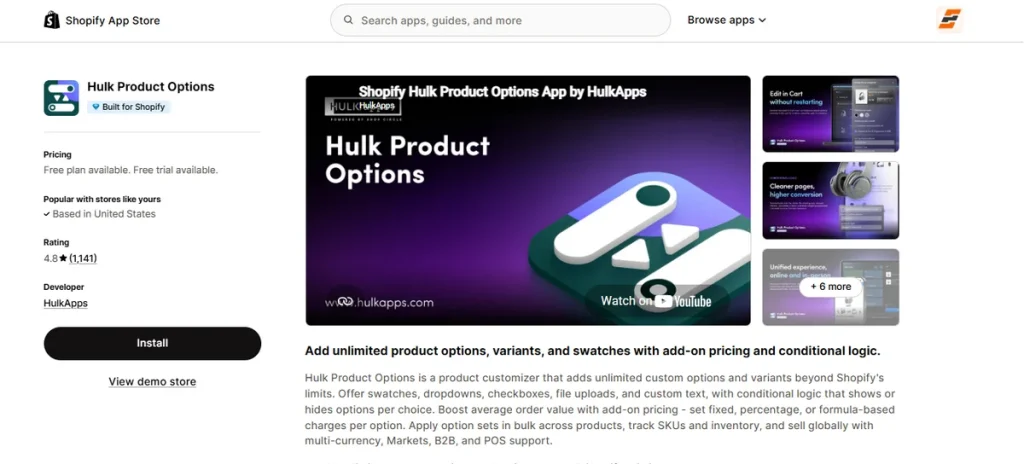
Best for: Unlimited option fields, conditional logic rules, and wholesale price add-ons.
Hulk Product Options helps store owners bypass standard platform limitations by adding infinite custom selections to product pages.
For merchants who need the best custom product options Shopify app to build conditional forms, collect custom text, and attach price add-ons, this tool delivers deep catalog control.
The software lets you apply option sets in bulk across whole collections using CSV files.
Key Features
- Unlimited custom product options and variant choices.
- Conditional logic display rules per customer selection.
- Add-on pricing rules (fixed, percentage, or formula-based).
- Bulk option set assignment with CSV file import.
- Multi-currency, Shopify Markets, B2B, and POS support.
Pros
- Expands options beyond standard platform limits easily.
- Conditional logic rules hide unnecessary field clutter.
- Supports formula and percentage price upcharges.
- Works across online storefronts and physical POS units.
- Free plan access for all partner development stores.
Cons
- Free plan access is restricted to development stores only.
Pricing
- Development Stores: Free ($0/month).
- Basic Plan: $10/month (7-day free trial).
- Advanced Plan: $20/month (7-day free trial).
- Enterprise Plan: $49.90/month (7-day free trial).
9. Qstomizer
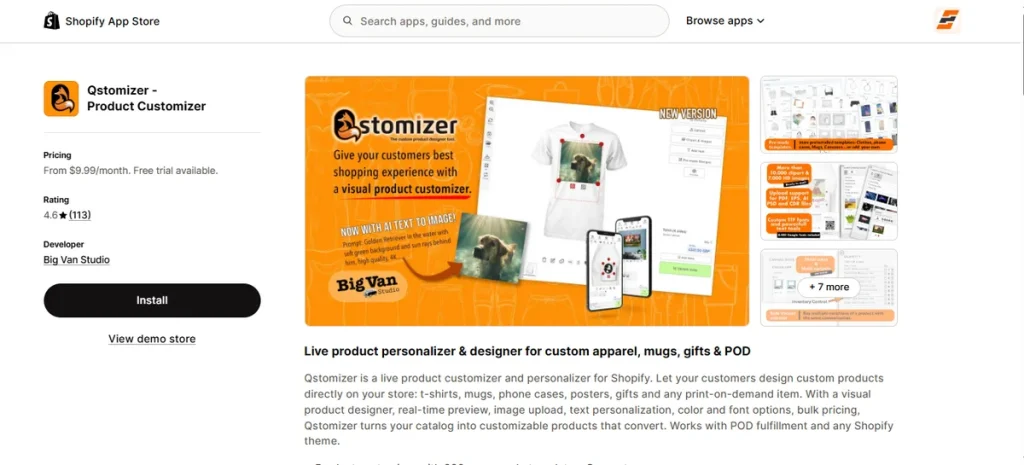
Best for: Print-on-demand sellers, custom apparel, and photo gifts.
Qstomizer places a complete visual studio directly onto your store pages. Customers can build personalized t-shirts, mugs, phone cases, and posters without leaving your site.
The app packages 200+ design templates, 15,000+ stock graphics, and Google Fonts into a responsive layout.
Shoppers can upload complex graphic files, add custom QR codes, or generate fresh artwork using built-in AI image tools.
If you want to refine your catalog menus further, explore our list of the best variant size Shopify apps.
Key Features
- Interactive visual design canvas featuring 200+ pre-built templates.
- Multi-format graphic uploads (PDF, PSD, AI, EPS, CDR) with auto resolution checks.
- AI text-to-image generator and background removal tools.
- Multi-side print options with customizable pricing rules.
- Mobile-ready interface with bulk variant ordering tools.
Pros
- Zero transaction fees on all subscription levels.
- Includes a large stock image and template library.
- Supports high-resolution vector print file exports.
- Generates graphics with built-in AI tools.
- 15-day free trial across all paid plans.
Cons
- Lacks a free plan tier for active production stores.
Pricing
- Free Plan: No.
- Basic Plan: $9.99/month (15-day free trial).
- Advanced Plan: $29.99/month (15-day free trial).
- Professional Plan: $49.99/month (15-day free trial).
10. Teeinblue Product Personalizer
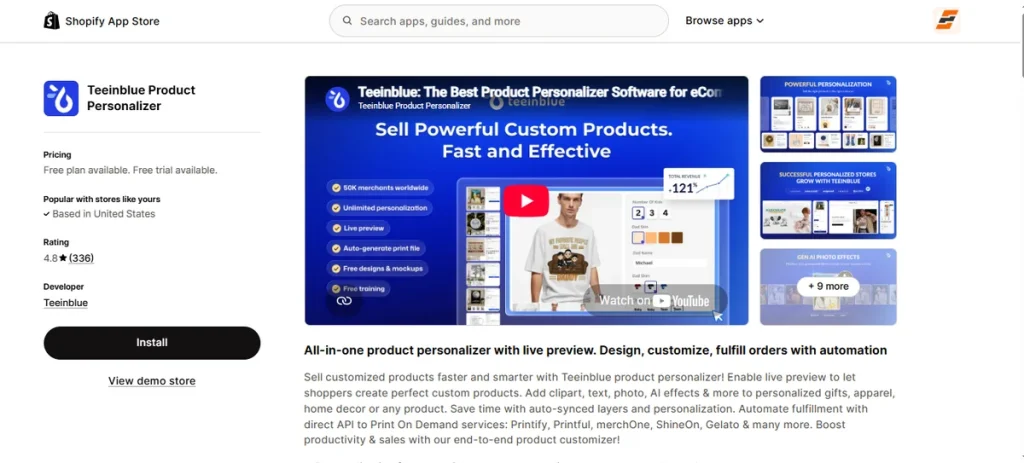
Best for: Multi-store print-on-demand brands, dynamic artwork layers, and automated fulfillment sync.
Teeinblue targets print-on-demand sellers running complex artwork campaigns across multiple storefronts.
The software lets shoppers build customized gifts, apparel, and home decor using clipart, star maps, moon phases, and custom text.
Its built-in AI tools handle face cutouts, pencil sketch effects, and background removal right on the design canvas.
Instead of manually exporting files, the app auto-generates production-ready artwork and routes orders straight to Printify, Printful, ShineOn, Gelato, or custom APIs.
Key Features
- Interactive artwork builder with clipart, maps, and photo layers.
- Generative AI utilities (background removal, face cutout, sketch effects).
- Multi-store account management with Canva and PSD file imports.
- Automated print-ready file generation and POD fulfillment API sync.
- Dynamic conditional options with bulk layer uploading.
Pros
- Connects directly with major print-on-demand fulfillment labs.
- Generates artwork files automatically to skip manual design steps.
- Manages multiple store channels under a single subscription account.
- Includes AI image editing tools directly inside the customer editor.
- First 100 app-generated orders incur zero transaction fees monthly.
Cons
- Slow support system.
Pricing
- Development Stores: Free ($0/month).
- Blue Plan: $49/month + $0.10–$0.40 per order item (14-day free trial).
What Are Custom Product Options in Shopify?
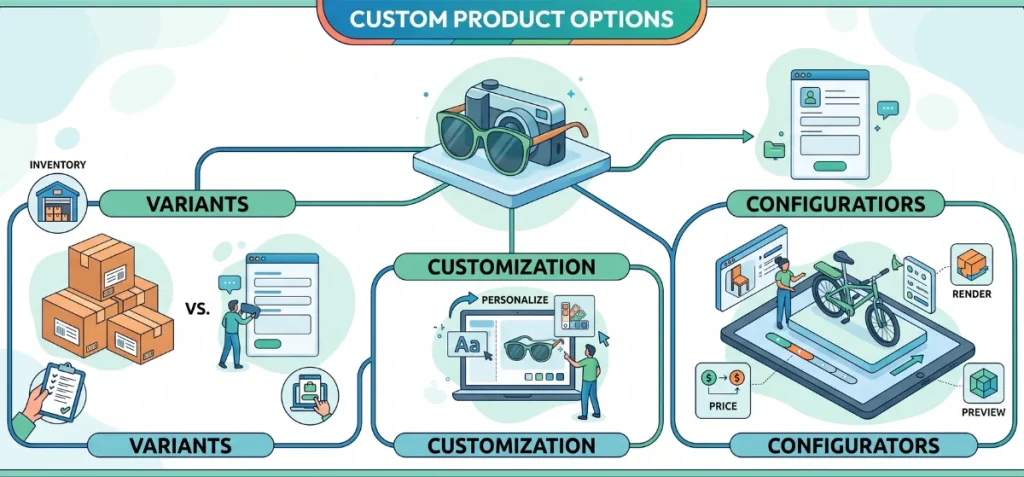
Think of custom product options as extra form fields on a shopping page. They let buyers add special details, upload files, or pick extra add-ons before hitting the buy button.
Product Options vs. Shopify Variants
Shopify lets you create up to 2,048 variants per item, but you can only use 3 main categories like Size, Color, or Material.
Custom product options break past this 3-category limit without messing up your store’s inventory.
- Shopify Variants: Tracks physical stock for specific combos.
- Example: Frame Finish (Walnut), Lens Tint (Green).
- Example: Frame Finish (Walnut), Lens Tint (Green).
- Custom Product Options: Collects extra buyer details or paid extras.
- Example: Uploading a doctor’s prescription file, typing a custom name for an engraving, or picking a velvet gift case for $15 extra.
Variants keep track of what is sitting on a warehouse shelf. Custom options just tag extra instructions directly onto the customer’s order.
Custom Product Options vs. Product Customization
- Custom Product Options: Simple drop-down menus, checkboxes, or text boxes for extra picks.
- Product Customization: Lets buyers redesign the look of a product, move text around on screen, or swap colors live before buying.
Custom Product Options vs. Product Configurators
- Custom Product Options: Quick, simple forms for basic extra choices.
- Product Configurators: Complex, step-by-step tools. They calculate prices on the fly, enforce rules for matching parts, and show live 3D models or Augmented Reality (AR) previews.
Also Read – 10 Best Shopify Bundle Builder Apps for 2026
What Should the Best Shopify Product Options App Include?
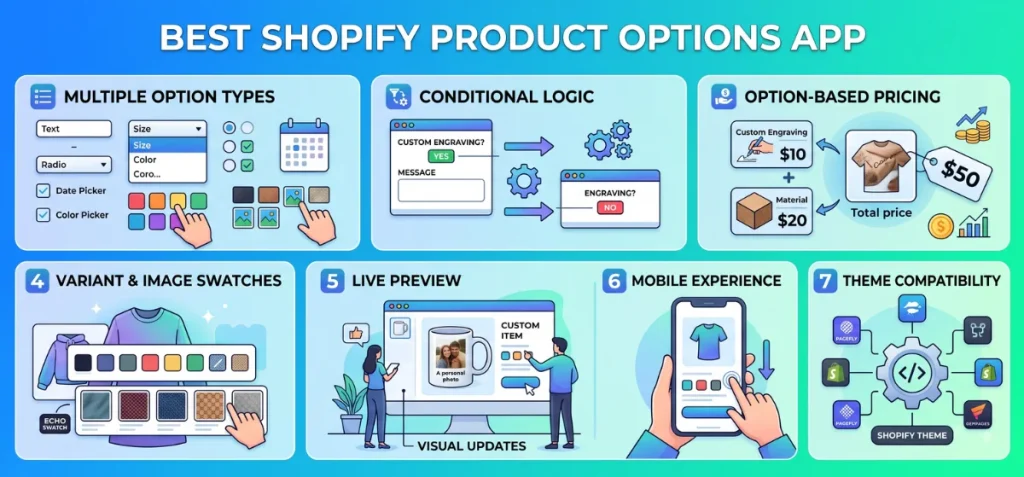
Every solid product options app needs a clear feature set to help you sell effectively. Here is the ultimate checklist to evaluate your choices.
1. Multiple Option Types
Your app must support versatile input fields to gather any customer preference:
- Text fields and text areas
- Dropdowns and radio buttons
- Checkboxes and number fields
- Date and time pickers
- Color swatches and image swatches
- File and image upload fields
2. Conditional Logic
Show or hide specific choices based on prior selections.
For example, when a buyer selects “Add Custom Engraving,” the app opens a text input box for their message. If they pick “No,” that text box stays hidden. This setup keeps your product pages tidy.
3. Option-Based Pricing
Charge extra fees directly when buyers pick specific options. You can set added costs for:
- Fixed add-ons and premium materials
- Custom engraving or gift wrapping charges
- Custom-size adjustments
- Additional accessories
4. Variant and Image Swatches
Visual swatches replace clunky dropdown menus with clean visual buttons. Apps like Echo Swatch use visual swatches to display exact colors and pattern images cleanly.
These visual buttons work best for apparel, footwear, furniture, cosmetics, accessories, or any item with visually distinct styles.
Good Read – Best Shopify Color Swatch Apps in 2026
5. Live Preview
A live preview shows buyers a real-time visual update of their customized item before purchase. It matters most for personalized items like printed mugs, custom t-shirts, or monogrammed bags.
You do not need live previews for simple choices like extended warranties, delivery dates, or basic gift boxes.
6. Mobile Experience
Most online shoppers browse on phones. Check that the app provides large tap targets, fast image loading, clear option visibility, and smooth scrolling on mobile product pages.
7. Theme Compatibility
Pick an app that works seamlessly with your current Shopify theme and page builders like PageFly or GemPages. It must load fast without breaking your layout or site scripts.
Custom Product Options vs Product Customizer: Which One Do You Need?
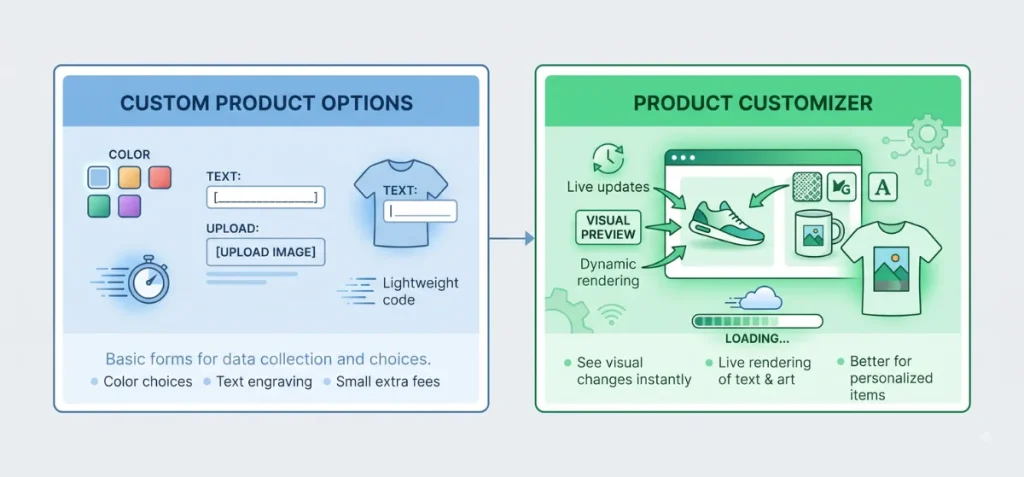
It depends on what you sell and how buyers make decisions.
A standard store only needs basic data collection, while a brand selling personalized goods needs live visual rendering.
Use this decision matrix to pinpoint the exact tool for your shop:
| Your customers need to… | You need… |
| Choose colors or patterns visually | Variant or swatch solution |
| Select extra product features | Product options |
| Enter text for names or dates | Custom text fields |
| Upload artwork or custom logos | File-upload options |
| Choose paid extras or add-ons | Option-based pricing |
| See customization appear on the product | Live-preview product customizer |
| Build several product components together | Multi-step product configurator |
| Manipulate a 3D model on screen | 3D product configurator |
Simple product options add light form fields directly to your product page. They capture buyer choices, collect files, and calculate extra costs without adding heavy script files that slow down your store.
Product customizer apps step in when customers need visual reassurance before purchasing. They render text, logos, or color changes directly onto a product mockup in real time.
For multi-part builds with complex rules and 3D models, full product configurators handle the heavy lifting.
Avoid paying for a heavy customizer app if simple option fields meet your workflow needs.
Are There Free Shopify Product Options Apps?
When you search for the best custom product options Shopify app free, you encounter many apps in the Shopify app store.
For your information, a ‘free’ label doesn’t always mean you can use every feature on a live store without paying.
Before choosing a free app, check what the free plan actually includes.
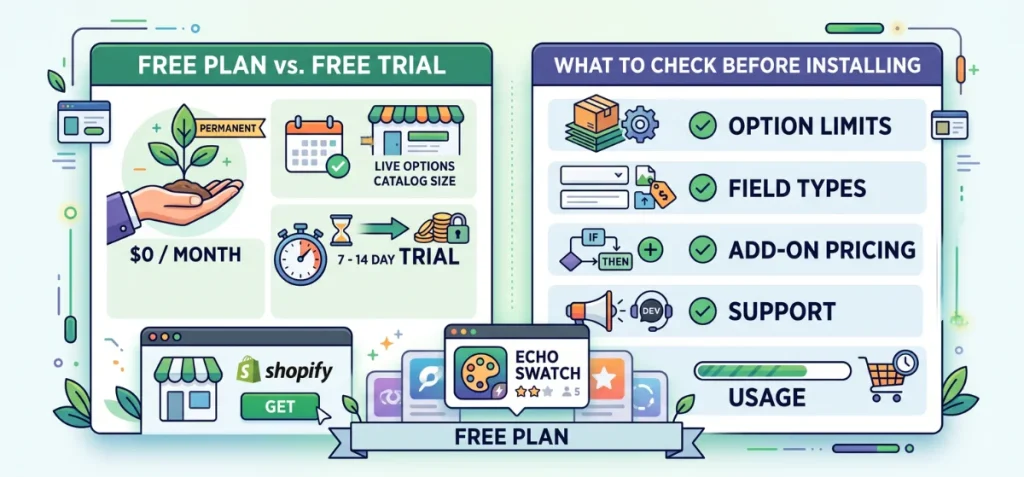
Free Plan vs. Free Trial
- Free Plan: A permanent $0 monthly tier that lets you run options live, usually capped by usage or catalog size.
- Free Trial: A short, timed window (typically 7 to 14 days) before mandatory monthly charges kick in.
What to Check Before Installing
Before choosing an app, review its feature tiers to avoid unexpected costs:
- Product & Option Limits: Check whether free usage caps total products or option sets.
- Field Types & Uploads: Verify if text boxes, drop-downs, or file upload fields require a paid upgrade.
- Logic & Add-On Pricing: Confirm if conditional logic rules or charge-extra fees sit behind a paywall.
- Branding & Support: Watch for developer watermarks on free plans and check available support channels.
- Usage Limits: Watch for monthly order or view caps that lock features once exceeded.
Apps like Echo Swatch offer a genuine free plan for smaller catalogs, making it a practical starting point.
Choose the Best Custom Product Options Shopify App
Pick the right app based on your catalog needs. For stores that mainly need visual variant selection, color/image swatches, and cleaner product galleries, Echo Swatch is a practical choice.
Stores that need text inputs, file uploads, conditional logic, or advanced visual personalization should choose an app built around those workflows.
You can try Echo Swatch on its free plan to see whether it fits your catalog.
FAQs
What is the Best Custom Product Options Shopify app?
The best app depends on the type of customization you need. Echo Swatch is a strong choice for visual variant selection, color/image swatches, and variant image management.
Merchants who need text fields, uploads, conditional logic, or advanced personalization may need a different type of app.
What is the Best Free Custom Product Options App for Shopify?
Echo Swatch offers a reliable free plan for merchants who need visual variant swatches and image management for up to 3 products.
Can Shopify Product Options Add Extra Costs to a Product?
Yes. Many product options apps allow you to attach add-on fees to specific selections, such as charging an extra $5 for gift wrapping or $10 for custom engraving.